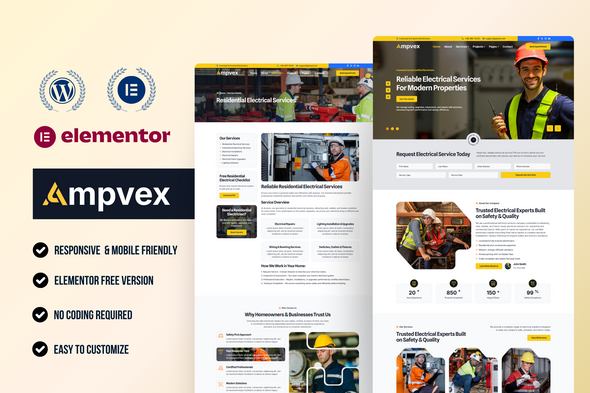
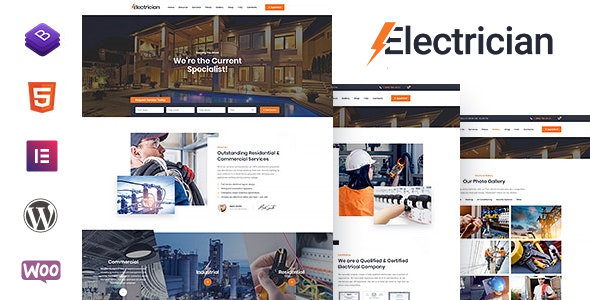
Ampvex - Electrician & Electrical Services WordPress Elementor Template Kit
Ampvex is a high-voltage, professional Elementor Template Kit engineered for Electricians, Electrical Services providers, and general Contractors, providing a robust digital foundation to secure more contracts. Powered by Elementor, it targets Construction, Renovation, and Engineering with a sleek, authoritative design that highlights expertise in Wiring, Power distribution, and Energy efficiency.
Why Ampvex is the Best Choice for Your Business
- Complete Industry Coverage: Ideal for everything from a solo Handyman to a large-scale Engineering firm.
- Service-Oriented Layouts: Dedicated sections to display Lights installation, circuit Repair, and safety inspections.
- Trust-Building Design: Clean aesthetics that reassure clients looking for reliable Maintenance and Power solutions.
- High-Converting Forms: Integrated quote forms to capture leads for Renovation and emergency call-outs.
- Fully Responsive: Ensures your Electrical Services look professional on every device.
Required Plugins (Free)
- Elementor
- MetForm
- Jeg Elementor Kit
- Gum Addon for Elementor
- Prime Slider
These plugins enable the full functionality of the Ampvex Template Kit, including form handling, header/footer templates, and slider features.
What’s Included in the Zip
- Home Page (Optimized for Electrician & Contractor)
- About Page (Company Profile)
- Services Page (Residential Services & Commercial)
- Service Details Page (Wiring & Repair Specs)
- Project Page (Construction Portfolio)
- Project Details Page (Case Study)
- Team Page (Certified Energy Experts)
- Pricing Page (Transparent Rates)
- Faqs Page (Common Questions)
- Blog Archive & Single Post (Industrial Insights)
- Contact Page
- 404 Page
- Contact Form
- Request a Quote Form (For Renovation & Lights)
- Newsletter Form
- Header & Footer (Global Templates)
Note: This is not a WordPress Theme. Template Kits contain design data for Elementor only and can be imported using the Envato Elements plugin or directly through Elementor.
How to Import MetForm Custom Form
- Import all MetForm templates first.
- Edit the page where the form is placed using Elementor.
- Click the MetForm widget and choose Edit Form.
- Select “New”, keep it blank, and click Edit Form.
- Click the gray folder icon → open My Templates → insert the imported MetForm template.
- Click Update to save changes.
How to Setup Header in Jeg Elementor Kit Plugin
- If you are using Elementor Pro, manage headers and footers via Theme Builder.
- Otherwise, go to Jeg Elementor Kit → Header Template.
- Click Add New Header → set condition to Entire Site → click Create.
- Edit the header with Elementor.
- Insert the header template using the gray folder icon.
- Customize as needed and click Save.
Images & Assets
This Template Kit uses demo images from Envato Elements. You must license these images from Envato Elements to use them on your website or replace them with your own project photos.
Collection Link: https://elements.envato.com/collections/QF3K2GBHME
Notes on Usage and Licensing
This Template Kit is designed to be imported into Elementor and is not a standalone WordPress theme. All design data is compatible with Elementor, and you can customize layouts using the included global templates for headers and footers. For best results, this kit should be used with WordPress and the Elementor ecosystem as described in the installation guide.
The information on this website is sourced from the
ThemeForest product page
.