AppLand - WordPress Theme For App & Saas Products
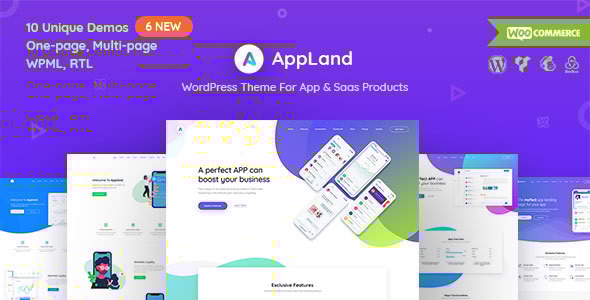
AppLand is a WordPress theme designed for apps, SaaS products, software, startups, and related services, offering a responsive, modern design with a strong focus on user experience. It ships with multiple demos, an extensive shortcode toolkit, and versatile demo installation options to showcase products effectively.
Key features
- 14 Carefully crafted, unique demos — 14 ready demos to jump-start your website, with shortcodes to create your own demo quickly.
- Over 90 custom shortcodes — 90+ Content Elements to ease your workflow, with drag & drop for flexible layouts.
- Multi-page and single-page versions — Classic multi-page sites or landing pages (one-page websites) covered.
- Support for all major browsers — Consistent behavior across Chrome, Firefox, Safari, Opera, and IE.
- Fully responsive — Built with Bootstrap 3; 12-column grid adapts to devices including iPhone and iPad.
- Easy customization — No coding required; customize via options panel for each Demo.
- CSS3 animations — Loading animations, toggles, modals, and smooth navigation for a polished UX.
- Built for performance — Optimized code to deliver strong performance across environments.
- 100% Translation Ready and WPML Compatible — Fully WPML compatible with .po/.mo files for translations.
- Full RTL Support — Complete right-to-left compatibility with dedicated demos in Arabic.
- Rich typography — Google Fonts support with access to a wide font library.
- One click demo install — Fast import of AppLand’s pages, posts, sliders, widgets, and options.
- XML demo import — Manually import demos via XML files if needed.
- Mailchimp integrated — Built-in integration for email marketing and list growth.
- Contact Form 7 — Compatibility with the popular WordPress contact form plugin.
- Multisite tested — Verified across multisite setups for network-wide reliability.
- Customized theme options panel — Redux framework enables easy theme customization.
- Child theme included — WP child theme included to preserve customizations during updates.
- Smooth user experience — UX/UI optimized for a fluid visitor journey.
- Clean coded — Well-organized, maintainable codebase.
- Professional and fast support — Support via ticketed forum with responsive consultants.
- Lifetime free updates — One-time purchase grants ongoing updates and improvements.
Compatibility and responsiveness
- Support for all major browsers — AppLand runs identically on Google Chrome, Mozilla Firefox, Safari, Opera, and Internet Explorer.
- Fully responsive — Bootstrap 3 base with a 12-column grid ensures flexible layouts for diverse content.
- Full RTL Support — Native RTL compatibility with dedicated demos for right-to-left languages.
- 100% Translation Ready and WPML Compatible — Ready for multilingual sites with translation files.
- Rich typography — Access to Google Fonts for stylistic versatility across designs.
Demo installation and data import
- One click demo install — Import AppLand’s pages, posts, sliders, widgets, and options with a single action.
- XML demo import — Demos available as XML files for manual imports when needed. (Theme>inc>demos)
Customization and developer-friendly features
- Customized theme options panel — Redux framework enables easy, non-code customization.
- Child theme included — Protects customizations during updates by using a WP child theme.
Design, typography, and performance
- Smooth user experience — UX-focused design for engaging interactions.
- Clean coded — Clear, maintainable, and efficient code structure.
Support, updates, and ongoing improvements
- Professional and fast support — Access to a capable support team for assistance.
- Lifetime free updates — Free updates for the life of the product after purchase.
Theme updates and version history
- 3.0.8 (16 Nov 2025) — Update: AppArt Core plugin update; Deprecated function updated; Demo content updated; Compatible with the latest WooCommerce version.
- 3.0.7 (21 March 2025) — Updated: Deprecated function updated; Compatible with latest WordPress version.
- 3.0.6 (19 September 2024) — Updated: WooCommerce outdated template files; Fixed: Deprecated function updated.
- 3.0.5 (23 March 2023) — Updated: WooCommerce outdated template files; Fixed: Deprecated function updated; Updated: appland-core file updated.
- 2.9.5 (24 November 2021) — Updated: WooCommerce outdated template files; Fixed: Deprecated function updated; Fixed: Compatible with latest WordPress version (6.1.1.x); Fixed: Compatible with latest WooCommerce version (7.1.0); Updated: appland-core file updated.
- 2.9.4 (09 Jan 2021) — Fixed: PHP Warning (Single Product Page); Updated: Compatibility with latest WordPress version.
- 2.9.3 (15 Nov 2019) — Tweaked: Product details page style improved; Tweaked: Typography Settings; Updated: WooCommerce outdated template files; Updated: WPBakery Page Builder plugin updated to 6.0.5 version.
- 2.9.2 (30 May 2019) — Tweak: Gutenberg Compatibility; Tweak: Some Element styles; Updated: WpBakery and Appland Core 2.9.2.
- 2.9.1 (01 April 2019) — Fixed: WooCommerce product input quantity icon; Tweak: Menu max width set for mobile view; Tweak: Unnecessary admin notices removed; Tweak: Typography Settings.
- 2.9 (10 March 2019) — New: 404 Error Page settings under Theme Settings page; Tweak: Menu Action Button show on all devices; Tweak: Hero Section's (style 10) featured image show on mobile option added; Tweak: Hero Section's (style 10) responsive issues.
- 2.8.1 (21 January 2019) — Fixed: some Gutenberg design issues.
- 2.7 (02 December 2018) — Tweak: Single Video Section (from this version you can display youtube, self hosted video); Tweak: Pricing Table with Tab; Tweak: Screen Features Sections; Tweak: Shop Sidebar Widgets style; Tweak: WooCommerce Checkout page design; Tweak: WooCommerce Cart page design; Fixed: WooCommerce outdated template files; Fixed: Title Section responsive issue; Fixed: Shop Page's Title and Subtitle Settings; Fixed: Product Category Thumbnail Image on Title-bar Background; New: Text Logo options added on the Theme Settings > Header Settings > Logo; New: Post Category Title-bar Background Image Upload Field; Updated: Demo Eight contents.
- 2.6 (20 November 2018) — Tweak: Testimonial Shortcode; Tweak: Footer Color Change Options; Tweak: Typography Options; Tweak: Colors Options; Tweak: 404 Error Page; Updated: Demo 05 (contact page added).
- 2.5.1 (24 October 2018) — Updated: Some demo contents; Tweak: Team Shortcode (linkedin, instagram field added); Tweak: Line breaking possibilities enabled for contact information boxes.
- 2.5 (22 October 2018) — New: Three New landing demos added; Tweak: Some shortcode settings; Tweak: Some element's style.
- 2.4 (18 October 2018) — New: Two Saas homepage added; Tweak: Button Shortcode; Tweak: Hero Section; Tweak: Some design elements; Tweak: Page Metabox options; Tweak: Dynamic global color changing option; Tweak: WooCommerce quantity input field arrow top and arrow down icon; Fixed: Navbar Layout Settings; Fixed: WooCommerce single page; Updated: Multi-page demo contents.
- 2.3 (14 October 2018) — New: Demo 09 Added; New: Hero Style Nine Added; New: Post Title-bar Settings; Tweak: Dynamic Color Change Options; Fixed: Multipage demo version import; Fixed: WooCommerce outdated template issue; Fixed: Title shortcode's bottom line appearance.
- 2.2 (10 October 2018) — Tweak: Product archive page (Title align option added to the Theme Settings); Fixed: Product Single page's banner dynamic options; Updated: Multipage demo contents.
- 2.1 (09 October 2018) — New: WooCommerce support enabled (Shop, Cart, Checkout Product Single pages added).
- 2.0.1 (06 October 2018) — Tweak: Hero Section;
- 2.0 (06 October 2018) — Fixed: The page margin meta settings; Fixed: Hero Section's issues; Tweak: Some shortcode settings; Tweak: Design elements; Added: Blog masonry and blog grid page; Updated: Demo contents.
- 1.9 (04 October 2018) — Fixed: Dynamic Color Change Option; New: Seven new demo added; Updated: Demo contents in demo import options.
- 1.1 – 1.8.8 (05 May 2018 – 04 October 2018) — Note: Those versions were in the other author account on ThemeForest; you can see all change logs in the changes.txt file in the theme's root folder.
The information on this website is sourced from the
ThemeForest product page
.