AutoDetail - Car Detailing, Shop & Repair WordPress Theme
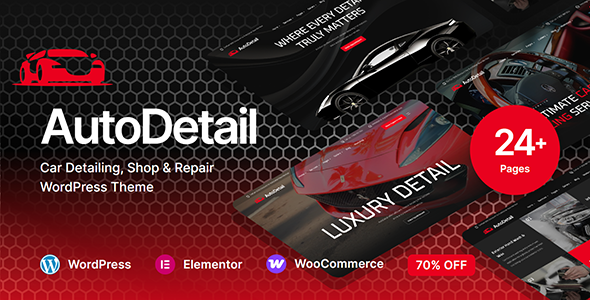
AutoDetail is a premium WordPress theme designed specifically for car detailing, auto repair shops, and automotive service businesses. Built by ReacThemes — a trusted ThemeForest author with over 10 years of experience — this theme combines sleek, professional design with modern WordPress standards to ensure top-notch performance and flexibility.
Product Overview
AutoDetail delivers powerful features, stunning layouts, and customizable UI components to help you create a fast, stylish website. Whether you’re showcasing services, offering bookings, or highlighting testimonials, the theme is crafted for speed, usability, and conversion-driven design. Get AutoDetail by ReacThemes and accelerate your business online with confidence.
Elementor – No Code Page Builder
- Experience a user-friendly interface and unmatched flexibility with one of WordPress’s most intuitive page builders — the perfect solution for building stunning websites without the hassle.
- Live Drag & Drop Editor: Say goodbye to coding! Effortlessly design and adjust your website layout in real time with a simple drag-and-drop interface.
- Fully Responsive & Mobile-Optimized: Enjoy complete control over element visibility and positioning to create pixel-perfect designs that look great on all devices.
- Flexible Layout Options: Build any layout with ease. Customize spacing, width, and height to perfectly suit your content and design vision.
- Stunning Animations & Effects: Engage your audience with beautiful entrance animations, smooth hover effects, and seamless one-page scrolling for an immersive browsing experience.
- Global Design Control: Manage your entire site’s typography and color scheme from one centralized panel, ensuring a consistent and professional look across every page.
- Included – Header Builder: Design and manage your website’s header with total freedom — no coding required. With front-end editing powered by the Elementor drag-and-drop builder, creating stunning, functional headers is easier than ever.
Included – Header Builder
- Edit with Elementor: Customize your header directly on the live preview using Elementor’s drag-and-drop tools — no technical skills needed.
- Design Like a Page: Build header layouts just like regular pages. Add rows, columns, widgets, and more, with total design freedom.
- Pre-Built Header Templates: Choose from a wide selection of professionally designed header templates. Import, tweak, and launch in minutes.
- Media & Widget Support: Easily integrate images, videos, menus, search bars, social icons, shopping carts, and any Elementor widget.
- Responsive Across All Devices: Ensure headers look perfect on desktops, tablets, and mobile devices with full responsive control.
- Unique Headers for Different Pages: Assign different headers to individual pages or post types — perfect for creating varied experiences across your site.
- Sticky & Transparent Header Options: Make your header stand out with built-in options for sticky behavior and transparent overlays.
- Advanced Display Conditions: Show specific headers based on conditions like user role, device type, page, or even custom taxonomies.
- Seamless Theme Integration: Fully compatible with your theme’s design system, ensuring a consistent and polished appearance site-wide.
Included – Footer Builder
- Take full control over your website’s footer with an intuitive front-end design experience. Create, customize, or import multiple footers and assign them to different pages to perfectly complement your site’s look and feel.
- Edit with Elementor: Use Elementor’s live drag-and-drop editor to add, style, and arrange footer elements — all in real time.
- Pre-Designed Footer Templates: Choose from a library of beautifully designed footer templates. Import, customize, and use them instantly to save time and effort.
- Fully Responsive Layouts: Ensure your footers look flawless on desktops, tablets, and mobile devices with responsive controls for every screen size.
- Assign Footers to Any Page: Set different footers for specific pages, posts, or post types to create dynamic and personalized experiences across your site.
- Widget and Media Integration: Add social icons, contact forms, menus, subscription forms, images, and videos seamlessly to your footer area.
- Global or Page-Specific Control: Choose between global footers or unique footers for different sections of your website.
- Sticky Footer Option: Enable sticky footers that stay visible as users scroll, ideal for call-to-actions and important links.
- Custom Column Layouts: Create footers with 1, 2, 3, 4, or more columns — all customizable for spacing, alignment, and content flexibility.
- Advanced Display Conditions: Show specific footer layouts based on user roles, device types, pages, or even custom taxonomies.
- Multilingual and RTL Ready: Design footers that are translation-friendly and support right-to-left languages for a global audience.
Off-Canvas Builder
- Create modern, space-saving designs with a powerful Off-Canvas Builder. Perfect for menus, side panels, mobile navigation, or hidden content — all fully customizable with Elementor’s intuitive interface.
- Edit with Elementor: Design your off-canvas panels using Elementor’s live drag-and-drop editor. Add any widget, style it, and preview changes instantly.
- Multi-Purpose Panel Support: Use off-canvas areas for menus, filters, shopping carts, search, login panels, or any custom content.
- Flexible Triggers: Open off-canvas content via buttons, icons, menu items, or even on scroll — choose how and when it appears.
- Pre-Built Templates: Jumpstart your design with professionally crafted off-canvas templates. Import and customize with ease.
- Full Customization Control: Set width, position (left, right, top, bottom), background styles, animations, overlay settings, and more.
- Responsive & Mobile-Ready: Ensure your off-canvas panels look and function beautifully on all devices, especially mobile.
- Advanced Animation Effects: Choose from slide, fade, push, or zoom effects for smooth transitions and a modern user experience.
- Display Conditions: Show off-canvas content only on specific pages, for certain user roles, or based on device type.
- Close Control Options: Add customizable close buttons, overlay click-to-close, ESC key support, and more user-friendly features.
- Integrate with Theme Elements: Seamlessly connect off-canvas panels with your header, menu, or WooCommerce components.
Mega Menu Builder
- Build powerful, content-rich navigation experiences directly on the front end using the Elementor drag-and-drop builder.
- Visual Front-End Editing: Design and customize your mega menu with Elementor’s live drag-and-drop interface. Add text, images, icons, widgets, and more with complete creative control.
- Pre-Designed Mega Menu Templates: Save time with ready-to-use mega menu layouts. Import, personalize, and launch in minutes.
- eCommerce Ready: Seamlessly integrate WooCommerce widgets such as product categories, featured items, and shopping cart elements directly into your menu.
- Embed Contact Forms & Maps: Add interactive elements like contact forms, Google Maps, and social icons for an all-in-one navigation experience.
- Custom Layouts & Column Control: Create multi-column menu structures with custom spacing, widths, and background styles for each section.
- Responsive & Mobile-Optimized: Ensure flawless performance across all devices. Customize visibility, layout, and interactions for desktops, tablets, and mobiles.
- Hover & Click Triggers: Control how your menus open — whether on hover, click, or tap — for a smooth and intuitive user experience.
- Icons & Media Support: Add SVGs, images, or font icons next to each menu item to improve navigation and visual clarity.
- Sticky or Full-Width Options: Create sticky mega menus or full-width layouts that align seamlessly with your header or page design.
Key Features
- Built with Elementor – Drag & drop visual builder, no coding required
- One-Click Demo Import – Get started instantly with pre-built templates
- Fully Responsive & Retina Ready – Looks perfect on all devices
- Pre-built Homepages for Car Detailing, Repair Shops, and More
- Advanced Property Booking CTA – Lead generation optimized
- Parallax Effects & Smooth Scroll – Premium interactive experience
- Fast Loading & SEO Optimized – Google-friendly & performance-focused
- Cross-Browser Compatible – Tested on Chrome, Safari, Firefox, Edge
- Clean Code & Developer Friendly – Easily customizable
- Perfect For:
- Car Detailing Businesses
- Auto Repair Shops & Garages
- Car Wash & Cleaning Services
- Mechanic Workshops
- Auto Parts Stores
- Vehicle Maintenance Centers
- Tire & Wheel Shops
- Auto Paint & Bodywork Services
- Engine Tuning & Diagnostic Services
- Any Automotive Service-Based Business
What’s Included
- Autodetail WordPress Theme
- Child Theme
- Demo Content Importer
- Theme Documentation
- Lifetime Free Updates
Why Choose AutoDetail?
- Backed by 10+ years of WordPress expertise and over 7,000+ ThemeForest customers, ReacThemes delivers quality you can trust.
- AutoDetail is thoughtfully designed to match the specific needs of the auto service industry — from layout to functionality.
- Launch your car detailing or auto service website with a theme that works as hard as you do.
- Documentation and online resources support ongoing use and customization.
Change Logs
- 12 Nov 2025(v1.0.3) Fixed: Pluign Installation Issues Update: Bundle Plugins
- 26 Oct 2025(v1.0.2) Add New Home Page Demo Update: Bundle Plugins
- 25 Sept 2025(v1.0.1) Fixed Mega Menu Issues
- 22 Aug 2025 Initial Release
The information on this website is sourced from the
ThemeForest product page
.