BeHub | Coworking Space WordPress Theme
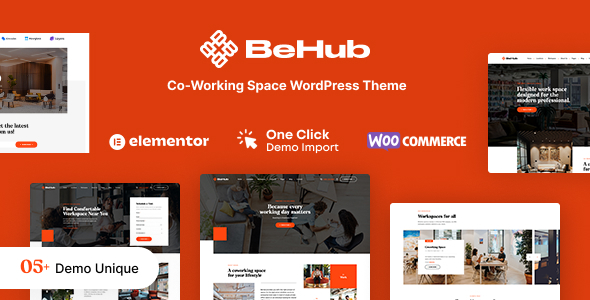
BeHub is a robust and creative WordPress theme designed for coworking spaces and business offices, offering ready-made demos, a built-in Elementor editor, and extensive customization to build a scalable online workspace.
Overview
- 05+ ready-to-use homepage demos and 05+ Prebuilt Homepages for quick setup.
- Import any demo content in 1-click with BeHub’s smart importing tool.
- Editing the theme is easy with the built-in Elementor page builder; no coding required to edit layouts.
- WooCommerce shop page support, beautiful Slider Revolution, unlimited Fonts & Color Settings, SEO Optimization, WPML compatibility and RTL supported.
- Fully responsive and retina-ready design with mobile optimization.
- Cross-browser compatibility across Chrome, Firefox, and Safari.
Prebuilt Demos and Layouts
- 05+ Prebuilt Homepages tailored for coworking, rental, and business use cases.
- BeHub – Coworking Space & Rental WordPress Theme simplifies building and managing an online workspace website.
- Workspace Location: Easy to find available creative coworking spaces at specific locations with BeHub.
- Coworking Space Offerings: display multiple offices, meeting rooms, dedicated desks, and other offerings to customers.
- 05+ Coworking Website Demos showcased to meet different business needs.
- 360 Virtual Tour View to explore office spaces virtually.
- Schedule A Visit form for convenient appointments.
Editing and Page Builder
- Built with Elementor Page Builder for flexible, intuitive layout creation.
- No coding required to edit theme layouts; rapid customization.
- Fast and convenient Elementor Builder workflow for content updates.
Shop, Blog and Content
- Sell Anything with WooCommerce — All WooCommerce pages are customized, styled, and ready to use in BeHub.
- Start Blogging Easily — Intriguing blog space for content marketing to engage your community.
Design, Performance and Compatibility
- Mobile Optimization: BeHub is friendly on smartphones and tablets.
- Responsive Design: Totally responsive across devices and screen sizes.
- Vector icons for perfect retina design and crisp visuals.
- Stunning header & footer builder function for customized branding.
- Parallax effects on rows and content to enhance visual appeal.
- Cross-browser compatibility: Chrome, Firefox, Safari.
- Optimized for Speed, Search Engine Optimization, and High Conversion Rate.
- Advanced options to enable/disable individual features and complete control over site width (full-width or boxed), content area, and sidebars.
Customization and WordPress Options
- WordPress Customizer Supported for configuration via WordPress options.
- Customizer supports: Main options, Side area options, Social Link, Post list options, Portfolio options, Styling options, Layout settings, Footer section options, Header section options.
- Top page additional styling possibilities and a stunning header & footer builder function.
- Unlimited sidebar variations and a sidebar generator to create bespoke sidebars.
- Choose Main/Second site color for easy-to-customize tools.
- Complete control over site width, content area, and sidebars.
- Revolution Slider included with updates provided.
- Adobe Fonts (formerly Typekit) integration notes and font behavior (some demos use Adobe Fonts; if unavailable, substituted with default fonts or Google Fonts).
Plugins, Widgets and Theme Bundles
- Popular WordPress Plugin Compatibility: BeHub is bundled with and compatible with many powerful plugins to help build the site effortlessly.
- Premade widgets to build content easier and faster.
- Fast loading speed optimized for performance and conversions.
- Revolution Slider included with updates provided.
- Elementor Page Builder for seamless content editing.
Typography, Assets and Demo Notes
- Adobe Fonts (formerly Typekit): Some demos use Adobe Fonts; if unavailable, fonts will be substituted with default fonts or Google Fonts.
- IMAGE CREDITS: Demo images are for preview only and must be replaced with licensed images in the final product.
- Built with HTML5 and CSS3 for modern semantics and performance.
Support, Documentation and Updates
- Support & Documentation: BeHub comes with a friendly and dedicated support team to help with theme queries; detailed documentation is provided.
- Helpdesk: Submit A Ticket
- Email Support: [email protected]
Technical Specifications
- WordPress 6.x tested and approved.
- Built with HTML5 and CSS3; vector icons for retina-friendly visuals.
- WooCommerce readiness and customization for shop pages.
- Slider Revolution integration with ongoing updates.
- Cross-browser compatibility across major browsers; fully responsive design.
Usage and Preview Notes
- BeHub Coworking Space WordPress Theme – Ease of Customization
- Mobile optimization ensures a smooth experience on smaller screens.
- 05+ Coworking Website Demos to match various business scenarios.
- 360 Virtual Tour View enables immersive space exploration.
Disclaimer and Credits
- Adobe Fonts (formerly Typekit) usage notes as described above.
- Some demo images require replacement with licensed client assets in final products.
The information on this website is sourced from the
ThemeForest product page
.