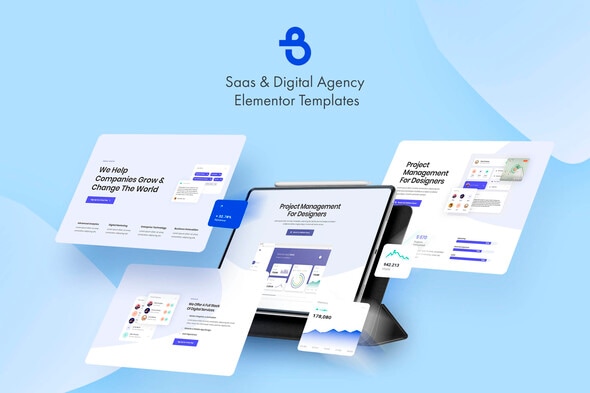
Burto - Saas & Digital Agency Elementor Template Kit

Burto is a completely modern, feature-rich, professionally designed, fully responsive and multi-purpose Elementor templates.
Main Features
- 10 Elementor Templates
- 1 Click Installation
- 24/7 Customer Support
Kit Includes
- Home 1 Template
- Home 2 Template
- Home 3 Template
- About
- Contacts
- Services
- Process
- Reviews
- Team
- 404 Error
Fonts
- Poppins
- Open Sans
How to Use Template Kits
- Install and Activate the “Envato Elements” plugin from Plugins > Add New in WordPress
- Download your kit file and Do not unzip
- Go to Elements > Installed Kits and click the Upload Template Kit button. You may also import automatically by clicking Connect Account to link your Elements subscription, then import under Elements > Template Kits.
- Check for the orange banner at the top and click Install Requirements to load any plugins the kit uses
- Click import on the Global Kit Styles first
- Click Import on one template at a time. These are stored in Elementor under Templates > Saved Templates.
- Go to Pages and create a new page and click Edit with Elementor
- Click the gear icon at lower-left of the builder to view page settings and choose Elementor Full Width and hide page title
- Click the gray folder icon to access My Templates tab and then Import the page you’d like to customize.
- If you have Elementor Pro, headers and footers may be customized under Theme Builder.
- See the Detailed Guide
- For further support, go to Elementor > Get Help in WordPress menu.
Envato Elements assets
The following images shown in the kit are available for license from Envato Elements:
- https://elements.envato.com/handsome-businessman-walking-in-the-city-PF8WHN
- https://elements.envato.com/image-UG93BVM
- https://elements.envato.com/image-PG9NETA
- https://elements.envato.com/image-SF8R2EA
- https://elements.envato.com/image-D7QQYCU
- https://elements.envato.com/image-P2TGYBT
- https://elements.envato.com/image-PNNRW78
- https://elements.envato.com/image-P4DTYKC
- https://elements.envato.com/image-P7JPL65
- https://elements.envato.com/image-PDZTLMB
- https://elements.envato.com/image-BQL3TV8
- https://elements.envato.com/image-9DV7XHT
Icons
- https://elements.envato.com/business-icons-XW3KEX
- https://elements.envato.com/air-transport-thin-line-design-icons-set-AN8THJ
Logos
- https://elements.envato.com/30-premade-logos-minimal-edition-3R74KJ
- https://elements.envato.com/clean-and-clever-insignias-badges-DGA5EV
UI Kits
- https://elements.envato.com/cards-ui-kit-dashboard-widgets-components-G6SA2K7
- https://elements.envato.com/cards-ui-kit-admin-panel-dashboard-concept-GV3P2JM