Careerfy - Job Board WordPress Theme
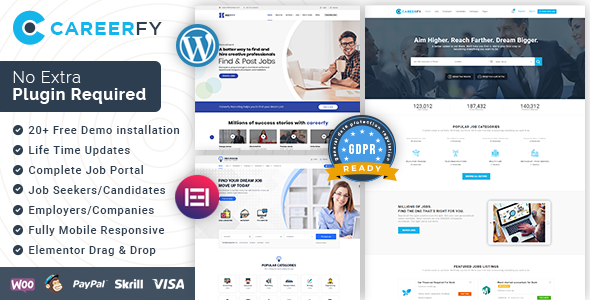
Careerfy is a feature-rich Job Board WordPress theme by Eyecix that provides an all-in-one solution to display and manage job listings with separate employer and candidate panels, automated listing capabilities, and monetization options through click revenue.
Product overview and positioning
Careerfy is designed to be a complete, responsive Job Board WordPress theme that supports easy setup, extensive listing options, and compatibility with popular job feeds like Indeed. It emphasizes a simple-to-use portal for posting and browsing jobs, with dedicated panels for employers and candidates, and built-in features to display and monetize listings.
Core features and capabilities
- Fully responsive Job Portal: a complete, easy-to-use job board experience.
- Separate Employer and Candidate panels for streamlined workflows.
- Automatic job posting and listing management, with multiple ways to showcase jobs and resumes.
- Monetization considerations, including potential commissions when visitors click job links.
- Compatibility with popular job feeds such as Indeed.
- Demo data, user roles, and login access to showcase the platform.
- Extensive admin interface with translation readiness and theme options.
- Boxed or full-width layouts, grid size choices, and robust typography controls.
- WooCommerce compatibility and WPML compatibility for multilingual stores.
- Shortcodes for listing, search, and resume presentation (Listing List, Listing Search, Listing Advanced Search, Listing Simple Search, Resume List, Resume Advanced Search).
- Social login via Facebook and Google for user convenience.
- Integration-ready with page builders and popular WordPress plugins (WPBakery, Revolution Slider, Redux Framework).
- Translation-ready and Retina-ready design with FontAwesome/Flaticon support.
Demo access and credentials
Installation, data import, and setup
- If you want to buy only the JobSearch WP Job Board WordPress Plugin, there is a direct option (link provided in the source).
- Jobs import and data handling: compatible with WP All Import for flexible data import.
- Steps to install Careerfy:
- Download Careerfy WordPress Theme.
- Install Careerfy-theme.zip under Appearance > Add New Theme.
- Activate Theme; you will be redirected to the plugin installation page.
- Install Careerfy-framework.
- Activate the plugin.
- Go to Appearance > Import Demo Data and follow the setup wizard.
- For assistance, contact the support team at:
https://support.eyecix.com/open.php for free demo installation services at no cost.
Technical stack, integrations, and customization
- Page builders and UI tools: WPBakery Page Builder, Revolution Slider.
- Theme framework and options: Redux Framework, FontAwesome & Flaticon support.
- Translations and multilingual support: WPML compatible; translation-ready.
- eCommerce integration and compatibility: WooCommerce compatible; pricing and plans supported via shortcodes.
- Search and listing capabilities: Powerful sorting options for job listings and resumes; multiple shortcodes for listing and search (including Listing List, Listing Search, Listing Advanced Search, Listing Simple Search, Resume List, Resume Advanced Search).
- Social and login enhancements: User login via Facebook and Google accounts.
- Typography and layout: Powerful typography options; large collection of inner pages; responsive & retina-ready design.
- Localization and geometry: Translation-ready, with possible OpenStreetMap integration and Google Maps support for geolocation features.
How to install, demo data, and ongoing updates
The product includes a comprehensive set of demo data and a long history of updates to ensure compatibility with WordPress and popular plugins, including major updates to Revolution Slider, WPBakery, and the JobSearch plugin ecosystem. Regular changelogs cover bug fixes, security improvements, and performance enhancements.
Recent change log highlights and ongoing maintenance
-
Version 10.2.7 — 18th December 2025
Fixed: Custom fields counts issue in listing filters fixed
Updated: Revolution Slider plugin
Fixed: Miner styling issue
-
Version 10.2.6 — 9th December 2025
Fixed: Employer listings search with keyword issue fixed
Updated: Revolution Slider plugin
Fixed: Miner styling issue
-
Version 10.2.5 — 2nd December 2025
Fixed: PHP warnings fixed in user login and dashboard files
Fixed: New user register email to admin not sending issue fixed
Updated: Redux Framework plugin compatibility
-
Version 10.2.4 — 21st November 2025
Fixed: Admin user delete while deleting unverified users issue fixed
Fixed: Total applicants count issue fixed at all applicant's page both for admin and employer dashboard
Fixed: Miner styling issue
-
Version 10.2.3 — 12th November 2025
Fixed: In email templates Codes enabled in Test email address field
Fixed: Approval link code removed/deprecated in New candidate approval email template
Fixed: Approval link code removed/deprecated in New employer approval email template
Updated: WPBakery Page Builder
Fixed: Miner styling issue
-
Version 10.2.2 — 25th October 2025
Fixed: Addon Jobsearch Scheduled Meetings activation issue fixed
Fixed: In dashboard during job posting "make this job feature" option also appear with simple jobs package selection issue fixed
Fixed: Miner styling issue
-
Version 10.2.1 — 21st October 2025
Fixed: User redirect to dashboard after signup in case of register with email validation option
Fixed: Miner styling issue
Note: The change log continues with many additional history entries dating back to earlier 2022 releases and earlier iterations of the JobSearch plugin, as listed in the source material. The above highlights illustrate ongoing maintenance, bug fixes, and compatibility improvements.
The information on this website is sourced from the
ThemeForest product page
.