Carne - Butcher & Meat Restaurant WordPress

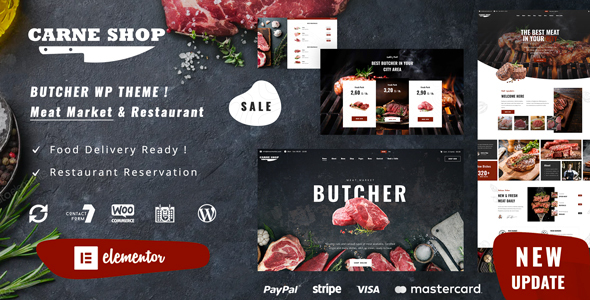
Carne is a WordPress theme designed for restaurant, meat market, and butcher activities, built with Elementor for flexible, drag-and-drop page construction and reservation-ready capabilities.
Overview and intended use
The Carne theme targets meat-focused businesses such as butcher shops and meat markets, while also serving broader restaurant needs. It integrates the Elementor page builder to craft pages with restaurant information, menus, and reservation forms. The design enables adding custom pages to receive reservations and showcase all essential details for customers.
Design scope and page capabilities
The theme emphasizes a storefront and dining experience tailored to meat-related establishments, with a straightforward workflow to publish varied pages that display location, hours, menus, and services. By leveraging Elementor, users can assemble layouts and sections without programming knowledge, making it accessible to both beginners and advanced users.
Key usage scenarios
- Showcasing restaurant information and meat market offerings
- Creating custom pages for reservations and contact data
- Assembling a full front page, hero sections, and informative slides
Documentation and support
The theme provides official documentation available online and offline to assist with setup, configuration, and troubleshooting. This ensures users can access guidance whether they are connected to the internet or working offline with local resources.
FEATURES INLCUDED
Amazing Slides
The theme includes a versatile slide system to present content in engaging ways. It supports multiple presentation styles, including:
- Slider
- Carousel
- Hero Scene
- Whole Front Page presentations
These slides are designed to be visually compelling and adaptable to various storytelling needs, with a drag-and-drop editor to assemble the sequence quickly.
Contact Form 7
Contact Form 7 is an external plugin integrated into the theme. It supports multiple contact forms with features such as Ajax-powered submission, CAPTCHA, and Akismet spam filtering to help manage inquiries efficiently.
Elementor
Elementor is included as the primary visual page builder. It is described as the most popular and extendable drag-and-drop tool, enabling fast creation of any layout without programming knowledge. The plugin facilitates rapid layout design and customization for diverse pages and sections.
DEMOS
During the content import process after purchase, the theme offers two types of demos. Each demo provides a distinct experience and feature set. The import process highlights required plugins and any limitations associated with each option.
Demo types and import considerations
- Original demo (simplified version) — This option presents a simplified experience without scrolling effects, with various transitions, and without the shop section. Importing this demo provides limited functionality suitable for less experienced users or for quick setup.
- New demos built with Elementor — This option includes demonstrations that showcase the full feature set and layouts. It requires additional plugins and configurations, as described during import. Specifically, the new demos built with Elementor require the Elementor Pro version (or any other free alternatives) to access all widgets and achieve the intended layouts. This is not included in the base package and is required to import all new demos for the correct layout.
Each demo variant may highlight different plugins and setup steps. The import process will indicate which plugins are needed to activate the demo’s features and how to achieve the expected visuals and functionality.
CREDITS
- NicDark Team (nicdark.com)
- Support Team (support.nicdark.com)