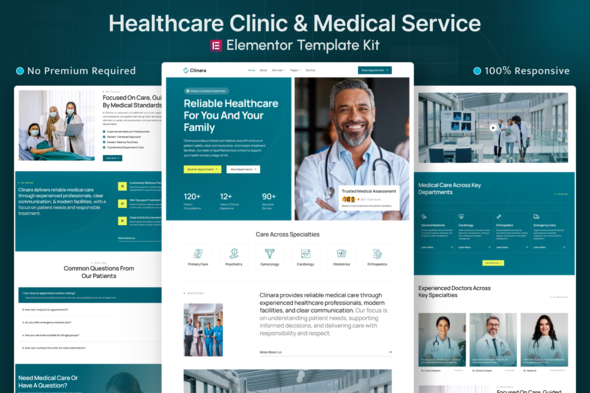
Clinara – Healthcare Clinic & Medical Center Elementor Template Kit
Clinara is an Elementor Template Kit for healthcare websites, designed for hospitals, medical clinics, private practices, and health providers. Built with Elementor Free, it enables a modern, responsive site without coding, focused on services, doctor profiles, and appointment workflows.
Design Approach
Clinara follows a clean, professional, healthcare-focused design system inspired by real-world medical websites. Layouts are structured to guide visitors from key service information to specialist details and appointment actions in a clear, user-friendly flow.
- Typography, spacing, and color usage are carefully optimized for readability, accessibility, and SEO best practices.
- The design prioritizes clarity, patient confidence, and usability—making it suitable for clinics and medical centers that value professionalism and ease of navigation.
Features
- Built with Elementor Free (No Pro required)
- Designed for healthcare clinics, hospitals, and medical centers
- 12+ ready-to-use page templates
- Global colors and typography settings
- Clean and structured layout system
- Fully responsive across all devices
- Easy drag-and-drop editing
- SEO-friendly page structure
- Fast loading and lightweight performance
- Clear spacing and readable typography
- Cross-browser compatibility (Chrome, Firefox, Safari, Edge)
This template kit is suitable for
- Medical Clinics & Healthcare Centers
- Hospitals & Multi-Specialty Medical Centers
- Private Doctors & Physician Practices
- Diagnostic & Medical Testing Centers
- Healthcare Consultants & Medical Services
- Health & Wellness Treatment Providers
Templates Included
- Global Theme Style
- Home
- About
- Services
- Service Details
- FAQs
- Blog Archive
- Single Post
- Contact
- 404 Error
- Header
- Footer
- Contact Form
- Newsletter Form
Required Plugins (included)
- Elementor
- ElementsKit Lite
- MetForm
How to Import MetForm Custom Form
- While editing a page where a form should appear, open the Elementor navigator to locate the MetForm widget.
- Click Edit Form in the builder panel.
- Select New, leave blank selected then click the Edit Form button.
- Click Add Template grey folder button.
- Click My Templates tab.
- Choose your imported MetForm template, then click Insert.
- Once the template is loaded, click Update.
Setup Global Header and Footer in Jeg Elementor Kit Template
If you have Elementor Pro, set up headers and footers in Theme Builder. Pages you create with Elementor must have the Page Layout set to Elementor Full width for the global header and footer to appear.
- Go to Jeg Elementor Kit menu item > Header Template
- Click Add New Header
- Add condition > All Site and click Create
- Click the pencil icon to Edit and elementor will appear
- Click gray folder icon to access My Templates tab
- Insert the header template.
- Customize and Save.
Repeat for Footer
IMPORTANT: Demo Images
This Template Kit uses demo images from Envato. You will need to license these images from Envato to use them on your website, or you can substitute them with your own.
Collection: Envato Elements collection
The information on this website is sourced from the
ThemeForest product page
.