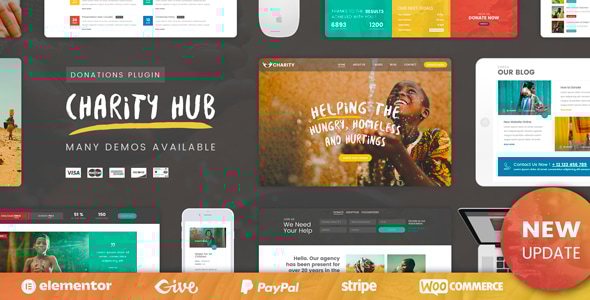
Donor - Charity & Donation Elementor Template Kit
Donor is a Charity & Donation Elementor Template Kit designed for WordPress, featuring a modern, responsive design and a no-coding setup. It includes 16 ready-to-use templates for fast, professional charity websites.
Key Features
- Modern & Professional Design
- 16+ Ready to use Templates
- Homepage layouts
- Fully Responsive Layout
- Fully Customizable
- Works with most WordPress Elementor themes
- No Coding Required
- Page templates included
- Global Kit Styles – Customize fonts & color in one place
- Addons installed with kit:
- ElementsKit Lite
- Elementor Header & Footer Builder
- Jeg Elementor Kit
- MetForm
Included Page Templates
- Home
- About Us
- Our Mission
- Causes List
- Causes Detail
- Event List
- Event Detail
- Volunteer
- Gallery
- FAQ
- Testimonial
- Blog Archive
- Single Blog Archive
- Contact
- MetForm Involve Form
- MetForm Sign Up Form
- Coming Soon
- 404 Error Page
How to Use Template Kits
- Install and Activate the “Envato Elements” plugin from Plugins > Add New in WordPress
- Download your kit file and Do not unzip
- Go to Elements > Installed Kits and click the Upload Template Kit button. You may also import automatically by clicking Connect Account to link your Elements subscription, then import under Elements > Template Kits.
- Check for the orange banner at the top and click Install Requirements to load any plugins the kit uses
- Click import on the Global Kit Styles first
- Click Import on one template at a time. These are stored in Elementor under Templates > Saved Templates.
- Go to Pages and create a new page and click Edit with Elementor
- Click the gear icon at lower-left of the builder to view page settings and choose Elementor Full Width and hide page title
- Click the gray folder icon to access My Templates tab and then Import the page you’d like to customize.
Detailed Guide:
https://help.market.envato.com/hc/en-us/articles/900000842846-How-to-use-the-Envato-Elements-WordPress-Plugin-v2-0
For further support, go to Elementor > Get Help in WordPress menu.
How to Import Metforms
- Import the metform block templates
- Import the page template where the form appears and right-click to enable the Navigator
- Locate and select the Metform widget and click Edit Form. Choose New, then Edit Form. The builder will appear
- Click ‘Add Template’ grey folder icon.
- Click ‘My Templates’ tab.
- Choose your imported metform template, then click ‘Insert’ (click No for page settings).
- Once the template is loaded, make any desired customizations and click ‘Update & Close’ The form will appear in the template
- Click Update
Image licensing
This Template Kit uses demo images from Envato Elements. You will need to license these images from Envato Elements to use them on your website, or you can substitute them with your own.
https://elements.envato.com/collections/37NCHDRTXU
The information on this website is sourced from the
ThemeForest product page
.