Dop, Modern Email Template + Online Editor Access
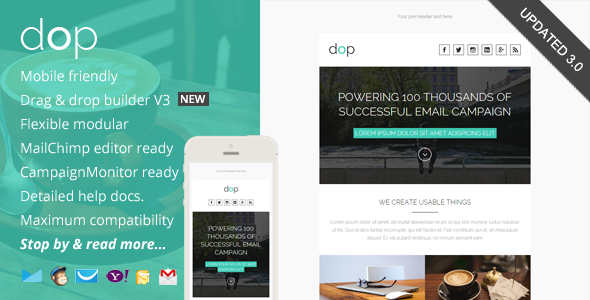
Dop is a modern, responsive email marketing template with a flexible, modular design and an online editor to build and customize layouts. It supports major email clients, provides ready-made templates for MailChimp, Campaign Monitor, and MyMail, and ships with extensive help materials and tutorials for quick setup and deployment.
Core features and capabilities
- Drag and Drop Theme Builder / Editor — Drag & drop, add, remove, and arrange modules easily. Customize color schemes and edit both text and image content. Download the result as a .zip file containing regular HTML and image files.
- MailChimp Ready — Add & remove modules or hide elements easily with the MailChimp editor. You can also set the theme color directly via the MailChimp editor. Detailed instructions show how to upload, set up, customize, test, and send Email campaigns.
- Campaign Monitor Ready — Add or remove modules easily with the Campaign Monitor editor. Includes detailed instructions (with video) for uploading, setting up, customizing, and sending emails.
- MyMail WP Plugin Ready — Add or remove modules easily with the MyMail plugin editor. You can set the theme color directly via the editor. Includes detailed instructions (with video) for uploading, configuring on a WordPress site, customizing, and sending emails.
- Free access to Template Builder — A simple, easy-to-use builder with broad compatibility across major email clients, from legacy Outlook to modern iOS Mail.
- Mobile-friendly, cross-client compatibility — Designed to render well in Android, iPhone Mail, Gmail, Yahoo Mail, Outlook (including older versions), and other major clients.
- 15 unique flexible modular blocks — Easy remixing to create your own layouts without breaking functionality.
- Inline CSS buttons — Flexible button options with inline CSS and guidance for creating custom buttons, adaptable to fit your layout.
- Comprehensive help and tutorials — Detailed help documentation, videos, PSD guidance, and practical steps for working with HTML, PSD files, and popular email services.
- Inbox compatibility testing — Direct tests on Android, iPhone Mail, Gmail, Yahoo Mail, Outlook 2010, Windows Live Mail, and more, plus online tests using GetResponse Inbox Inspector.
Template builder and editors are designed for ease of use, enabling quick iteration and remixing of layouts while ensuring compatibility with major email platforms and services.
Service-ready templates and editors
- Dop in MailChimp powerful editor — Streamlined workflow to edit and deploy MailChimp-ready templates.
- Dop in Campaign Monitor powerful editor — Optimized for Campaign Monitor workflows with intuitive module management.
- Dop in MyMail plugin powerful editor — WordPress-integrated editing experience for rapid deployment on sites using MyMail.
What you’ll get in the download package
- Total 5 HTML files, with 1 mixed modules variation.
- 1 HTML file for MailChimp templates (in a separated folder).
- 1 HTML file for Campaign Monitor templates (in a separated folder).
- 2 HTML files for MyMail WP plugin templates (in separated folder).
- 1 HTML file for regular HTML templates (in another folder).
- 1 PSD file for design assets.
- Images in the “images” folder for each layout and color variation.
- Help Docs – Including videos, to guide setup and usage.
Additional notes: The package includes sliced PSDs and structured instructions to help you migrate templates into your preferred service, along with practical steps for testing and deployment.
Compatible browsers and client support
- Android
- AOL Mail Chrome
- AOL Mail Explorer
- AOL Mail Firefox
- Apple Mail
- Gmail
- Hotmail
- iPad
- iPhone 3, 4 and 5
- Mozilla Thunderbird
- Opera Mail
- Outlook 2010
- Outlook 2013
- Outlook.com
- Windows Live Mail
- Yahoo! Mail
Notes: The template is designed to render in most clients that support valid HTML, ensuring broad compatibility across major platforms.
Update history
- Version 3.0 – April 8, 2015 — Updated theme builder with more useful features; improved MailChimp template version.
- Update 1.1 – January 16, 2015 — Added MyMail Templates ready.
- Update 1.0 — Initial release.
Support and feedback
For support-related questions or advice, use the provided contact form. The author typically responds within 24 hours on business days (Monday – Friday).
Credits and assets
For demo purposes only and not included in the download packages, placeholder images are used where appropriate.
How to use and install
- Open the corresponding HTML file in your editor to preview the layout and content blocks.
- Use the Drag & Drop Theme Builder to remix modules, adjust color schemes, and modify text/images.
- Upload to MailChimp or Campaign Monitor using the provided instructions to configure templates for sending and testing.
- For WordPress users, implement the MyMail WP Plugin templates and follow the WordPress integration guide to publish and test campaigns.
Clear comments in the code facilitate quickly adding or removing modules, making it easy to create variations while preserving compatibility.
The information on this website is sourced from the
ThemeForest product page
.