Emerix - Responsive HTML5 Template
Emerix is a multicolor, fully responsive HTML5/CSS3 template designed for current customers, with a rich feature set and flexible design options. This page summarizes its design, features, updates, and related resources.
Design and color system
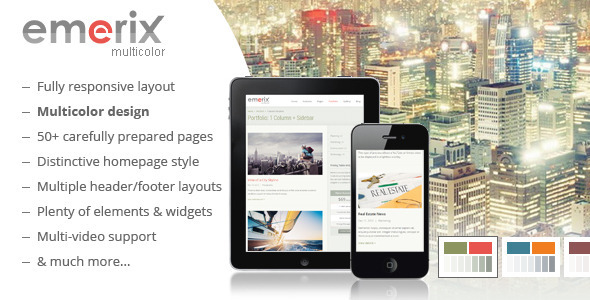
Emerix has a multicolor design – a unique feature. The template’s color scheme consists of 3 components: first main color (13 predefined colors), second main color (4 predefined colors), and main background scheme (green, blue, red, or brown). This combination provides a wide range of color design solutions and keeps your website fresh and original.
Color system components
- First main color: 13 predefined colors
- Second main color: 4 predefined colors
- Main background scheme: green, blue, red, or brown
Responsive design
Emerix is fully responsive. Resize your browser to see it in action. All layouts are built with responsive design in mind and it works well on desktops, tablets, and mobile devices. The template is perfectly adapted to various screen sizes.
Main features
- Multicolor responsive HTML5 and CSS3 design
- Cross-browser compatible
- Mobile and tablet optimized
- Google Web Fonts
- Search Engine Optimized
- 50 HTML page templates
- 3 header and 7 footer layout variations
- Plenty of elements and widgets you can choose from
- Main navigation (header menu):
- sticky (fixed) – optionally
- submenu auto-width
- megamenu option available
- Full-featured sidebar page layout + 12 widgets
- Video support throughout the template (YouTube, Vimeo and HTML5 video)
- Fully functional Contact, Comment, and Subscription Forms (Ajax + PHP)
- Google Maps
NOTE: Usage of the Google Maps APIs now requires a key. Starting on June 11, 2018, you’ll need a valid API key and a billing account to access the Google Maps. Once billing is enabled, all users will get access to $200/month of free monthly usage in credits to use for Maps, Routes and Places products (and you can set usage limits to protect against unexpected increases). For JavaScript Dynamic Maps API and Geocoding API which are used in the template, the free monthly limits are 28,000 loads and 40,000 calls respectively.
jQuery enhanced
- FlexSlider (extended and modified)
- PrettyPhoto (jQuery Lightbox clone)
- Portfolio filtering
- jQuery Carousel
- Tweeter Feed
- Google Maps implementation
PSD and documentation
- 3 layered PSD files:
- Homepage
- About Us page
- Color schemes templates
- All files are properly commented
- Complete documentation included
Credits
Images used in Live Preview (not included in the download package):
- Photos from PhotoDune
- Free assets mostly from Flickr (CC BY) and morgueFile (Morguefile Free license)
Open source JavaScript plugins
- Respond.js — by Scott Jehl
- html5media — by Dave Hall
- SelectNav.js — by Lukasz Fiszer
- jQuery — by John Resig
- detectmobilebrowser.js — by Chad Smith
- jQuery Easing Plugin — by George McGinley Smith
- FitVids — by Chris Coyier and Dave Rupert
- prettyPhoto — by Stephane Caron
- FlexSlider — by WooThemes
- jQuery Carousel — by Thomas Jaggi
- Tweet.js-Mod — by Stan Scates
- jQuery Masonry — by David DeSandro
- HTML5 Shiv — by Alexander Farkas, Jonathan Neal, Paul Irish and John-David Dalton
- jQuery menu widget — by Joel Birch
Updates History
Version 1.1.2 – 28.06.2015
- Fixed: XSS security vulnerability in the prettyPhoto jQuery plugin
Files:
- js/jquery.prettyPhoto.js (vers. 3.1.6)
- js/jquery.prettyPhoto.min.js (vers. 3.1.6)
Version 1.1.1 – 04.09.2014
- Improved: multiple instances of the Projects Carousel can be used on a page
Files:
- css/layout.css
- css/carousel.css
- js/custom.js
- sliders.html
Version 1.1 – 14.01.2014
- Fixed: issue with displaying HTML5 video in lightbox in some versions of Google Chrome browser
- Added: two-sidebar page layout
Files:
- js/jquery.prettyPhoto.js (lines 372-393)
- js/jquery.prettyPhoto.min.js
- css/grid.css
- css/layout.css
- A
- page-2-sidebars.html
Version 1.0 – 09.01.2014
The information on this website is sourced from the
ThemeForest product page
.