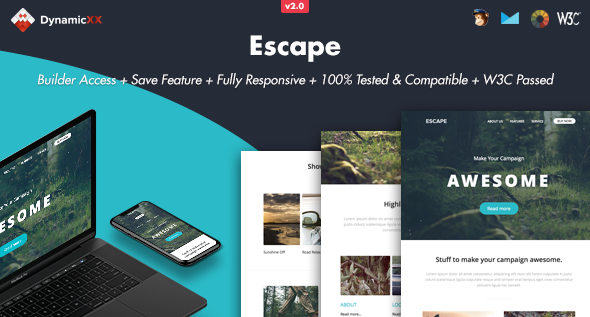
Escape - Responsive Email + Online Builder

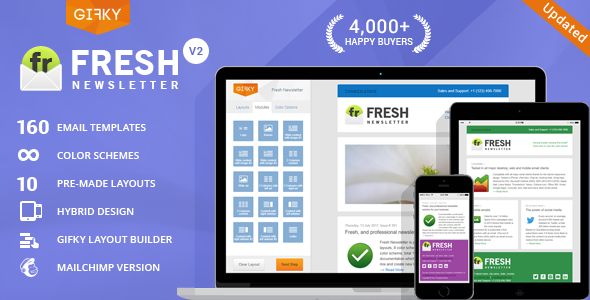
The Online Template Builder overview highlights versioned features, including a new Email Builder, drag-and-drop editing, template management, and broad compatibility across email clients.
BUILDER VERSION 2.0 — August 01 2019
- New Email Builder
- Save templates multiple times in your account
- Export HTML, MailChimp or Campaigns monitor files
- Drag&drop modules
- Remove / Duplicate modules
- Change background / text colors
- Instant Text Editor
- Replace (background) Images
- Open code editor
- Send tests
- Preview mode. Desktop, tablet or mobile view
- Redo or Undo Adjustments
- Premade modules (more coming soon)
Version 1.0.1 – Jun 28 2016
- New save / login feature. Check download folder called “BUILDER” for details.
Online Template Builder Features
- Save Option
- Upload Option
- Drag & Drop, Duplicate or Hide Modules
- Change Colours
- Instant Edit Text
- Upload (background) Images by desktop or upload by URL Link
- Redo or Undo Adjustments
- Preview Mode
- Export file to Desktop
- Information about the Template
- Litmus Tested
- MailChimp Compatible
- Campaign Monitor Compatible
- HTML files Works with Constant Contact
- HTML files Works with iContact
- HTML files Works with Aweber
- W3C Passed
- Fully Responsive
- Full Width Design
- Compatible Email Clients and Devices
- Apple Mail
- Android
- AOL
- Outlook.com
- Yahoo Mail
- Thunderbird
- Microsoft Outlook 2003/2007/2010
- Outlook Express
- Windows Mail
- Lotus Notes 8/8.5
- OperaMail
- iPad
- iPhone (4/5/6/6+)
- Live Mail
Version 1.1 – Nov 26 2015
- Updated Buttons for Lotus Notus 8.5
- Added background images for Outlook Webmail
Notes
- The animated dots in the header image works in Apple mail, iPad, iPhone and Thunderbird Latest, other mail clients see a normal background image without animated dots. Please upload background images with a minimum size of 2000px.
- MailChimp currently don’t support Keyframes and unsupported code is automatically stripped out by their editor. This means the animated dots are not supported in MailChimp It replace with a normal background image.
- The Online Template Builder is hosted on our server and is not included in the purchase of our products.
- Gmail App for Android is not supported
- Outlook does not accept background images, it will replace with a solid background colour
- Outlook does not accept custom fonts, it will replace with standard web font
- The images we used for the live previews are not included in the download package
Some links to the images we used: