Evolute, Responsive Newsletter + Template Editor
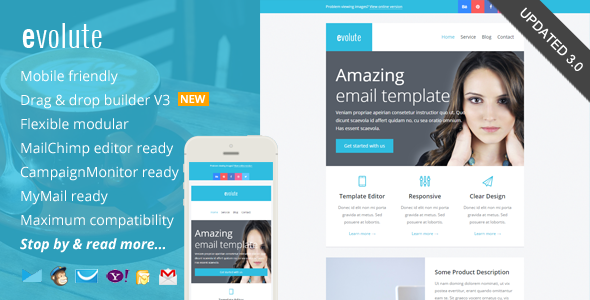
Evolute is a responsive email marketing template editor with a drag-and-drop builder and ready-made templates for MailChimp, Campaign Monitor, and MyMail. It includes extensive help documentation and video tutorials to help you design, customize, and test newsletters across major clients.
Key Features and Capabilities
- Drag and Drop Theme Builder / Editor: rearrange modules, customize color schemes, and edit text and image content easily. Downloadable as a .zip containing regular HTML and image files.
- Free access to a simple, easy-to-use Template Builder for rapid template customization.
- Mobile friendly and responsive, coded with media query CSS to ensure consistent rendering across devices.
- Well-commented code and clear structure to facilitate copy, modification, and remixing.
- 12 unique flexible modular blocks that can be remixed to create custom layouts.
- Inline CSS for flexible buttons and a guide to creating your own button styles.
- Compatibility across major email clients, from legacy Outlook versions to modern clients like iPhone Mail and Gmail.
- PSD file included (sliced) and image assets provided in layout and color variations.
- 12 modular blocks plus a variety of layout options to support different newsletter types (campaign updates, sponsorship emails, lead nurturing, etc.).
Editors, Templates and Integrations
MailChimp Ready
Add & remove modules or hide elements easily with the MailChimp editor. You can also set the theme color directly via the MailChimp editor. Detailed instructions cover how to upload, set up, customize, and test the template in MailChimp.
Campaign Monitor Ready
Add or remove modules easily with the Campaign Monitor editor. There are detailed instructions (including video) on how to upload and set up the template in Campaign Monitor, customize it, and perform sending & testing.
MyMail WP Plugin Ready
Add or remove modules easily with the MyMail plugin editor. You can also set the theme color directly via the editor. Instructions (including video) describe how to upload and set up the template on your WordPress site, customize it, and run sending & testing emails.
Design, Customization and Compatibility
- Free access to the new Template Builder for easy customization: add, remove, arrange modules, edit color schemes, and modify text and image content.
- Maximum compatibility with major email clients, from old Outlook 2010 to popular clients like Apple iPhone Mail.
- Mobile-friendly design with responsive CSS and well-documented code for easy adaptation.
- Ready for Campaign Monitor, MailChimp, and MyMail plugin editors.
- 12 unique modular blocks that are easy to remix to create your own layout.
- Flexible buttons with inline CSS and an approachable guide to creating your own button styles.
- Ongoing support with comprehensive help docs (including videos) covering PSD and HTML workflows and how to send via major email services such as MailChimp, GetResponse, Campaign Monitor, AWeber, and MyMail plugin.
- Sliced PSD file included for designers who prefer layered design assets.
Download Package Contents
- Total 5 HTML files, with 1 mixed modules variation.
- 1 HTML file for MailChimp templates (in a separate folder).
- 1 HTML file for Campaign Monitor templates (in a separate folder).
- 2 HTML files for MyMail WP plugin templates (in a separate folder).
- 1 additional HTML file for regular HTML templates.
- 1 PSD file.
- Images files, in the "images" folder in each layout and color variation.
- Help Docs – Including videos.
Browser and Email Client Compatibility
- Android
- AOL Mail Chrome
- AOL Mail Explorer
- AOL Mail Firefox
- Apple Mail
- Gmail
- Hotmail
- iPad
- iPhone 3, 4 and 5
- Mozilla Thunderbird
- Opera Mail
- Outlook 2010
- Outlook 2013
- Outlook.com
- Windows Live Mail
- Yahoo! Mail
- And mostly all clients that render valid HTML
Notes
- Background image in the featured area uses bulletproof codes, so it’s working in most major clients, including Outlook.
Update History
- Version 3.0 – April 8 2015
- Updated theme builder. Added more useful features.
- Major template code updates
- Improved MailChimp template version
- Update 1.2 – Jan 19 2015
- Improved MyMail template version (fixed responsive issue)
- Update 1.1 – Dec. 23 2014
- Improved MyMail template version
- Added Yahoo! Mail Compatibility
- Improved responsive codes
- Update 1.0
Support and Contacts
For support related questions or advice, please use the contact form. You will typically receive a response within 24 hours, Monday – Friday.
Credits and Licensing
- Font Awesome icons
- Images from: http://unsplash.com (included in the download package, and free to use for any purposes) under Creative Commons Zero License – CC0 1.0 Universal (CC0 1.0)
- Photodune.net (not included in the download package; you can purchase them from the link below)
- http://photodune.net/item/interior/2374115
- http://photodune.net/item/interior/2299123
- http://photodune.net/item/interior/32206
- http://photodune.net/item/modern-house-livingroom/207955403
The information on this website is sourced from the
ThemeForest product page
.