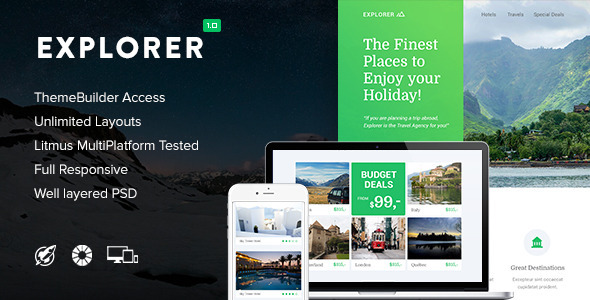
Explorer - Responsive Email + Themebuilder Access

The Theme Builder documentation explains how to access the full unlocked ThemeBuilder, summarizes its features and compatibility, and provides version history and credits. It also notes limitations such as the header gradient not being editable in Themebuilder and Outlook support constraints.
Access and structure of the Theme Builder
- In the download you’ll see a folder called “Themebuilder”; open it and click on the link to get access to the full unlocked Themebuilder.
- Note: The Themebuilder files aren’t included; the download includes a link which gives you access to the Themebuilder.
Update requests
We are people who love to improve their work, please give us some feedback if you have a great idea to improve this theme with an update (ie. a certain element you miss), it’ll be great to hear from you!
Version history
Version 1.0
July 16, 2015: Template release
Version 1.0.1
July 18, 2015: Updated Google Fonts
Features
- A link to our ThemeBuilder
- Export to desktop
- Change background image / patterns
- Drag & Drop modules
- Duplicate or hide modules
- Unlimited Structures and Colours
- Full Width Design
- Clean Commented Code
- PSD Photoshop File included
- Documentation
- Email Services Compatibility
- MailChimp
- Icontact & Campaign Monitor
- Tested with Litmus
- Mobile responsive
- And many more!
Font Compatibility
Fonts that support custom web fonts: Email Clients that support custom web fonts: iOS Mail, Apple Mail, Android (default client), Thunderbird. Other clients will show a standard fallback webfont.
Premium Fonts
RocketWay Email Templates are supporting the Premium Proxima Nova font. We own a license which makes it legal to let RocketWay customers use this font in their email templates. The only condition is that these fonts are hosted on our server.
Responsiveness Email Templates
The HTML includes inline CSS and is coded with media queries. These media queries handle responsiveness based on the devices screen size. Attached a screenshot which shows you the devices supporting media queries.
Campaign Monitor Support
If you imported a template in Campaign Monitor, you are able to edit texts, buttons and images. We didn’t include repeater tags and layout tags so be aware not all features will be available in their builder.
Browser Compatibility
- Gmail (background images doesn’t stretch as Gmail ignore CSS in background images ) to fix this: upload a large bg image (2000px width)
- Yahoo Mail
- Apple Mail
- Microsoft Outlook (don’t support background images, you’ll see a solid background color)
- Hotmail
- Mozilla Thunderbird
- iPhone, iPod & iPad
- Eudora
- Foxmail
- IncrediMail
- Opera Mail
- Sparrow
- Spicebird
- Not supported
- Gmail App for Android
Credits
Credits Stockphoto?s: superfamous, dribbble, splitshire, deathtothestockphoto, unsplash, Graphicburger, Pixabay, picjumbo and / or logoinstant (Not included).