Firenze - Architecture / Architect/ Photography Theme
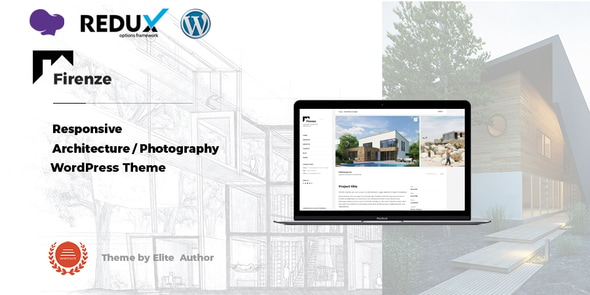
Firenze Responsive Architecture Theme offers a clean, modern design with an easy way to showcase work, ideal for architects, designers, photographers, and creatives who need a stylish presentation for clients.
Theme features
- Built on WPBakery Page Builder.
- Which is most awesome visual page builder for WordPress.
- Fully Responsive Design & Retina Ready.
- Drag & Drop Page Builder.
- WPBakery Page Builderfor WordPress is drag and drop frontend and backend page builder plugin that will save you tons of time working on the site content.
- 6 Different Style Home Page (Slider, Slideshow, Multi-Slideshow, Static Image, Video…).
- 3 Different Style Portfolio Page.
- 4 Types Portfolio Post Format (Slider, Image, Gallery, Video(Youtube/Viemo)).
- 6 Different Style Portfolio Details/Single Page (Full Screen Slider/Image Backgrounds, Youtube Video Background).
- Standard Blog Pages.
- Support 3 Post Formats (Standard, Image, Video).
- Ajax Page Transitions.
- Premium Plugin Isotope (Commercial Organization License ? Save 90$).
- Touch and Swipe.
- Powerful Admin Panel with an extremely advanced admin to customize quickly and easily.
- Shortcode Generator – Firenze provides the power of WordPress shortcodes easy to use and implement.
- REDUX Option Framework – Redux is a simple, truly extensible options framework for WordPress themes and plugins.
- Contact Form 7 Plugin – Firenze includes styling for the Contact Form 7 plugin.
- Clean Code – Well structured and clean code means the theme can be easily extended by any developer. We used nothing but the latest features of WordPress.
- SEO Optimized – Firenze is very impressive in promoting your site and includes inbuilt Search Engine Optimization parameters.
- Unlimited Google Fonts
- Font Awesome Icon Included
- Valid HTML5 & CSS3
- Cross Browser Compatible
- Tested in IE 9,10,11; Firefox; Safari; Chrome and Opera.
- Free Theme Install.
- Demo Dummy Content XML Data Included.
- Ongoing Updates which is totally free after first purchase.
- Extensive Documentation – very detailed documentation to help with customization.
- Dedicated Support – our experienced support team is available to help with questions.
- More features coming soon?
Version history
Updated 19 March 2025 (Version: 3.5.4)
- Update: Core files has been updated.
Updated 05 July 2024 (Version: 3.5.3)
- New: WPML Language switcher added to the sidebar header area.
Updated 24 Jun 2024 (Version: 3.5.2)
- New: "Firenze Custom Carousel" element added for the "Home Page Template".
- Fix: Some CSS issue has been fixed.
Updated 18 Oct 2023 (Version: 3.5.1)
- Fix: Firenze custom CSS option issue has been fixed.
Updated 04 Oct 2023 (Version: 3.5)
- New: Portfolio image cropping option added. Please check "Portfolio & Team Options" from the Firenze Options.
- Update: Theme design has been updated.
- Update: Font Awesome version has been updated.
- Update: Typography options has been updated.
- Update: Theme security improved.
Updated 05 Aug 2023 (Version: 3.4)
- New: Options added for changing the Portfolio details page's base/ slug name. Please Check Portfolio & Team Options from the Firenze Options.
- New: Options added for changing the Portfolio category page's base/ slug name. Please Check Portfolio & Team Options from the Firenze Options.
- Fix: Purchase code auto deactivating issue fixed for AWS Lightsail.
Updated 09 Dec 2022 (Version: 3.3)
- Updated: Compatible with latest version of WPBakery.
Updated 23 Sep 2022 (Version: 3.2)
- Updated: Portfolio details page's image popup feature has been updated.
Updated 24 Jun 2022 (Version: 3.1)
- New: Portfolio category page Header image option has been updated. Please edit each category and add "Thumbnail Image".
- Updated: Compatible with latest version of Redux Framework.
Updated 19 Jun 2022 (Version: 3.0)
- Fixed: Portfolio Page Template "Call To Action" display issue has been fixed.
- Fixed: Portfolio Page Template "Number of post to show" option issue has been fixed.
- Fixed: Link Target option issue has been fixed.
- Updated: WPML string translation option updated.
- Compatible with the latest version of WordPress.
Updated 24 February 2022 (Version: 2.9)
- Compatible with the latest version of WordPress.
- Important: If you are using WordPress version 5.9.1, Login via cPanel/ FTP. Go to the wp-content > themes and delete the firenze folder. After that, reinstall the latest version of the theme.
Updated 11 January 2022 (Version: 2.8)
- Compatible with latest version of WordPress.
- Theme update notification issue has been fixed.
Updated 12 Oct 2021 (Version: 2.7)
- New: 2 new Color Schemes added for the Google Map.
- New: Alternative page header title option added.
Updated 30 Aug 2021 (Version: 2.6)
- Compatible with latest version of WordPress.
Updated 11 Jun 2021 (Version: 2.5)
- Compatible with latest version of WordPress.
- One click demo data option included.
- Some CSS issue has been fixed.
Updated 29 Dec 2020 (Version: 2.4)
- Compatible with latest version of WordPress.
Updated 17 Apr 2020 (Version: 2.2)
- Option added for change portfolio Item's mouse over action. You can now disable image popup feature and add details page's URL to portfolio item's image.
- Theme Auto Update System Included.
- Firenze Plugin New Version 2.2
- Please update Firenze Plugin via plugin section. If you are unable to update Firenze Plugin, then uninstall/delete old Firenze Plugin from your site and re-install again by required plugin notification Or Appearance => Install Plugins.
Updated 08 March 2020 (Version: 2.1)
- Post Pagination's design updated.
- Option added in page setting for enable/ disable ajax page loading. You can now disable ajax page loading for specific page.
- Text Slider added for portfolio details page style "Carousel". You need to add image's caption and description for enable text slider.
- Image gallery added for portfolio details page style "Youtube Video Background".
- Firenze Plugin New Version 2.0
- Please update Firenze Plugin via plugin section. If you are unable to update Firenze Plugin, then uninstall/delete old Firenze Plugin from your site and re-install again by required plugin notification Or Appearance => Install Plugins.
Updated 22 Dec 19 (Version: 2.0)
- Team Details page's pagination issue fixed.
- Portfolio details page's custom details filed's HTML tag issue fixed.
- Child Theme Included.
- Firenze Plugin New Version 1.9
- Please update Firenze Plugin via plugin section. If you are unable to update Firenze Plugin, then uninstall/delete old Firenze Plugin from your site and re-install again by required plugin notification Or Appearance => Install Plugins.
Updated 20 June 19 (Version: 1.9)
- Google Map API issue Fixed.
- Option added for auto update Firenze plugin.
- Important: After installing new version 1.8, removed Firenze Plugins & re-install again from our required plugin notification.
Updated 31 May 18 (Version: 1.6)
- Added: Auto play and slider speed option for Firenze slider element.
- Important: After installing new version 1.6, removed Firenze Plugins & re-install from our required plugin notification.
Updated 05 July 17 (Version: 1.5)
- Fixed: Image Gallery Option.
- Please remove Metaboxs Plugin from your site.
Updated 24 March 17 (Version: 1.3)
- Fixed: Click menu's issue has been fixed.
Updated 31 December 16 (Version: 1.2)
- Added: Disable header section.
- Added: Enable or disable Square Boxes Effect on image and body.
- Important: After installing new version 1.2, removed Firenze Plugins & re-install from our required plugin notification.
Updated 13 December 16 (Version: 1.1)
- Fixed: Firenze slider element issue has been fixed.
- Important: After installing new version 1.1, removed Firenze Plugins & re-install from our required plugin notification.
The information on this website is sourced from the
ThemeForest product page
.