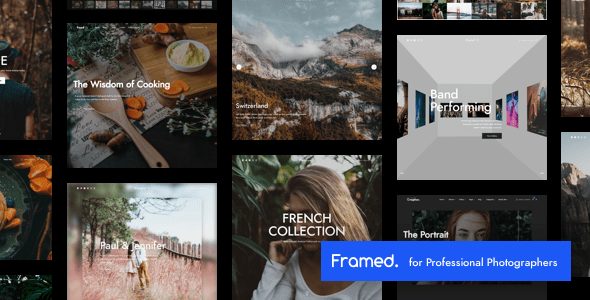
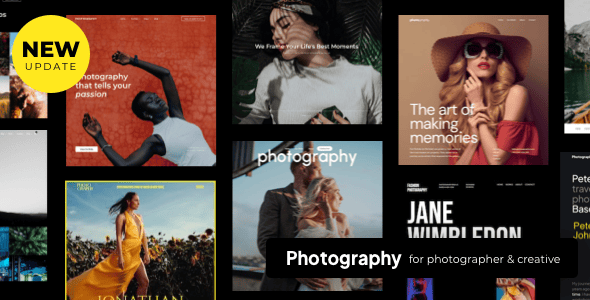
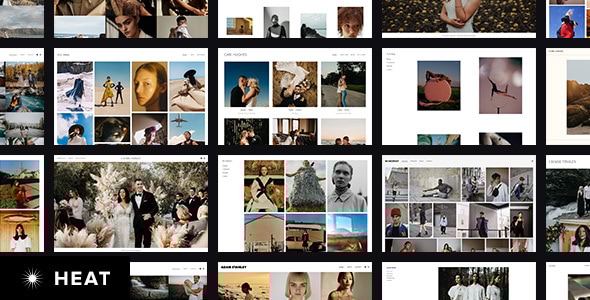
Framed | Photography Portfolio WordPress
Framed is a responsive WordPress photography theme designed for professional photographers, offering ready-to-use websites, one-click setup, and extensive customization to showcase photography portfolios across devices.
Ready-to-use websites and one-click setup
- Ready to use websites for various kind of professional photographers to showcase their photography works and we will keep adding more in the future updates
- One click! to setup all ready to use websites
- Event Photographer
- Fashion Photographer
- Food Photographer
- Landscape Photographer
- Street Photographer
- Travel Photographer
- Wedding Photographer
Client management, proofing and galleries
- Client Management & Photo Proofing for Photography works
- You can create and manage client accounts so they can login with their username/password to review their assigned galleries
- Client’s Galleries
- Theme provides features for photographers to create client pages which display assigned galleries of each client and also support password protected for each client pages
- Photo Proofing
- Not only theme supports password protected gallery but also photo proofing feature. So, you can provide an access to certain gallery and let your customer approve or reject images within gallery easily.
- Customer Galleries Protection
- Protect photography works are very important for photography websites. Theme support password protected gallery, right click protection and image dragging protection to protect your work
Monetization and direct image purchases
- WooCommerce
- Start selling your photography and artwork quickly with WooCommerce Plugin
- Direct Purchase link option support for each images Increase your image selling by offering the link of direct purchase for each image to your customers. Customers just click the purchase link of each image they would like to buy.
Gallery layouts and templates
- Flexible Gallery Layouts Uniquely show your photography works using a variety of gallery and slider layouts.
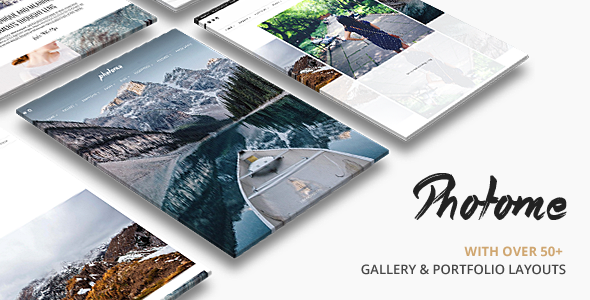
- 50+ predesign template for photography, gallery and portfolio
- Photography focuses design layouts to let you show your works uniquely and require simple steps to create with easy to use page builder.
- Gallery
- Page
- Get your website working in short time with our pre-defined white and black color scheme.
- 40+ Predefined Page Templates which you can import from Elementor page builder.
- 8 Blog Templates
- Single blog post layouts are the powerful features to use in different purposes. Post content is flexible to display with images, gallery slider show or with other video source ex. Youtube, Vimeo, and self-hosted video Also, blog post support various content including photo, gallery, video etc.
- 5 Menu Layouts with various menu styles and extensive customizable options so you can easily create your own menu design.
Page Builder and live customization
- Easiest to use Elementor Page Builder
- Intuitive Page Builder
- We are using easiest to use WordPress page builder “Elementor”. So you can enjoy building gorgeous pages with drag & drop simplicity.
- Add & Manage Contents Visually
- Responsive Preview
- Drag & Drop Content Builder
- Save as Template
- Fully integrated with WordPress Customizer
- Modify Appearance settings in a live preview. No matter what you change elements colors, background, typography, layout type, text or images, you will see the results instantly.
- Styled Typography in Live Preview
- Over 500+ Google Fonts are included with all styles and Font changes will be shown in live preview via Customizer. You can change font size, style, color using without touching code.
Typography and font management
- Advanced Font Management
- We support various Google Fonts, Typekit and self-hosted font so you can upload your own font without using any additional plugin.
- Easily set different typography of Main Content Font Family, Main Content Font Size, H1-H6 Font Family, H1-H6 Font Weight, and H1-H6 Font Size.
- Simply change Button Font Family.
- Also, simply set dissimilar typography of Menu Font Family, Menu Font Size, Menu Padding, Menu Font Weight, Menu Font Spacing, and Menu Font Text Transform.
- Also, easily set SubMenu Font Size, SubMenu Font Weight, SubMenu Spacing, and SubMenu Text Transform (None, Uppercase, Lowercase, Capitalize).
- Simply change Side Menu Font Family, Side Menu Font Size, Side Menu Spacing, and Side Menu Text Transform (None, Uppercase, Lowercase, Capitalize).
- Moreover, easily change Page Header Padding Top, Page Header Padding Bottom, Page Title Font Size, Page Title Font Weight, Page Title Font Spacing and Page Title Text Transform (None, Uppercase, Lowercase, Capitalize).
- In addition, easily change Content Builder Header Font Size and Content Builder Header Text Transform (None, Uppercase, Lowercase, Capitalize).
- Furthermore, easily change Page Title Font Size, Page Tagline Font Weight, Page Tagline Font Spacing and Page Tagline Text Transform (None, Uppercase, Lowercase, Capitalize).
- Last but not least, easily change Widget Title Font Family, Widget Title Font Size, Widget Title Font Weight, Widget Title Font Spacing and Widget Title Text Transform (None, Uppercase, Lowercase, Capitalize).
Gallery and image protection options
- Gallery & Image Protection Options
- Theme support various options to protect your works including password protected, right click, image dragging protection and watermark.
Amazing backgrounds and color control
- Amazing Backgrounds
- Easily applying images, patterns and colors in background of your site. Also, various repeat options are available.
- Easily set different background of Main Content Background Color, Input and Textarea Background Color, and Button Background Color.
- Besides, simply set varying background of Menu Background Color, Menu Background Image, Menu Background Repeat, Menu Background Size, Menu Background Attachment and Menu Background Position
- Also, effortlessly set Sub Menu Hover State Background Color and Sub Menu Background Color.
- Moreover, easily change Top Bar Background Color.
- In addition, simply change Side Menu Background Color, Side Menu Background Image, Side Menu Background Repeat, Side Menu Background Size, Side Menu Background Attachment, and Side Menu Background Position.
- Also, easily change Search Input Background Color.
- Moreover, effortlessly set Page Header Background Color, Footer Background Color, Footer Background Image, Footer Background Repeat, Footer Background Size, Footer Background Attachment, and Footer Background Position.
Unlimited colors and theme-wide styling
- Easily control your elements colors of your website using color picker
- Simply change dissimilar color of Main Content Background Color, Page Content Font Color, Page Content Link Color, Page Content Hover Link Color, H1-H6 Font Color, and Horizontal Line Color.
- Easily set different colors of Input and Textarea Background Color, Input and Textarea Font Color, Input and Textarea Border Color, Input and Textarea Focus State Color, Button Background Color, Button Font Color, Button Border Color.
- Also, change Frame Color with ease.
- Moreover, simply set unlike color of Menu Background Color, Menu Font Color, Menu Hover State Font Color, Menu Active State Font Color and Menu Bar Border Color
- Submenu can be set including Sub Menu Font Color, Sub Menu Hover State Font Color, Sub Menu Hover State Background Color, Sub Menu Background Color, and Sub Menu Border Color
- Easily change Mega Menu Header Font Color and Mega Menu Border Color.
- Top Bar Background Color and Top Bar Menu Font Color can be changed easily.
- Also, easily change Side Menu Background Color, Side Menu Font Color, and Side Menu Hover State Font Color
- Effortlessly change Search Input Background Color and Search Input Font Color.
- Simply change Page Header Background Color, Page Title Font Color, and Page Tagline Font Color.
- Easily change Sidebar Font Color, Sidebar Link Color, Sidebar Hover Link Color and Sidebar Widget Title Font Color.
- Easily change Page Footer Background Color, Footer Font Color, Footer Link Color, Footer Hover Link Color, Footer Border Color and Footer Social Icon Color.
Responsive design and layout controls
- Responsive Design
- With users’ behavior focus, every pages are designed to look great on all devices no matter what devices are on laptops, tablet or mobile phone. In case, you would like to deactivate responsive feature, only one click is required in your live customizer backend.
- Frame
- Frame can be enable for site layout by only one click. Also, you can choose easily the Frame Color by the color picker.
- Boxed & Wide Layout
- Effortlessly select the boxed and wide layout in live customizer which reflect the result back to you instantly.
Social sharing and content management
- Social Sharing
- Sharing Social Button can be applied to all pages by only one click.
- Content
- Easily set different typography of Main Content Font Family, Main Content Font Size, H1-H6 Font Family, H1-H6 Font Weight, and H1-H6 Font Size.
Navigation, menus and locations
- Navigation
- General
- Menu Layout
- Various options to choose your menu layout; for instance, Left Align, Center Align, Left Vertical, Hamburger Menu + Open Side Menu and Hamburger Menu (Off-Canvas Side Menu Navigation) + Open Fullscreen Menu
- Sticky Menu
- Only one click is required for fixed main menu when scrolling. Moreover, Light & Dark Sticky Menu Color Scheme is available to match your style in your web site.
- Typography
- Easily change Menu Font Family, Menu Font Size, Menu Padding, Menu Font Weight, Menu Spacing, and Menu Font Text Transform.
- Colors
- Simply change Menu Font Color, Menu Hover State Font Color, Menu Active State Font Color, and Menu Bar Border Color.
- Backgrounds
- Effortlessly set varying background of Menu Background Color, Menu Background Image, Menu Background Repeat, Menu Background Size, Menu Background Attachment and Menu Background Position
- Sub Menu
- Submenu can be set including SubMenu Font Size, SubMenu Font Weight, SubMenu Spacing, SubMenu Font Text Transform, Sub Menu Font Color, Sub Menu Hover State Font Color, Sub Menu Hover State Background Color, Sub Menu Background Color, and Sub Menu Border Color.
- Mega Menu
- Theme comes with mega menu support so you can display navigation links into columns which allow you to organize large number of menu items
- Change Mega Menu Header Font Color and Mega Menu Border Color by color picker with ease
- Top Bar
- Only one click is required for displaying Top Bar above main menu. In addition, Top Bar Background Color and Top Bar Menu Font Color can be changed easily.
- Contact Info
- Contact Hours and Contact Phone Number can be set. Moreover, only one click is required for opening Top Bar Social Icons link in new window
- Side Menu
- Only one click is required to enable Side Menu on Desktop
- Easily change Side Menu Background Color, Side Menu Font Color and Side Menu Hover State Font Color by color picker
- Easily set Side Menu Background Image by just browsing the image
- Moreover, simply change Background Repeat, Background Size, Background Attachment, and Background Position with ease.
- Side Menu Search
- Only one click is required to enable Instance Search and Search Form in header of side menu.
- Moreover, easily change Search Input Background Color and Search Input Font Color by color picker.
- Header
- Background
- Only one click is required to enable add Blur Effect to header background image when scrolling pass it
- Page Title
- Effortlessly change Page Header Padding Top, Page Header Padding Bottom, Page Title Font Size, Page Title Font Weight, Page Title Font Spacing and Page Title Text Transform (None, Uppercase, Lowercase, Capitalize)
Footer, widgets and sidebars
- Footer
- General - Easily set Footer Sidebar Columns to Hide Footer Sidebar or 1-4 columns
- Background - Easily change Page Footer Background Color by color picker
- Footer Background Options - Simply change Footer Background Repeat, Size, Attachment, and Position.
- Footer Image - Easily set Footer Background Image by just browsing the image
- Footer Typography - Easily change Footer Font Color, Footer Link Color, Footer Hover Link Color, Footer Border Color and Footer Social Icon Color by color picker
- Copyright
- Easily enter your Copyright Text and also select Copyright Right Area Content (Social Icons, Footer Menu)
Gallery, archive, lightbox and interactive features
- Gallery - General
- Easily sort gallery images by selecting the various options; for instance, by drag&drop, by newest, by oldest, by random and by title.
- Easily display image information for photo proofing pages. You can pick one of these information including WordPress Media ID, File Name and Image Title.
- Effortlessly select layout columns option for photo proofing pages.
- Lightbox - 2 color skins of lightbox (White & Black)
- Easily align the lightbox thumbnails to be horizontal or vertical alignment.
- Effortlessly adjust lightbox overlay opacity in this customizer.
- Only one click is required to display image caption under the image in lightbox mode.
- Archive - Only one click is required to enable slideshow on hover effect when move mouse over gallery thumbnail
- Fullscreen - Only one click is required to enable fullscreen slideshow when starts playing automatically, enable fullscreen slideshow the display image randomly, enable the display of slideshow image caption, enable the display of slide image proportion size without covering screen and enable the display slide navigation arrows.
- Easily adjust the number of seconds for fullscreen slideshow timer and the number of milliseconds for transition between each image.
- Easily select transition type for contents in fullscreen slideshow.
- Kenburns - Easily adjust the number of seconds for Kenburns Slideshow timer, zoom level for Kenburns slideshow and the number of seconds for transition between each image.
- Flow - Only one click is required to enable the display mirror reflection effect in flow gallery and linking flow gallery to full size image in lightbox mode.
Portfolio and blog options
- Portfolio
- Page Options - Only one click is required to enable the number of portfolio items you want to display per page.
- Single Portfolio Page - Only one click is required to enable the display next and previous portfolios in single portfolio page and the display recent portfolios in single portfolio page.
- Easily enter your portfolio page URL so it displays portfolio page link in recent portfolio module.
- Blog - General
- Only one click is required to enable the display post full content in blog page (excerpt blog grid layout)
- Easily adjust the page layout for displaying archive page, category page and tag page (Grid, Grid + Right Sidebar, Grid + Left Sidebar, Right Sidebar, Left Sidebar and full width).
Shop, posts and product features
- Shop - Layout
- Easily adjust page layout for displaying shop’s products page (Fullwidth, with sidebar) and also the number of product items you want to display per page.
- Single Product
- Easily change the product price font color by color picker.
- Only one click is required to display related products on single product page.
Menus, locations and widgets
- Menus - Easily design your own with 24 pre-defined options. Also, rearrange elements of the headers sections, change position of logo, change colors, and apply image, social icons, taglines & secondary top menus.
- General
- Easily set dissimilar typography of Menu Font Family, Menu Font Size, Menu Padding, Menu Font Weight, Menu Font Spacing, Menu Font Text Transform, Side Menu Font Spacing, etc.
- Menu Locations
- Theme supports 4 menus including Primary Menu, Top Bar Menu, Side (Mobile) Menu and Footer Menu. You can select which menu appears in each location and you can also place menus in widget areas with the custom menu widget.
- Easily order submenus by drag&drop as following menu.
- Widgets
- We provided a variety of custom widgets to make your life easier including Custom Category Posts, Custom Flickr, Custom Instagram, Custom Map, Custom Menu, Custom Popular Posts, Custom Recent Posts, Custom Social Profiles, and Custom Twitter. Just drag and drop custom widgets to activate and configure in any sidebars you build.
- Static Front Page
Extras, support and compatibility
- Awesome Page/Post Options
- Page options is in menu with the Theme Options. Page options is for configuring the value for individual page or post which affect the page or post you set them on. This will override theme options which allows you to have a unique page or post outside of your global settings. This various options work together to allow you to build incredible websites.
- Post Options
- Set layout of the single post page including Fullwidth, with left sidebar, with right sidebar and split screen.
- Specify featured content type for the post including image, gallery, Youtube Video and Vimeo Video. Different content type will be display on single post page.
- Specify Format including Standard, Link and Quote.
- Specify Categories including Photography, Lifestyle, Travel and Uncategorized.
- Specify multiple tags, featured image, excerpt and shortcode
- Easily manage categories and tags.
- Awesome Gallery Options
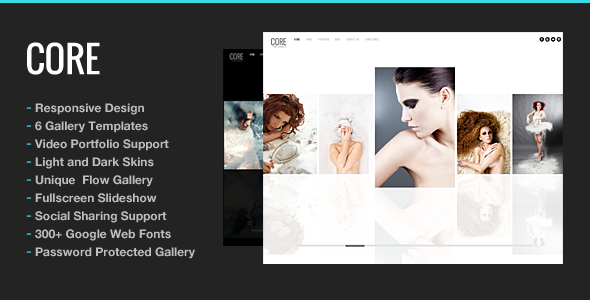
- Theme comes with multiple gallery templates layouts for different purposes. You can choose to display full screen slideshow, horizontal, justified, masonry and classic gallery columns or even mixes between various gallery layouts.
- Unlimited Photo Gallery Pages.
- Specify password for the gallery
- Support Featured image and discussion.
- Awesome Blog Options
- 8 Page Layouts to choose from
- 4 post types are available including image, gallery, Youtube Video, and Vimeo Video.
- Automatic pagination.
- Post sharing box with social icons.
- Threaded Comments.
- Author profile page.
- Custom Sidebars
- Easily creating your own custom sidebars without touching any code. Moreover, simply set the different sidebars to perfectly match to each page.
- Unlimited sidebar
- One Page Navigation Support
- Easily create your modern one page site or micro site using drag and drop builder with custom menu system.
- Sharp Font Icons
- Font icons are always crystal clear and look perfect on all devices’ screens and sizes. In addition, font icon helps to speed up your load times of your site.
- Retina Ready
- Ensure that your images and elements are sharp and gorgeous on Retina and high resolution displays.
- Optimization for Google Mobile Compatibility Check
- Your site’s search by Google will more visible and have better performance for mobile users. Google updated their search algorithm to give preference to websites that are optimized for proper display on mobile/handheld devices.
- Search Engine Optimization (SEO)
- Theme has been built using semantic HTML code and CSS, allowing search engines crawl and index your web page easily.
- Fully Customizable
- With our flexible framework, We created the powerful theme to display awesome and various portfolios and photographs options; for example, full screen image and slide show etc. Not surprisingly, no two versions of theme will ever look the same.
Translation and compatibility
- Translation Support
- Theme is included .mo and .po language files. Moreover, theme is compatible with WPML plugin, allowing you to translate your site to any language or multiple languages.
- Compatible Plugins
- WooCommerce Plugin - support for shopping cart feature. Easily create and maintain your online shop with WooCommerce integration. Plugin is ready designed to assort with the theme. Display your products based on category, ID or SKU. Custom featured product slider to display your products. Flexible setting your shop layout with full width or sidebar template. This plugin works great for photography, artwork shop and etc.
- WPML Plugin Compatibility
- Contact Form 7
- compatible with full design integration
- Apply Google Maps above contact page form
- Change custom sizes of your map
- Set sidebar or full width of your contact page
- MAILCHIMP
- for newsletter
- W3 Total Cache
- plugin support
- Yoast SEO
- plugin support
- WP Supercache
- plugin support
The information on this website is sourced from the
ThemeForest product page
.