Freshmail, Responsive Email with Template Editor
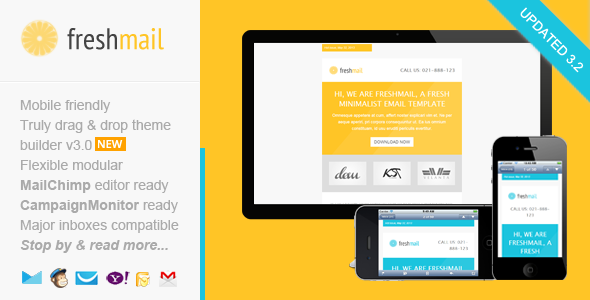
Freshmail is a responsive email marketing template with a drag-and-drop editor and ready-made templates for MailChimp, Campaign Monitor, and MyMail. It is designed for easy customization, broad inbox compatibility, and detailed help resources.
Key features and capabilities
- Drag and Drop Theme Builder / Editor - Drag & drop, add, remove, arrange modules easily. Customize the color schemes, edit both text and image content. Download it in .zip file contain regular HTML and image files.
- MailChimp Ready - Add & remove modules or hide elements, easily with MailChimp editor. You can also set the theme color directly via MailChimp editor. There’s a detailed instruction from how to upload and setup template into your MailChimp account, customize it, up to sending & testing email.
- Campaign Monitor Ready - Add or remove modules easily with Campaign Monitor editor. There’s also a detailed instructions (including video) from how to upload and setup template into your Campaign Monitor account, customize it, up to sending & testing email.
- MyMail WP Plugin Ready - Add or remove modules easily with MyMail plugin editor. You can also set the theme color directly via the editor. There’s also a detailed instructions (including video) from how to upload and setup template into your WordPress website, customize it, up to sending & testing email.
- Free access to the Template Builder - Simple, easy-to-use editor to customize the template, add, remove, arrange modules, edit color schemes, and text/image content.
- Maximum compatibility - Works across major email clients, from old Outlook 2010 to popular clients like Apple iPhone. Mobile friendly and CSS media-query coded.
- Well-commented code - Easy to copy, add or remove modules with clear comments in codes. Mix and match layout variations while preserving functionality.
Platform readiness and editors
- MailChimp Ready - Full editor integration for MailChimp with editable blocks and color settings.
- Campaign Monitor Ready - Editor integration with templating and testing workflows.
- MyMail WP Plugin Ready - WordPress plugin-compatible templates with editor access and color customization.
What you’ll get in the download package
- Total 10 HTML files, with 1 mixed modules variations.
- 2 HTML files for MailChimp templates (in separated folder).
- 2 HTML files for Campaign Monitor templates (in separated folder).
- 4 HTML files for MyMail WP plugin templates (in separated folder).
- 2 other HTML files for regular HTML templates.
- 6 PSD files.
- Image files in the “images” folder in each layout and color variation.
- Help Docs – Including videos.
Compatibility, devices, and notes
- Compatible Browsers: Android, AOL Mail Chrome, AOL Mail Explorer, AOL Mail Firefox, Apple Mail, Gmail, Hotmail, iPad, iPhone 3, 4 and 5, Mozilla Thunderbird, Opera Mail, Outlook 2010, Outlook 2013, Outlook.com, Windows Live Mail, and mostly all clients that render valid HTML.
- Notes: Background image in the featured area uses bulletproof codes, so it’s working in most major clients, including Outlook.
Update history
- Version 3.1 – May 15 2015 - Updated error codes in all templates version that causing issue in Outlook
- Version 3.0 – April 7 2015 - Updated theme builder. Added more useful features. Major template code updates. Improved MailChimp template version
- Update 2.1 – December 2, 2014 - Added new full width image block on all template versions. Fixed responsive issue on MailChimp templates version. Fixed code issue on MyMail templates version
- Update 2.0 – October 22, 2014 - Major code updates on all template version. Added a free access to our new template builder / editor
- Update 1.5 / November 12 2013: - Improved MyMail templates version. Added the ability to automatic grab the blog post to newsletter content.
- Update 1.4 / November 08 2013: - Fix minor issue on MyMail templates version
- Update 1.3 November 06 2013: - Added MyMail plugin ready templates
- Update 1.2 – October 28, 2013 - Major codes update for email clients compatibility and mobile responsive.
- pdate 1.1 – July 24, 2013 - Added better MailChimp and Campaign Monitor integration (with their powerful editor) - Improved codes for responsive target
Support and credits
- Support requests - For support related, please send your support request / question, or any advice via this contact form. I will respond usually within 24 hours in Monday – Friday.
- Credits - Font awesome icons. Thanks to CanYigit for allowing me use his portfolio images in live preview. Images on the demo are not included on the download package, replaced with placeholder images.
The information on this website is sourced from the
ThemeForest product page
.