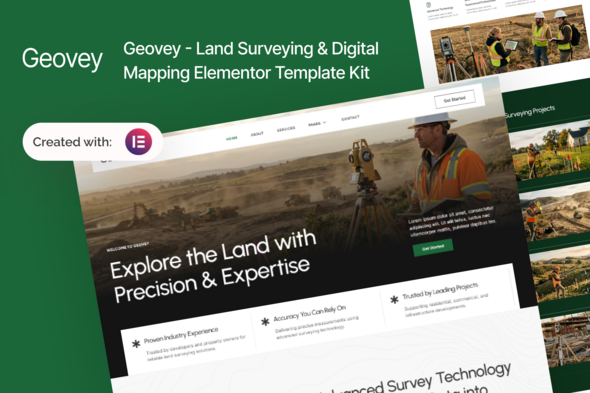
Geovey - Land Surveying & Digital Mapping Elementor Template Kit
Geoland is a professional and modern Elementor Template Kit designed for land surveyors, construction companies, engineering firms, and infrastructure service providers. With a clean layout, structured service sections, and conversion-focused design, Geoland helps you showcase your surveying services, technical expertise, project portfolios, and client solutions — all without writing a single line of code.
Who this Template Is For
- Land surveying and mapping companies
- Construction and building contractors
- Civil engineering and infrastructure firms
- Geospatial and GIS service providers
- Property development and real estate projects
- Road, bridge, and site development contractors
Important note
This is Template Kit not a WordPress theme. It includes pre-designed layouts optimized for the free version of Elementor and works perfectly with the Hello Elementor or any Elementor-compatible theme
Key features
- No Elementor Pro required
- Clean and professional design
- 15 pre-designed pages
- Fully responsive and customizable
- Works with most Elementor-compatible themes
Templates Included
- Global Theme Style
- Home
- About
- Services
- Pricing
- Project
- FAQ
- Team
- Error 404
- Blog Post
- Single Post
- Contact
- Header
- Footer
- MetForm Contact
- MetForm Homepage
Required Plugin
- Elementor
- ElementsKit Lite
- MetForm
- Gum Elementor Addon
- Ultimate Addons for Elementor – Lite
How to Import MetForms
- If you are using Elementor Pro, you can skip installing MetForm and its blocks.
- Import the MetForm block templates.
- Import the page template where the form appears.
- Right-click and enable the Navigator.
- Locate the MetForm widget, click Edit Form, choose New, then Edit Form.
- Click the Add Template folder icon.
- Open the My Templates tab and insert the MetForm template, choosing No for page settings.
- Customize the form as needed, then click Update & Close.
- Click Update to save the page.
Setup Global Header and Footer
- Import the header and footer templates.
- Go to ElementsKit > Header Footer and click Add New.
- Give it a title, keep Entire Site selected, and toggle Activation to On.
- Click the template title and choose Edit Content.
- Click the gray folder icon and insert the header template, then click Update.
- Repeat the same steps for the footer.
License and imagery note
This Template Kit uses demo images from Envato Elements. You will need to license these images from Envato Elements to use them on your website, or you can substitute them with your own.
Envato Elements collection: PD2JBG65VK collection
The information on this website is sourced from the
ThemeForest product page.