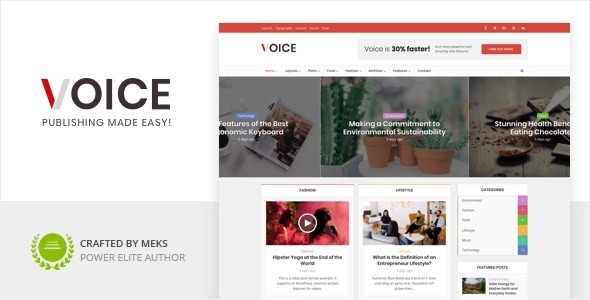
Global News Portal - HTML5 & CSS3 Template
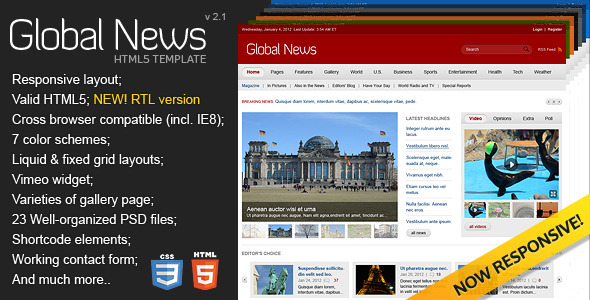
Global News Portal is a universal HTML5 theme designed for diverse content sites, with multiple home page styles and a robust feature set. This summary highlights the included pages, core features, typography, updates, and support details.
Pages Included
- Home Page (red);
- Home Page (blue);
- Home Page (orange);
- Home Page (green);
- Home Page (grey);
- Home Page (dark blue);
- Home Page (dark grey);
- Home Fixed Layout Page;
- Fullwidth Text Page;
- Text Page With Sidebar;<
- Fullwidth Blog Page;
- Blog Page With Sidebar;
- Blog Post;
- Contacts Page;
- Archives Page;
- 404 Error Page;
- Sitemap Page;
- Typography Page;
- Layouts Page;
- Shortcodes Page;
- 3 Column Gallery Page;
- 4 Column Gallery Page;
- Gallery Page.
Main features
- Valid HTML5
- Cross browser compatible (incl. IE8)
- HTML5 & CSS3
- 7 color schemes
- 2 types of layouts
- Liquid & fixed grid layout
- 7 functional regions on front page
- Vimeo widget
- Varieties of gallery portfolio
- 23 Well-organized PSD files
- Additional components: image rotator, sidebar, shortcodes, typography, layouts, lightbox plugin colorbox, breadcrumbs, comments with rating, google map, social icons, current date
- Shortcodes elements (columns, content boxes, tabs, toggles, accordion, content sliders, buttons, quotes, table, etc)
- Working contact form
- Available warning message for old versions of Internet Explorer
- Documentation is included
Additional Components
- image rotator
- sidebar
- shortcodes
- typography
- layouts
- lightbox plugin colorbox
- breadcrumbs
- comments with rating
- google map
- social icons
- current date
Updates
- v1.0 – 02/27/2012 – Working contact form and Login/Register page are available now.
- v1.1 – 04/01/2012 – Script.js was updated. If you do not want to update all file you can replace the code in 12th line jQuery.fn.fadeTo = function() {return this;} with the new one jQuery.fn.fadeTo = function( speed, to, easing, callback ) {return this.animate({}, speed, easing, callback);}
- v2.0 – 08/01/2013 – Responsive version
- v2.1 – 19/07/2015 – RTL version
This code fixes the problem in IE8 and below.
Documentation is included. If you like our product, don’t forget to rate it.
The information on this website is sourced from the
ThemeForest product page
.