kbdoc - Documentation And Knowledge Base HTML5 Template with Helpdesk Forum
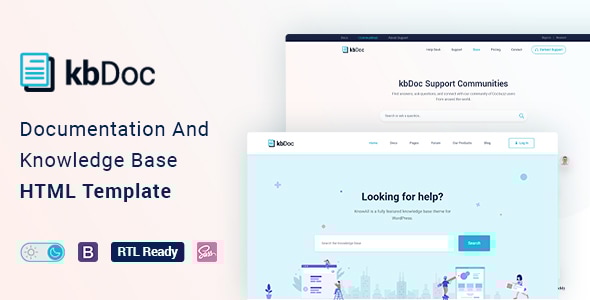
kbDoc is a powerful, responsive HTML documentation template designed to help you quickly develop product documentation, with features like dark/light mode, font size switcher, RTL support, and extensive components built on Bootstrap.
What kbDoc is
kbDoc is a powerful, responsive, and high-performance HTML online documentation template that can assist you quickly develop your next product’s documentation. It can be used for documenting API, frameworks, plugins, templates, software, user manual, etc. It’s based on Bootstrap 4 and includes a lot of elements to make your interactive documentation easily. It’s designed for readers, prioritizing readable context and learning efficiency.
kbDoc is not only a template but also a package of tools for creating product documentation in the best way. It follows w3.org standards, is search engine friendly (SEO optimized), and performs well on desktop, laptop, mobile, and iPad.
Key features
- Pure Dark Mode that easy on the eyes.
- App style navigation menu on the mobile.
- Responsive Layout Built with Bootstrap 4.3
- CSS3 & HTML5 validated by w3.org standards
- SCSS files included
- Megamenu
- Semantic coding
- 35+ Pages
- Sticky sidebar
- Full-width layout
- Syntax highlighter
- Button variations
- Typography
- Tabs
- Alerts / Messages / Notes
- Accordion
- Lightbox
- Tooltips
- Carousel
- Directory explanation
- File tree navigation
- Table of content
- Software Change-log
- Property table
- Article feedback
- Responsive video (YouTube, Vimeo, Self-hosted)
- Easy to Customize.
- Bootstrap 4 Responsive Framework
- Unique and Modern Style.
- Super Clear and Clean Layout.
- Awesome and Creative Design.
- Great CSS Animations.
- Search Engine Optimised Code
- W3C Validated Code.
- Mailchimp integrated.
- Free Google Fonts.
- Free Font Based Icons.
- All Modern Browser Supported.
- Developer friendly code.
- Free Update.
- Well Commented Code
- Dark mode switcher and Font size switcher features to enhance readability.
Technology, standards, and compatibility
- Built with Bootstrap 4 (and explicitly noted Bootstrap 4.3).
- CSS3 & HTML5 validated by w3.org standards
- SCSS files included
- W3C Validated Code
- Search Engine Optimised Code
- Responsive Layout
- All Modern Browser Supported
Layout, navigation, and page structure
- App style navigation menu on the mobile.
- Megamenu
- Sticky sidebar
- Full-width layout
- Onepage documentation
- Documentation with sticky and non-sticky header
- Article table of contents (on this page)
- Documentation with table of contents
- Directory explanation
- File tree navigation
Content features and documentation tools
- Syntax highlighter
- Table of content
- Software Change-log
- Property table
- Article feedback
- Responsive video (YouTube, Vimeo, Self-hosted)
- Footnotes for doc reference
- Image Hotspot to point out targeted parts of an image
Resources, assets, and integrations
- Icon Font: The Elegant Icon
- Icon Font: fontawesome
- Images Used: Freepik, Unsplash
- Mailchimp integrated.
- Free Google Fonts.
- Free Font Based Icons.
Design, development experience, and support
- All Modern Browser Supported.
- Developer friendly code.
- Free Update.
- Well Commented Code
- Dark/Light Mode switcher and Font size switcher for accessibility.
- PSD files included with Images, Graphics
The information on this website is sourced from the
ThemeForest product page
.