Kidza - Kindergarten & School HTML5 Template
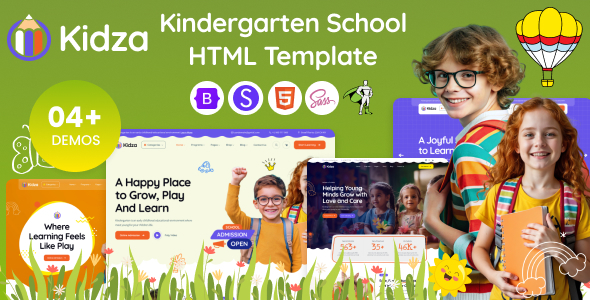
Kidza – Kindergarten & School HTML5 Template is a modern, responsive HTML5 template designed for kids’ schools, kindergartens, preschools, daycare centers, child care services, and education blogs. It blends a clean design with a playful layout and user-friendly structure to help you build a beautiful, high-performing website with ease.
Key Technologies & Framework
Kidza is built on a mobile-first approach using a popular front-end framework, ensuring compatibility, speed, and ease of customization.
- Bootstrap 5.x Framework: Built with the most popular responsive, mobile-first front-end framework.
- Creative & Modern Homepages: Includes 4 beautifully designed demo homepages.
- Shop Ready: Comes with shop pages for online shop.
- 100% Responsive: Adapts perfectly to any device — desktop, tablet, or mobile.
- Fast Loading & Lightweight Code: Speed-optimized HTML, CSS, and JS — for high performance and better SEO.
- 25+ Valid HTML Files: Clean, well-commented code following W3C standards.
- SCSS Included: Built with SCSS for easier customization.
Template Highlights
Key attributes that make Kidza suitable for educational sites, blogs, and online services.
- Bootstrap 5 Framework
- SEO Friendly & Clean Code
- Mobile-Friendly & Retina Ready
- Google Fonts & FontAwesome
- Well-structured Grid System
- W3C Valid HTML
- Animated Counters, Testimonials
- Easy CMS or Framework Integration
- Fast Performance & SEO Ready
- Optimized for Page Speed
- SEO Best Practices in Code
- Mobile Usability Focused
What You Get
Comprehensive asset package and developer-friendly code to accelerate site launch and future updates.
- HTML, CSS, SCSS, JS Files
- PHP Contact & Appointment Forms
- Detailed Documentation
- Lifetime Free Updates
- Premium Support
- Developer-Friendly
- Well-commented, structured code
- SCSS files included
- Reusable components
Installation
Simple steps to deploy Kidza on your hosting environment.
- Connect to your hosting via FTP.
- Navigate to your desired directory (usually public_html).
- Upload all files from the Main File folder.
Sources & Credits
Origin and contribution references used in the template.
- Bootstrap
- jQuery
- Swiper JS
- Magnific Popup
- Freepik
Fonts Used
- Quicksand
- Source Sans Pro
Icons Used
- FontAwesome Pro
- Flaticon Pro
Note
Note: Images and illustrations in the preview are not included in the download package. Contact us if you need the photos or illustrations used in the demo.
Support
If you have questions about customizing the template that aren’t covered in the documentation, feel free to ask in the comment section or contact us directly via the email form on our profile page. We’re here to help!
The information on this website is sourced from the
ThemeForest product page
.