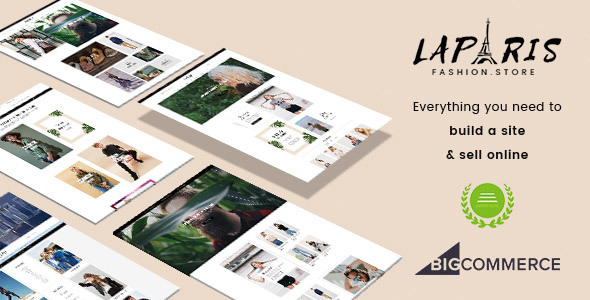
LaParis - Simple Creative Responsive BigCommerce Theme - Stencil Based
LaParis is a simple but creative BigCommerce theme for fashion stores, offering multiple styles and configurable block sections to transform storefronts. It emphasizes a stylish, responsive design built on modern BigCommerce capabilities.
Core capabilities
- LaParis is built with the Stencil framework, updated to the latest version and compatible with the latest BigCommerce release.
- Responsive web design (RWD) ensures the store looks great on mobile, tablet, and desktop.
- Mega menu supports multi-column category displays for easy navigation.
- Multi-language and multi-currency support to reach global customers.
- SEO-friendly and flexible, designed to be customized without heavy coding.
- Simple, minimal design suitable for fashion, apparel, accessories, beauty and cosmetics stores.
Homepage and layout components
LaParis offers a feature-rich homepage with several blocks and configurable sections to showcase products and promotions.
- Main slideshow using Slick carousel, fully responsive with input fields for heading, content, button, links and images; supports fixed width or full screen slideshow.
- Creative banners with minimalist styles for promotions and fashion items; responsive across devices.
- New products, popular products, and bestselling products blocks that can display as grid, carousel, or column listing with configurable product counts and columns.
- Products by category section to show items from a specific category (e.g., women, men, kids).
- From our blog section automatically displays latest posts.
- Instagram section imports photos from your account with setup guidance for API keys.
- Brands carousel to display product brands automatically or manually.
- Full width images carousel for large visuals like lookbooks or campaigns.
- A custom section for New arrival, bestselling, and featured products in columns.
Header and footer
- Header styles include three common alignments: Logo on the left, Logo on the right, and Logo at center.
- Footer supports store information, address, links and custom links, with blocks that can be turned on/off in theme options.
Product and category page styling
Category pages, product detail pages, blog posts, contact pages and other sections are styled precisely and pixel-perfect to deliver a consistent shopping experience.
Theme options and customization
- Powerful theme options to customize fonts, typography and colors.
- All static content editable and controllable via the options panel and language files.
- Drag-and-drop style: All content blocks or sections can be rearranged in the theme options without editing source code.
- Supports multi-languages and multi-currencies along with other BigCommerce features.
- Design is simple and minimal, suitable for fashion and apparel stores.
Guides, setup and support
- Detailed user guide to help install and customize the theme.
- Installation is fast and requires no advanced technical skills.
- Support staff are described as positive and enthusiastic in helping you build a successful online business.
Additional features and benefits
- Web design compatibility with the latest BigCommerce version for ongoing support.
- Emphasis on marketing functionalities to drive more traffic and engagement.
- Emphasis on ease of use for non-developers to manage an online shop focusing on clothes and accessories.
- Clear focus on the fashion store niche with options to showcase products like a fashion show online.
Changelog
1.3.2 (11-01-2023)
- Fix PrivacyCookieEnabled JS error.
- Fix SCSS compile error.
1.3.1 (09-28-2020)
- Add more Page Builder regions
1.3.0 (05-17-2020)
- Support new Page Builder.
1.2.2 (2019-11-06)
- Fix footer links config
- Fix video section
1.2.1 (2019-08-13)
- Fix captcha on create account page
- Support display products by category from sub categories
- Fix image carousel - Home 2
- Fix webpack error on Windows
- Add theme options to config home sections
- Update code for Banner Builder
- Move config from the language file to config json
1.1.2 (2018-04-24)
- Fix product image disappear on product page
1.1.1 (2018-04-24)
- Implements Add to any Wish Lists capability.
- Add Back to Wishlist button
- Tweak quick search dropdown position & remove body horizontal scrollbar
- Update product image size to 550x705
1.1.0 (2018-04-14)
- Fix menu header on style 2
- Fix sub menu not open if parent item is page link
- Fixed new products block having extra space on Safari
- Fix css on product details page
- Update Home 06
- Improve product images with sync slider on product page
- Fix mega menu not showing image
- Update Optimized Checkout support
- Upgrade Google ReCaptcha V2
- Add theme option to support product image uniform
- Upgrade Google AMP support
1.0.13 (2017-06-08)
- Fix style 2 show wrong header on static page
1.0.12 (2017-06-08)
- Fix bug dropdowns overlap nav menu
- Fix banner lapris1 on ipad
- Enable main menu collapsible on ipad
- Update select currency string and tweak its spacing
1.0.11 (2017-05-30)
- Fix z-index menu overlaps text
- Fix logo center on variation LaParis II.
LaParis 1.0.10 (2017-05-23)
- Fix quick-view product broken on some old store
- Show badget on product details
- Show buttons on product list type
LaParis 1.0.9 (2017-05-15)
- Add theme option Fluid layout.
LaParis 1.0.8 (2017-05-14)
- Add 4 Page Templates for displaying 4 homepages on a single website
LaParis 1.0.7 (2017-05-02)
- Fix for issue #5
- Add more banners: full width, half, quarter
- Add theme options to allow hide quantity box on product page
- Hide description tab title if no warranty info
- Add theme options allow hide page heading on category, blog, other pages
- Add custom layout Fluid Fullwidth for Category page
- Add theme options to show/hide price on products card
- Add megamenu support displaying half-sized banner on left or right
- Load stickyfill.scss to theme.js to fix issue in Edit Theme Files.
LaParis 1.0.6 (2017-04-21)
- Adjust column width 60/40 for product layout 'herecomestheinvite'.
LaParis 1.0.5 (2017-04-20)
- Tweak spacing of brand on product page.
- Add new product layout 'herecomestheinvite'.
LaParis 1.0.4 (2017-04-19)
- Add theme option to show compare button on product card.
- Add theme option to show color watches on product card.
- Add theme option to show custom label.
- Add theme option to allow invert footer logo color.
- Add theme option mega menu label colors.
- Show wishlist button on product card depend on setting.
- Show On Sale label topleft by default.
- Update CSS topleft label.
- Show custom image on mega menu.
- Show cookie warning message at bottom fixed page.
- Add new product layout 'fluid-lightbox'.
- Add new category layout 'fullwidth'.
LaParis 1.0.3 (2017-04-16)
- Add new theme variation LaParis IV style.
- Add theme option: Header Border Color.
- Add theme option: Show cart item on the main navigation.
- Add theme option: the main navigation's Alignment (left, center, right).
- Add theme option: Header style (fluid, fixed).
- Add theme option: Top header section's border color.
- Add theme option: Page Heading's border width (0, 1px).
- Add theme option: Instagram number of photos per row.
- Add theme option: font Google_Poppins_700 to Heading font.
- Update theme option: font sizes of h1 to h6.
LaParis 1.0.2 (2017-04-14)
- Add new theme variation LaParis III style.
- Add theme option "Show different image when hover".
- Add simple effect when hover banner image.
LaParis 1.0.1 (2017-04-13)
- Add _theme-custom.scss to allow user add CSS custom code.
LaParis 1.0.0 (2017-04-05)
The information on this website is sourced from the
ThemeForest product page
.