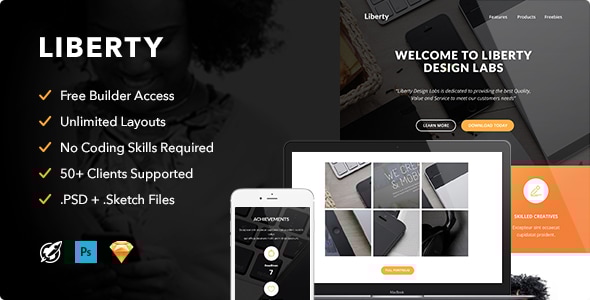
Liberty - Responsive Email + Themebuilder Access

Overview: Changelog and FAQ content for the v1.0 release (2016/08/23) covering the initial release, common questions about Gmail background images, builder inclusion, template editing, fonts, Campaign Monitor compatibility, and credits.
Changelog
- [v1.0] - 2016/08/23: Initial Release
FAQ
-
Q: The background images in Gmail won’t stretch full width. How can I fix this?
A: Gmail doesn’t support css in bg images, upload a larger background image so it fully covers the entire background.
-
Q: Is the Builder included in my purchase?
A: No, the Builder isn’t included so you aren’t able to host it on your own server.
-
Q: I purchased the template, what now?
A: You can immediately start editing your newsletter our free builder. But your purchase also comes with a standard .html newsletter file, Campaign Monitor and MailChimp compatible file. If you are using one of these services simply import these files into the service you are using.
-
Q: I need help customizing my purchased template, is this included in your support?
A: Our team is standby to support you with small customizations.
-
Q: Are custom fonts supported?
A: Email Clients that support custom web fonts: iOS Mail, Apple Mail, Android (default client), Thunderbird. Other clients will show a standard fallback webfont.
Campaign Monitor Support
If you import your template into Campaign Monitor, you will able to edit texts, buttons and images. Repeater and Layout tags are included, be aware that not full features will be supported by this builder.
Credits
There are a lot of great (free) sites out there that helps us improve our work and makes our lives easier, when comes to image usage and inspiration. Big shout out to the following resources: superfamous, dribbble, splitshire, deathtothestockphoto, unsplash, Graphicburger, picjumbo and logo instant (images are not included in your purchase).
Update request?
We are people who love to improve their work, if you have a great idea on how we can improve our products, it would be great to receive your feedback!