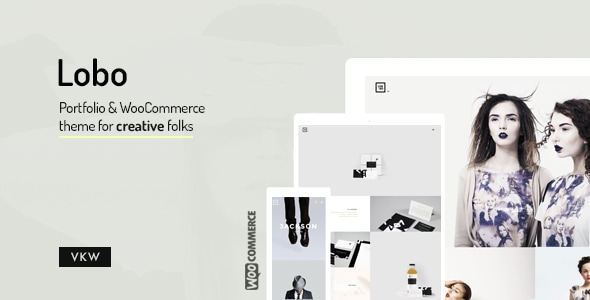
Lobo - WordPress Portfolio for Freelancers & Agencies

Lobo is a modular portfolio theme designed for Creative Agencies, Freelancers, Filmmakers, Photographers, Illustrators, Designers, and Developers to quickly build distinctive portfolio websites with a flexible, feature-rich Module Builder.
Key Features
- Responsive, of course
- Two different navigations
- Unique modular content layouts. You can create unique and very creative layouts to display your projects in a very easy way.
- Unique modular content layouts
- Isotope & masonry layouts
- Infinite scroll
- Cool sticky submenu feature that will allow you to have access to some secondary functions within your site. This option can be disabled, of course. You will have in this way a more normal scroll experience…
- Cool filtering method for your project items
- Multiple portfolio pages
- Custom fullscreen backgrounds for each project and section. Parallax backgrounds and videos. You can disable it as well.
- Parallax backgrounds and videos. You can disable it as well.
- Fullscreenhero videosfrom Youotube & Vimeo.
- Self hostedsoundtracks/music (mp3/ogg). With a custom player fully integrated with the theme´s concept.
- Google fonts library
- Font-awesome icons
- retina ready
- Select the portfolio columns choosing from 1 to 4 columns.
- Adjust the sizes for your text, fonts, color. Combinations are unlimited.
- Localization ready
- WooCommerce integration (e-commercer/shop features)support
- WPML support
- iOS/Mobile Ready
- Touch gestures and keyboard support for sliders
- XML to import dummy content to have an easy and fast start with your new theme.
Design, customization and module building
Module Builder and page customization
- Custom Module Builder for creating and composing web elements
- Native WordPress Customizer for real-time review of changes
- Isotope & masonry layouts to assemble creative project displays
- Premium features such as Royal Slider included
Backgrounds, media and interactivity
- Background color or image options for blocks and sections
- Backgrounds and videos with parallax effects
- Fullscreen backgrounds for each project and section
- Fullscreen hero videos from YouTube & Vimeo
- Self-hosted audio tracks with an integrated player
Layout, navigation and interactions
- Two distinct navigations to help you stand out
- Unique and custom page/module builder for creative layouts
- Multiple portfolio pages for varied showcases
- Parallax backgrounds and videos with optional disable
- Infinite scroll to keep users engaged
- Fullscreen background options for sections and projects
WordPress integration, localization and commerce
- WordPress Customizer ready for live preview
- WooCommerce integration (e-commerce/shop features) support
- WPML support for multilingual sites
- Localization ready
Media, performance and accessibility
- Google fonts library
- Font-awesome icons
- retina ready
- iOS/Mobile Ready
- Touch gestures and keyboard support for sliders
Content import, support and updates
- XML to import dummy content to have an easy and fast start with your new theme
- Change log and regular updates to address security and compatibility
Support and credits
Do you need support? ticksy. Support tasks are the questions and doubts about the theme itself. Support tasks don´t cover customizations or particular needs. Before purchasing the theme, make sure it covers your needs and if you could have any doubt before, do not hesitate to contact. We will try to help with it.
Credits
THANK YOU
- Claesson Kivisto Rune
- Sam Flaherty
- Mayra Monobe
- Ross Paxman
- ArtisanBureau
- Rabensteiner
- Bjarke Kristensen
- Petter Torgersen Myhr
- Miro Kozel
- Paul Schambach
Change log
v2.8.7 // 16 Dec 2025
IMPORTANT: A security vulnerability was identified and resolved. Please update your site as soon as possible to prevent any potential security risks.Related Projects Module issueWooCommerce Account Details edit issueWordPress 6.9 SupportWooCommerce 10.3.5 ReadyPHP 8.4.10 Ready
v2.8.6 // 25 Nov 2025
IMPORTANT: A security vulnerability was identified and resolved. Please update your site as soon as possible to prevent any potential security risks.
v2.8.5 // 11 Nov 2024
WordPress 6.7 ReadyWooCommerce 9.3.3 ReadyWooCommerce Accessibility ImprovementsPHP 8.3+ Ready (tested up to PHP v8.3.11)
v2.8.4 // 23 Mar 2024
WordPress 6.5 ReadyWooCommerce 8.7 Ready
v2.8.3 // 05 Aug 2023
WordPress 6.3 ReadyWooCommerce 8.0 Ready
v2.8.2 // 14 May 2023
Fix: Image modules auto height issueWordPress 6.2 ReadyWooCommerce 7.7.0 ReadyPHP 8.1+ Ready
v2.8.1 // 14 Oct 2022
WooCommerce 7.0 ReadyWordPress 6.1 ReadyPHP 8.0+ Ready
v2.7.8 // 05 July 2021
WooCommerce 5.4+ ReadyWordPress 5.8 Ready
v2.7.7 // 29 March 2021
WooCommerce 5.1.0 ReadyFixed WooCommerce review issueImproved share optionsMinor perfomance increase
v2.7.6 // 18 February 2021
WooCommerce 5.0 ReadyFixed PHP 8 warning on single project pagesFixed issue related to hero text modules with background images enabledSome minor visual improvements
v2.7.5 // 28 January 2021
PHP 8 ReadyWooCommerce 4.9 ReadyImproved hero text modules on mobileThis theme update includes an update for Lobo Shortcodes plugin – You may want to update your plugin placed within includes/plugins/lobo-shortcodes.zip. You just need to unzip this file via FTP in your server and replace your old folder in wp-content/plugins. As always when you update your site, we encourage you to keep a complete website backup.
v2.7.4.2 // 10 December 2020
Fixed shortcodes issues in WordPress 5.6 –You will need to update your shortcode’s pluginplaced within includes/plugins/lobo-shortcodes.zip. You just need to unzip this file via FTP in your server and replace your old folder in wp-content/plugins. As always you update your site, we encourege you to keep a complete site backup. WordPress 5.6 is a major update. New installations don’t need to manage this step, since last shortcode versions will install automatically.WooCommerce 4.8.0 Ready
v2.7.4.1 // updated: 12/01/20
Fixed shortcodes issue and plugins update. If you are updating your theme, you have the new updated plugins available within the theme’s folder includes/plugins. You just need to unzip them within your plugins folder (wp-contents/plugins) in order to replace the older plugins in your installation. Don’t forget to backup your site first anytime you update your website.
v2.7.4 // updated: 11/30/20
Fixed issue related to commentsFixed: Some minor issues related to module contentsWooCommerce 4.7.1 ReadyPHP 7.4.1 Ready
v2.7.3 // updated: 07/11/20
Added: New Fonts – DM Serif Text, DM Serif Display…..., IBM Plex Sans, IBM Plex Sans Condensed, IBM Plex Mono, IBM Plex SerifFixed: Issue with video poster sizesImprovement: Alt tag for images back modulesUpdate: WooCommerce 4.3+ Ready
v2.7.2 // updated: 03/23/20
Fixed issue with logo color detectionImproved cart icon in mobileUpdated theme activation methodWooCommerce 4.0+ Ready