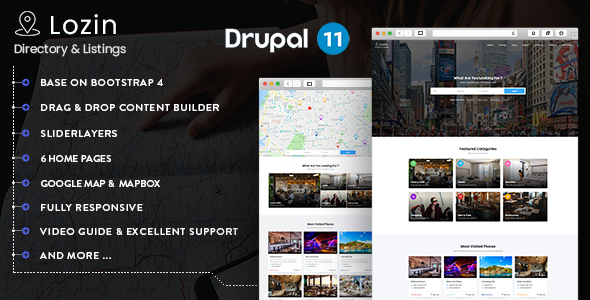
Lozin - Directory & Listing Drupal 11 Theme

Lozin is a Drupal 11 theme designed to help you create, manage and monetize a local or global directory site, with a powerful control panel and a drag-and-drop content builder.
Key features and capabilities
- Compatible with Drupal 11.x and Drupal 10.x
- 6 Homepages Style
- Drag & Drop Content Builder – includes New) Import/Export Rows, Section of Content Builder, It is easy to copy rows, elements & settings from different pages
- Introduction video: https://www.youtube.com/watch?v=c75Np3_gqZ4
- Slider Layer
- 3x widget types included by default
- Custom type: Article, Portfolio, Gallery, Testimonial
- Post Format: Image, Gallery, Video, Audio
- Portfolio Format: Image, Gallery, Video
- 12 Color Schemes & Unlimited color skin
- Customization – customize(color, background…)
- Fully responsive design, 100% responsive, each and every element are fully responsive
- Powerful Grid system
- Boxed style and Full width style
- Powered by HTML5/CSS3/Bootstrap
- Valid XHTML and CSS markup
- Fast & Friendly support
- Support CSS Development
- Well organized & documented
- Third Party & Premium Modules Integration
- WebFrom
- Simplenews
- Gavias SliderLayer
- Gavias Builder Content
- Gavias View Format (Portfolio Filter, Grid Responsive, Carousel View Format)
- Leaflet JS
- Demo Content Included, Fresh Installation & Existing Installation
- Install Lozin with our powerful Fresh Installation & Existing Installation with video guide
- Gavias Builder Content — Module lets you create an unlimited number of template variations using drap-and-drop similar to the Widgets interface. Import/Export Rows, Section of Content Builder, copy rows/elements/settings between pages
- Gavias SliderLayer — Module can custom transitions/animations for each object, tons of unique transition effects and easy-to-set options to create your own effects
- Google Fonts — Choose any of the Google web fonts library through powerful Real-time Customizer panel
- Google Map & Mapbox — Lozin comes with Google Map & Mapbox data
- Lozin is Fully Responsive — looks great on any device from mobile to desktop
- Detailed documentation — Extensive documentation plus great video guides on how to setup and customize will make your customizations super easy and fast
- Support & Video Tutorials — free support via email and extensive documentation with HD how-to videos
- Support contact: [email protected]
Demos, installation and guides
- Introduction video: Video guide
- Video guide for Import/Export Rows, Sections of Content Builder
- Video guide for Google Map & MapBox configurations: https://www.youtube.com/watch?v=43Njru2OmwE
- MapBox information: Mapbox
- Google Fonts — Real-time Customizer panel
- Demo Content Included, Fresh Installation & Existing Installation with video guide
Technology stack and design
- Lozin is built with Gavias Content Builder, the drag and drop builder that lets you build professional blocks in just a few clicks
- Latest web technologies: HTML5, CSS3, Bootstrap
- Font Awesome 5 for icons
- Gavias Builder Content integration for unlimited template variations
Maps and location features
- Support Google Map and MapBox
- Google Map Gray Style & Default Style
- MapBox integration and data
- Video guides for map setup
Design flexibility and styling options
- 12 Color Schemes & Unlimited color skin
- Customization options for color, background, and more
- Boxed style and Full width style
- Fully responsive design ensuring usability on all devices
Content building and templates
- Gavias Builder Content supports unlimited template variations
- Import/Export Rows and Sections to reuse layouts across pages
- Three widget types included by default
- Custom content types: Article, Portfolio, Gallery, Testimonial
- Post formats: Image, Gallery, Video, Audio; Portfolio formats: Image, Gallery, Video
Support, documentation, and resources
- Detailed documentation with video guides to help setup and customization
- Fast & Friendly support
- Video tutorials and user guides available; email support at [email protected]
Google fonts and typography
Google Fonts integration enables selecting any Google web font via the Real-time Customizer panel.
Notes on availability and ongoing updates
- Themes include demo content and can be installed via Fresh Installation or Existing Installation workflows
- All features and modules are designed to be extensible with third-party integrations
- TV-friendly video guides and documentation accompany the product for quick setup
Support contact
Support contact: [email protected]