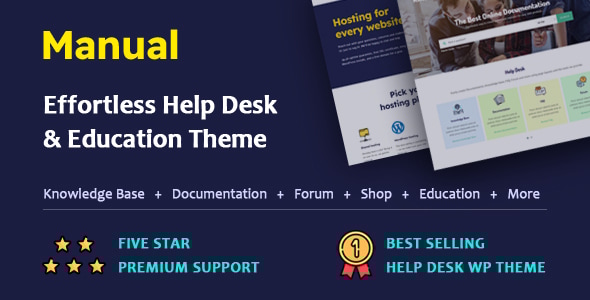
Manual - Documentation, Knowledge Base & Education WordPress Theme
Manual version 7.5.4 is live (24 May 2024) with broad compatibility, feature updates, and enhanced documentation to showcase your content effectively.
Overview and Compatibility
- WordPress6.4.X Ready.
- Compatible WithWooCommerceVersion 8.4.X
- Compatible WithElementor Page Builder
- PluginAutomatically Update the Manual theme by 1-Click withEnvato Market Plugin
- FullyRTLsupported
- FullyWPMLCompatible
- Child theme included
What Manual Theme Does
Manual is designed to beautifully showcase documents, tutorials, or any content in an elegant, user-friendly way. It aims to simplify setup and provide a seamless experience for both creators and visitors, helping you present your material clearly and professionally.
Why Choose Manual WordPress Theme?
Robust Features
- Documentation, knowledge base, FAQ, portfolio, learning system, and forum, with full WooCommerce compatibility.
Efficiency
- Allows you to create manuals, guides, and tutorials quickly; reduces formatting time and manual updates.
Branding
- Customize with your logos, colors, fonts, and styles to match your brand.
Versatility
- Adaptable to user manuals, guides, help systems, or training materials.
Responsive and Mobile-Ready
- Fully responsive design ensures content looks great on all devices and screen sizes.
User-Friendly Interface
- Intuitive navigation delivers a seamless documentation browsing experience.
Sleek Design
- Modern, clean visuals that help your content stand out from the moment visitors land.
What Can You Do With Manual WordPress Theme?
- Create user-friendly manuals and guides for your products or services.
- Share tutorials, guides, FAQs, and knowledge bases.
- Showcase portfolios, case studies, or client testimonials.
- Start a blog and share valuable insights with your audience.
- Build landing pages to promote your products or services.
Feature Highlights
Feature-Rich and Versatile
- Fully responsive
- Compatible with WPML
- Documentation, Knowledgebase, FAQs, and Portfolio fully prepared
- Full compatibility with WooCommerce (online shop)
- Full compatibility with LearnPress (education)
- Fully compatible with BBpress (forum)
- Fully compatible with Elementor
- Fully compatible with Contact Form 7
- Fully compatible with Wpbakery, including pro files ($64 value)
- Pro files for Ultimate Addons for WPBakery Page Builder included ($26 value)
- Includes translation-ready .po files
- Compatible with Child Theme, included in the package
- One-click demo import
- Excellent built-in SEO features
- Fully customizable (with styling options and more)
- Thoroughly documented
- Built on the Bootstrap framework
- Utilizes HTML5 & CSS3
- Outstanding support
- Advanced Theme Option Panel
Overall Manual Theme Features
- Build online documentation
- Establish an online knowledge base
- Develop an online FAQ section
- Showcase an online portfolio
- Set up an online shop
- Implement an online education system
- Establish an online forum
- Plus, many more possibilities
LIVE SEARCH
- Utilize AJAX or standard search functionality
- Automatically highlight search terms for improved visibility
- Customize the design of the search box
- Experience live search functionality
- Easily show or hide private articles in live search results
- Display trending searches below the search box
- Utilize post type targeted search and target category search for knowledge base and documentation posts
- Filter search to include only titles, content, or excerpts
- Search within selected taxonomies
- Conduct searches based on authors’ posts
- Exclude older search results when searching articles
- Customize SQL relations (AND/OR) between search terms
- Specify whether to match search queries exactly or partially
DOCUMENTATION
- Easily create and manage documentation
- Choose public visibility, login-only access, or restricted access per user
- Unlimited file attachments per post
- Customize the page title bar for the documentation section
- Modify the slug name for single documentation posts
- Control access to attached files (public or logged-in only)
- Adjust slug for documentation categories
- Customize tag slug names
- Enable/disable custom field box when creating article posts
- Enable/disable the Gutenberg editor
- Customize the breadcrumb name for documentation
- Tree Menu: control private article visibility and automatic expansion
- Menu scrollbar for long tree menus
- Adjust the display order of documentation records
- Documentation Page: AJAX or standard load options
- Customize the page layout for your documentation page
- Page title tag selection
- Tree menu sidebar display options
- Table of Contents (TOC) inside posts
- Article voting with access control
- Comments enable/disable and conditional display
- Contact us link visibility
- Related posts and next/previous links
- Notification bar and title design options
KNOWLEDGE BASE
- Easily create and manage knowledgebase
- Visibility controls for public/login-restricted content
- Unlimited file attachments per post
- Customize the page title bar for knowledgebase
- Slug customization for knowledgebase posts and categories
- Tag slug customization
- Gutenberg editor option
- Breadcrumb name customization
- Category page sidebar visibility and child category handling
- Knowledge base record ordering and design options
- Single page post title tagging and TOC options
- Comments, voting, related posts, and navigation controls
PORTFOLIO PACKAGE
- Easily create and manage portfolio
- Slug customization for portfolio posts and categories
- Custom fields and Gutenberg editor controls
- Attachment visibility settings
- Next/previous navigation and breadcrumb naming
FAQ
- Easily create and manage FAQ
- Public or restricted FAQ categories
- Slug customization for single FAQ posts and categories
- Page title bar customization for FAQ
- Slug customization for FAQ categories
- Custom field box visibility and Gutenberg editor status
- Hash search for FAQs and same-page results
- Breadcrumb name customization
- FAQ page and sidebar display options
- FAQ record ordering
FAQ Page
- Display options for the sidebar
- Content design for FAQ records
Get Started Today!
Ready to elevate your online documentation? Purchase Manual now to unlock powerful content presentation and boost your site’s visibility. Join thousands of satisfied users who rely on Manual to power their websites.
Don’t miss the opportunity to stand out—get Manual today and start building your dream site.
Updates
Version 7.5.4 - 24th/05/2024
- [REMOVE 1]: Removed the need for 'Print-O-Matic' plugin; the theme now has its own print function for better performance.
- [IMPORTANT]: Please disable the 'Print-O-Matic' plugin after upgrading the theme to the latest version.
Version 7.5.3 - 12th/03/2024
- [FEATURE 1]: Introducing the latest addition: "Conditional Access" to the tree menu. This empowers users to choose whether to display private article titles exclusively to logged-in users or keep them entirely hidden. To use it, go to 'Theme Option > Documentation > Tree Menu' and ensure the 'Private Articles' setting is set to 'Invisible'.
- [FIX ISSUE 1]: The theme layout was breaking due to a code issue when logged-in users attempted to view records inaccessible to them.
Version 7.5.2 - 7th/03/2024
- [FEATURE 1]: Introducing the latest addition: the ‘Theme Default Login Form’ section within ‘Theme Options > Theme Default Login Form’ in theme settings. Users can customize the login box text labels and set up their own links for resetting passwords, registering, and logging in.
- [FEATURE 2]: The portfolio section now includes a new attachment feature, allowing attachments to portfolio articles and the option to hide attachments from non-logged-in users.
Version 7.5.1 - 6th/03/2024
- [FEATURE 1]: The theme provides an option to hide or show the search bar that appears with the hamburger menu for special sections (404 pages, bbPress, documentation, FAQs, knowledge base, LearnPress, posts, search pages, pages, WeDocs, and WooCommerce) if activated globally. You can hide the 'Search Box in Hamburger Menu' while configuring the 'Page Title Bar' in the 'Customize the Header Menu' section using the 'Theme options'. For page access, go to 'Header Menu' and enable 'Customize the Header Menu'.
Version 7.5 - 5th/03/2024
- [CHANGES 1]: The theme options have been completely redesigned, with changes to control locations, removal of most old controls, and new controls from the ‘Header Menu’, 'Page Title Bar' and 'Footer' sections. The 'Page Title Bar' settings for search, 404, bbpress, Documentation, FAQ, Knowledgebase, Learnpress, Post, Search, Wedocs, and Woocommerce have been relocated to their own sections (Documentation/ Knowledgebase/ FAQ respectively). Each section of the 'Page Title Bar', 'Header Menu', and 'Footer' has been rewritten with new controls for more options and flexibility.
- [CHANGES 2]: In the page section (Pages > Add New Page), all previous meta options have been removed and replaced with new meta controls for the 'Header Menu', 'Page Title Bar', and 'Footer'.
- [FEATURE 1]: In the documentation tree view, you now have the ability to decide whether to display or hide private articles (Theme Options > Documentation > Tree Menu). Private articles that are visible will show a lock icon before the title.
- [FEATURE 2]: In the knowledgebase tree view shortcode (both WPBakery and Elementor), a lock icon will appear before the title for private articles.
WARNING: Upon upgrading the theme to version 7.5, the settings for the 'Header Menu', 'Page Title Bar' (both for the page and page title bar controlled via theme options), and 'Footer' will be reset to default. You will need to reconfigure the theme settings for 'Header Menu', 'Page Title Bar', and 'Footer' after upgrading to version 7.5.
For the changelog and prior updates, please check: https://smartwpthemes.com/documentation/changelog/for previous updates
The information on this website is sourced from the
ThemeForest product page
.