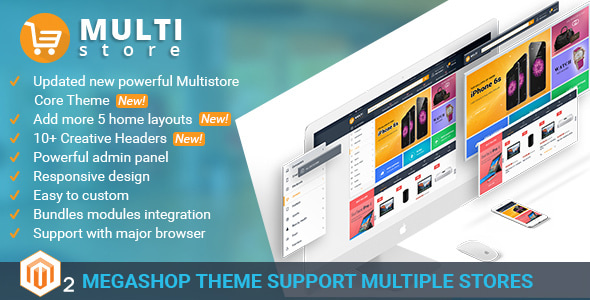
MultiStores - Magento 2 Megashop Theme support Multiple Stores
MultiStores is a Magento 2 Megashop Theme designed for multi-vendor marketplaces, combining a clean, professional design with built-in multi-store capabilities, a powerful admin panel, and flexible extensions to boost sales and collaboration among partners.
Theme scope and target
- Specially designed for a marketplace with many vendors who can upload products and earn together.
- Includes a responsive, modern interface suitable for desktop, tablet, and mobile devices.
- Offers outsourcing and collaboration options, with contact channels for project discussions.
Multistore core and design
Magento 2 Multistore Core Theme (version 2.0.0)
- PERFECT THEME Powerful admin panel: Setting panel allows you set up custom structures without having HTML/PHP knowledge.
- Responsive design: Layouts adapt to desktop, mobile, and tablet screens.
- Creative header: 10 header types to renew your site while retaining important information.
- Footer with fully information: Navigation areas at the end of pages for user guidance.
- Product Detail Pages: Clean, neat pages with all related product information.
- Easy to customize: Change images, highlight hot deals, features, new, best sellers, and logo quickly.
Mega Menu Extension
- Magento mega menu enables flexible navigation management for users and admins.
- Flexible Menu Layouts: Horizontal, Vertical, or Both.
- Horizontal navigation: Attractive horizontal menu to organize categories and products.
- Vertical navigation: Neat, clean main menu with hidden category names when desired.
- Both Horizontal and Vertical Menu: Supports both display modes.
- 7 types of mega menu: Default Category Listing, Dynamic Category Listing, Static Category Listing, Product Grid, Product Listing, and Dynamic variants.
- Menu item positioning: Top, left, or both, to fit site layout.
- Color and style settings: Background, text, hover colors, product name, and price color controls.
- Admin-driven customization: Arrange and display menu elements with a few clicks.
- Responsive: Optimized for desktop, laptop, tablet, and mobile viewing.
- Customize menu items: Add, edit, and delete categories or menu items.
- Custom blocks: Display default/static category listings, product listings, or custom content inside menu content types.
- Product labels: Highlight hot, new, featured products in the menu.
- Add to cart in dropdown: Quick add-to-cart from default category listing type.
- Animations and icons: Image hover animations and category icons for clarity.
Quick View Extension
- Magento Quick View provides a fast product preview without leaving the catalog page.
- Catalog widget previews on homepage or category pages; popup shows name, price, image, and options.
- Supports all product types (Simple, Configurable, Grouped, Bundle, etc.).
- Displays all product options (e.g., size, color) in the quick view popup.
- Responsive quick view popup works across desktop, tablet, and small screens.
- Multi-store compatibility for easy setup across stores.
- In-page actions: add to cart from popup, wishlist, compare, email, and reviews.
- Configurable button and popup appearance: customize title and colors.
- Product detail links and cross-browser compatibility (Chrome, Firefox, IE9–IE11).
Magento 2 Multistore Core Theme: admin and design settings
- Header Setting: Import header types, set default elements and static blocks, and choose icons/images for search, user, and cart blocks.
- Footer Setting: Control columns and blocks for top/middle/bottom footers, with customizable sizes.
- Content Homepage Setting: Choose available sections, adjust their position, or select custom blocks for homepage body content.
- Theme Design Setting: Define basic color theme, header/footer element colors, and font size/family.
Other features
- Category Icon: Assign icons to categories for visual clarity.
- Product Slider: Showcase hot deals, best sellers, new, and featured products.
- Product hovering: Hover actions reveal quick view, add to cart, and wishlist.
- CMS Static Block: Create category content blocks and promotions instead of product listings.
- Multi Google fonts: Admin-selectable font families.
- Multi-Currency: Configure currencies to suit global audiences.
- Multi Languages: Support multiple languages for wider reach.
- Browser compatibility: Works across major browsers (Chrome, Firefox, IE, etc.).
Startup Privilege Program
Dedicated benefits for startup web owners to simplify initial ecommerce setup, including hosting, domain, extensions, and customization services.
Conditions
- New customers who bought the product after 15/02/2010; program may be updated anytime and applies until 30/12/2020.
- Applicable to startup projects without hosting or with domain development in progress.
Offerings for Start-up Projects
- Free hosting (1 month for Themeforest Start-up Web Owner).
- Free domain for 1 year.
- Free extension: select one plugin for free from the provided collection and optional installation of Sale & Marketing extension.
- Free 3 hours of customization ($30/hour) for plugin and theme sales on Themeforest.
- Free installation with demo data ($79) for Themeforest Start-up Project (one-time).
Upgrade path
- Customers upgrading to Cmsmart Solution Package receive 3 months of free hosting (instead of 1 month) and other benefits, plus up to 5 hours of customization (out of at least 8 hours, $240).
Additional services
- Full development, hosting on Amazon Cloud, custom theme layouts, plugin setup, social integrations, and migrations.
Contact: [email protected]
Theme updates, support, and policies
- Free updates: Updates released free of charge after purchase.
- Update guarantee: Ongoing improvements with upgrade guidance; buyer responsible for upgrades.
- Ticket support: Private ticket system; follow Themeforest support policy.
- Support period: Valid support period required; expired users should purchase new support extension.
Integrated extensions and recommendations
You can see Magento Multistore Theme Integrated Multi-Vendor Packages here. The theme includes the following Magento 2 extensions:
- Magento 2 Mega Menu Extension
- Magento 2 Quick view Extension
- Magento 2 multi vendor core theme
Other Magento extensions we highly recommend for multi-vendor sites:
- Magento 2 Product video
- Responsive Magento 2 One Step Checkout Extension
- Magento multi vendor module
- Magento 2 Quick login extension
- Magento 2 Shipping cost calculator extension
- Magento 2 Ajax Search Autocomplete and Suggest
Version history
Version 2.3.0 (24 May 2019)
- Included admin panel
- Included quickstart Magento version 2.3.1
- Compatible with Magento 2.3.1
- Optimize code and database
Version 2.2.0 (20 Jul 2017)
- Add 9 types of header
- Improve user guide
Version 2.1.0 (13 Jun 2017)
- Fix some bug require js file
- Fix bug css for 6 homepage
- Fix bug data xml
Version 2.0.0 (26 May 2017)
- Add Header Setting: Customize colors, element positions, enable/disable elements, and upload header icons.
- Configure horizontal and vertical menu layout.
- Add Footer Setting: Three footer sections with adjustable column sizes and text colors.
- Add Home page Section Setting: Page config for homepage, add blocks, and manage layout.
Version 1.5.0 (01 Mar 2017)
- Add new 5 home page layout
- Update and improve user-guide
- Fix some CSS bugs
Version 1.0.1 (03 Feb 2017)
- Fix bug CSS
- Fix bug missing images
- Update user guide
The information on this website is sourced from the
ThemeForest product page
.