Noxa, Responsive Email with Template Builder
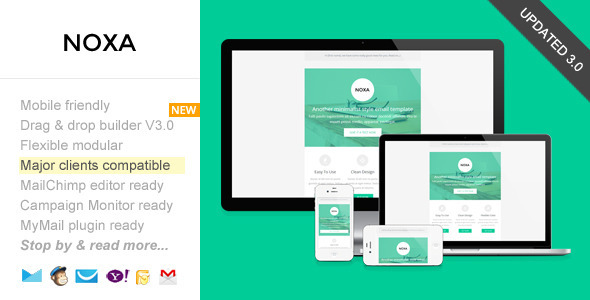
Noxa is a modern, responsive email marketing template with a drag-and-drop builder and ready-made templates for MailChimp, Campaign Monitor, and MyMail, complemented by detailed help docs and video tutorials. It supports modular, repeatable layouts and suits newsletters, sponsorship emails, and lead-nurturing campaigns.
Key capabilities
- Responsive email templates with a drag-and-drop Theme Builder / Editor
- Free online template builder / editor
- MailChimp ready templates, Campaign Monitor ready templates, and MyMail ready templates
- Flexible, repeatable modular layouts that can be arranged to create unique templates
- Comprehensive help documentation and video tutorials
- Suitable for all email marketing types, including newsletters, sponsorship emails, and lead nurturing
Editor & Template Builder
- Drag and drop, add, remove, arrange modules easily
- Customize color schemes, edit both text and image content
- Download it in .zip file containing regular HTML and image files
- 14 unique flexible modular blocks that you can remix to create your own layout
- Flexible button design with inline CSS to create your own buttons
- Mobile friendly, coded with media query CSS
- Minimum graphics elements for fast load email
- Clean, minimalist, simple design
- Sliced PSD files included
- Ready for Campaign Monitor, MailChimp, and MyMail plugin powerful template editor
Platform Integrations & Editors
MailChimp Ready
- Add & remove modules or hide elements easily with MailChimp editor
- Set the theme color directly via MailChimp editor
- Detailed instructions for uploading and setting up the template in MailChimp, customizing it, and sending & testing emails
Campaign Monitor Ready
- Add or remove modules easily with Campaign Monitor editor
- Detailed instructions (including video) for uploading and setting up the template in Campaign Monitor, customizing it, and sending & testing emails
MyMail WP Plugin Ready
- Add or remove modules easily with the MyMail plugin editor
- Set the theme color directly via the editor
- Detailed instructions (including video) for uploading and setting up the template on your WordPress site, customizing it, and sending & testing emails
Design & Distribution Details
- Added free access to the new, simple, easy-to-use Template Builder
- Maximum client compatibility across major email clients, from old Classic Yahoo! Mail to Apple iPhone
- Mobile friendly, with CSS media queries
- Minimal graphics for fast load times
- Clean, minimalist design
- Ready for Campaign Monitor, MailChimp, and MyMail plugin powerful template editor
- 14 unique flexible modular blocks for remixing layouts
Download package contents
- Total 15 HTML files, with 1 mixed modules
- 3 HTML files for MailChimp templates (in separated folder, for each color)
- 3 HTML files for Campaign Monitor templates (in separated folder, for each color)
- 6 HTML files for MyMail WP plugin templates (in separated folder, for each color)
- 3 other HTML files for regular HTML templates
- 3 PSD files
- Image files, in the “images” folder in each layout and color variation
- Help Docs – Including videos
Compatible browsers
- Android
- AOL Mail Chrome
- AOL Mail Explorer
- AOL Mail Firefox
- Apple Mail
- Gmail
- Hotmail
- iPad
- iPhone 3, 4 and 5
- Lotus Notus 8
- Lotus Notus 8.5
- Mozilla Thunderbird
- Opera Mail
- Outlook 2003
- Outlook 2007
- Outlook 2010
- Outlook 2013
- Outlook.com
- Windows Live Mail
- Yahoo Mail
- And mostly all clients that render valid HTML
Updates history
Version 3.0 – April 8 2015
- Updated theme builder. Added more useful features
- Major template code updates
- Improved MailChimp template version
Update 2.0 October, 20, 2014
- Updated Help docs file
- Updated to the Template Builder: Added more advanced template editing features
Update 1.1 August, 8, 2014
- Update to MailChimp templates version. Added ability to customize theme color directly via MailChimp editor. Change main color, background color, link color, alternate color
Update 1.1 June, 11, 2014
- Added free access to our new, simple, easy-to-use "Template Customizer"
- Customize the main color, and background
- Create any number of layout variations using the drag and drop editor, that very simple and easy to use
- Download your design in seconds
Support
For support related questions, please use the contact form to submit your request or advice. You will typically receive a response within 24 hours (Monday – Friday).
Credits
- Font awesome icons
- Images from: unsplash.com
The information on this website is sourced from the
ThemeForest product page
.