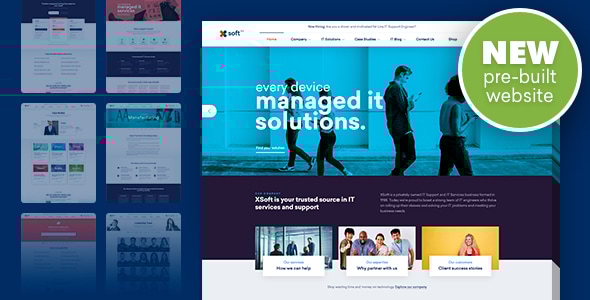
Orizon - Software Development & IT Solutions Elementor Template Kit
Orizon is a modern WordPress Elementor Template Kit designed for Software Development and IT solutions, offering a ready-made, fully functional website with templates that adapt across devices and browsers. It includes a broad set of templates, installation guidance, and integration steps to launch a professional site quickly.
Features
Core design and versatility are emphasized through a comprehensive feature set ready to power software and development agencies.
- Modern & Clean Design
- 10+ Ready to use templates
- Fully Responsive Layout
- Retina Ready
- Fully Customizable
- Cross Browser Compatibility: Chrome, Firefox, Safari, Opera
Templates Included
The kit ships with a broad selection of templates to cover essential website sections and pages.
- Home
- Services
- Services Detail
- Industry
- Industry Detail
- Case Studies
- Case Study Detail
- Pricing
- Testimonial
- Team
- FAQ
- 404
- About
- Contact
- Header
- Footer
- Global Theme Style
Plugins installed with kit
The kit preloads essential tools to accelerate site building and form handling.
- Free Elementor
- ElementsKit Lite
- MetForm
- Jeg Elementor Kit
How to Install
Follow these steps to install and activate the kit and its dependencies within WordPress.
- Install and Activate the “Envato Elements” plugin from Plugins > Add New in WordPress
- Do not unzip
- Go to Elements > Installed Kits and click the Upload Template Kit button.
- Before importing a template, ensure the Install Requirements button is clicked to activate required plugins
- For best results, do not import more than one template at a time.
- Go to Pages and create a new page and click Edit with Elementor
- Click the gear icon at lowerleft of the builder to view page settings and choose Elementor Full Width and hide page title
- Click the gray folder icon to access My Templates tab and then Import the page you’d like to customize
How to Import Metforms
- Import the metform block templates
- Import the page template where the form appears and right-click to enable the Navigator
- Locate and select the Metform widget and click Edit Form. Choose New, then Edit Form. The builder will appear
- Click ‘Add Template’ grey folder icon.
- Click ‘My Templates’ tab.
- Choose your imported metform template, then click ‘Insert’ (click No for page settings).
- Once the template is loaded, make any desired customizations and click ‘Update & Close’ The form will appear in the template
- Click Update
Setup Global Header and Footer in Header Footer & Blocks plugin
- Import the header and footer template
- Go to Appearance > Header Footer and click Add New button
- Give it a title and select Header, Display on Entire Site and click Publish
- Click Edit with Elementor
- Click the gray folder icon to access My Templates tab and select the header template to import and Update.
- Repeat for Footer
Images
This Template Kit uses demo images from Envato Elements. You will need to license these images from Envato Elements to use them on your website, or you can substitute them with your own assets. Envato Elements collection.
Update
Notes on recent improvements and ongoing maintenance.
- Upgrade to Flexbox Container
- Plugin Improvement & Updates
- Other General Issue
The information on this website is sourced from the
ThemeForest product page
.