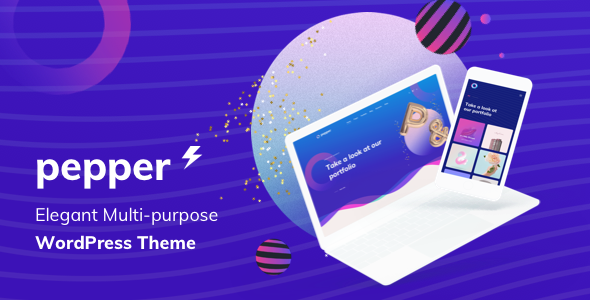
Pepper - Elegent Multi Purpose WordPress Theme
Pepper is a feature-rich WordPress theme offering 20+ homepages, numerous header and portfolio layouts, and a shortcode-driven workflow to build responsive websites without coding. Version 2.0, released on 2025.02.24, expands design options, typography, and plugin integrations with extensive pre-made templates and builder tools.
Version 2.0 — Release details
Complete List of Features
Getting started and demos
- Easy to Get Started — We already build 19+ Pre-homepage demos are available to get you started in seconds. Build website within a seconds as easily as never before.
- One Click Install Demo Data — Import whole demo content and set up your site to look like the demos.
Design, responsiveness, and e-commerce readiness
- Responsive & Retina Ready — Every detail refined to look sharp on retina-ready devices.
- WooCommerce Compatible — Pepper has style WooCommerce pages and elements; you can sell online right away.
- Built-in Mega Menu — Smart Mega Menu with icons for items and easy color/design customization.
Typography and fonts
- Advanced Typography Options — Change typography with font family, size, weight, and style.
- Includes 800+ awesome Google Fonts and the ability to manage all fonts, including custom uploads.
Theme structure and customization
- Child Theme Included — Safe updates without touching theme files.
- Cross-Browser Compatibility — Chrome, Firefox, Safari, IE11, Opera.
- Drag & Drop Content Builder — WPBakery Page Builder included for easy layout creation.
- WPbakery Page Builder — Pepper includes the premium WPBakery Page Buider plugin and over 100+ pre-built element templates.
Pre-made templates and content blocks
- 100+ Pre-made Element Templates — Custom templates for WPBakery to quickly craft pages and posts.
- Smart Content Block — Save page titles, top bars, top drawers, and footers as reusable content blocks.
- Tons of shortcodes and custom widgets — A rich set of shortcodes and 9+ widgets for sidebars, footers, and page builders.
Advanced customization and options
- Advanced Customization — Powerful and detailed options panel with intuitive controls.
- Powerful & Detailed Options Panel — Theme Options with Preset Options and Page Settings for per-page customization.
- Preset Options — Preconfigured options that override global settings for unique pages or posts.
- Page Settings — Page-specific options that override Theme Options and Presets.
Portfolio and layout extensions
- Extened Portfolios — Theme panel for portfolios; manage projects and layouts individually.
- There are 15+ portfolio layouts to choose from; portfolio shortcodes in WPBakery enable embedding on any page.
Multilingual and RTL support
- Multi-language/RTL Ready — Built-in RTL support; Translation/WPML Ready with .po and .mo files included.
- Compatible with WPML and other free translation plugins.
Backgrounds and color control
- Advanced Background Options — Parallax effects, video backgrounds, color, or uploaded images for rows; content blocks can customize page title backgrounds.
- Full Control of Colors — Set a site-wide accent color and customize individual areas (Top Bar, Header, Footer, etc.).
- Unlimited Color Presets — Create unlimited skins and apply them per area with one click.
Header and footer customization
- Advanced Header Options — 8+ Unique Header Layouts with customizable Navigation.
- Pepper supports building a custom Top Bar with WPbakery and provides mobile header options.
- Sticky Sidebar — Create unlimited custom sidebars with a sticky behavior.
- Unlimited Footer — Change footer style; enable/disable footer in Preset or Theme Options.
Plugin compatibility and add-ons
- Popular Plugin Compatible — WooCommerce full design integration; WPML compatibility.
- WPBakery Page Builder and Revolution Slider included for FREE.
- Contact Form 7 plugin ready.
Blog options
- Advanced Blog Options — 7+ Blog Layouts for listing, search results, and single posts.
- Extensive options for showing/hiding information, animations, pagination type, and posts per page.
Support and resources
- ONLINE SUPPORT — Detailed user manual, Documentation, and video tutorials for smooth use; prompt help for purchased templates.
CHANGELOG — UPDATE HISTORY
The information on this website is sourced from the
ThemeForest product page
.