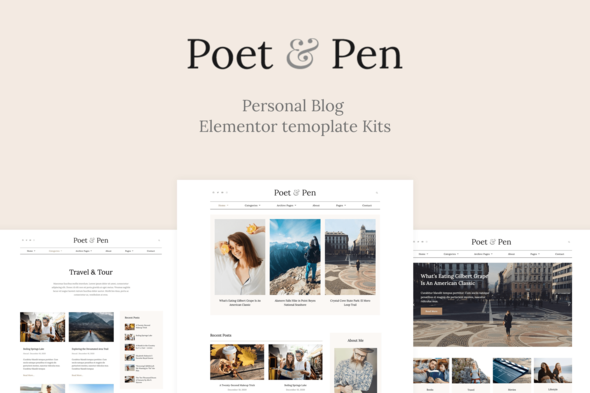
Poet & Pen - Personal Blog Elementor Template Kit
Poet & Pen is a clean, minimal WordPress Elementor blog template kit designed for bloggers, writers, and creatives to power lifestyle blogs and magazines with a modern, versatile design.
Key features
- 25+ templates
- 6 Home page layouts
- 3 Single Post layouts
- Great social engagement
- Ultra-responsive
- Global Styles included
- Total color & typography customization
- SEO-friendly design
- No coding knowledge is required
- Lifetime free updates
Included Templates
- Home Page 1
- Home Page 2
- Home Page 3
- Home Page 4
- Home Page 5
- Home Page 6
- Category Archive
- Single Post Layout 1
- Single Post Layout 2
- Single Post Layout 3
- Blog Default Archive
- Author Post Archive
- Other Archive
- About
- Gallery
- Services
- Search Results
- Testimonials
- Pricing
- Contact
- 404 Error Page
- Header
- Footer
- Mobile Menu
- Sidebar
- Author Sidebar
- Newsletter Popup
Notes on compatibility and setup
- Important Notes:
- Elementor Pro upgrade (purchase separately) is required for most templates and features (not included).
- This template kit is not a WordPress theme. Template Kits contain page content for Elementor page builder. This kit has been optimized for use with the free Hello Elementor theme but may be used with most themes that support Elementor.
How to Install and Use Template Kits
This is not a WordPress Theme. Template kits contain the design data for Elementor only and are installed using the envato Elements plugin for WordPress or directly through Elementor.
Elementor Template Kits use the Envato Elements plugin to install.
Elementor Pro upgrade (purchase separately) is required for most templates and features (not included).
Detailed Guide:
How to Upload-Install Elementor Template Kits from Themeforest to WordPress
For further support, go to Elementor > Get Help in WordPress menu.
How to Setup Sidebar
- Import the Sidebar block and customize it.
- Edit the template where the sidebar appears (such as Single Post, Archive page, or Blog under Theme Builder).
- Click on the Template element in the sidebar area and make sure your Sidebar block is selected.
Blog Posts and content
Blog content is not included – you will need to add a few posts to WordPress before post content will appear in templates.
Image License and usage
This Template Kit uses demo images from Envato Elements. You will need to license these images from Envato Elements to use them on your website, or you can substitute them with your own. Blog Content is not included – you will need to add a few posts to WordPress before post content will appear in templates.
Envato Elements collection: Envato Elements Collection
The information on this website is sourced from the
ThemeForest product page
.