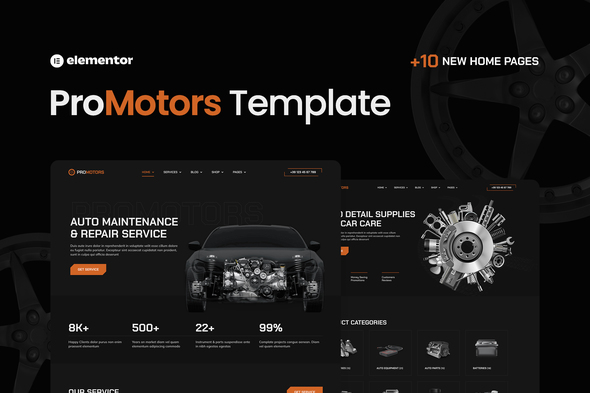
ProMotors – Car Service and Detailing Elementor Pro Template Kit
Promotors is an Elementor Pro Template Kit designed to quickly build a business website using the Elementor Page Builder for WordPress. It is optimized for the free Hello Elementor theme and can be used with most themes that support Elementor.
Features of ProMotors Template
- Global Theme Styles included
- 37 Elementor Templates
- 100% Fluid Responsive
- Clean and Simple Style
- Easy to Use and Customize
- All major browsers supported Chrome, Firefox, Safari, Edge, Opera
- Free Google Fonts Used
- Tested in Color Blindness Simulator
- 100% SEO Friendly
- Optimized for Elementor Pro
- The template is organized and structured, making it easy to customize all its parts, change the background and color, and manage global typography.
Addons installed with kit
- Premium Addons for Elementor
- Qi Addons for Elementor
- Selection Lite
- WooCommerce
- Elementor
Elementor Pro upgrade is required for some templates and features (not included).
Pages and templates included
- +10 Home / Landing Page Layouts
- Our Works
- Prices
- Promotions
- About
- Blog
- Single Promotion
- Single Service 2
- Single Service
- Team
- Contacts
- Burger Menu
- FAQ
- Services 1
- Services 2
- Theme builder
- Header
- Footer
- Search Results
- Error 404
- Shop / Product List
- Woocommerce Checkout
- Woocommerce Single Product
- Woocommerce Cart
- Woocommerce My Account
- Blog Grid
- Single Post 1
- Single Post 2
How to Use Template Kits
- Install and Activate the “Envato Elements” plugin from Plugins > Add New in WordPress
- Download your kit file and Do not unzip
- Go to Elements > Installed Kits and click the Upload Template Kit button. You may also import automatically by clicking Connect Account to link your Elements subscription, then import under Elements > Template Kits
- Check for the orange banner at the top and click Install Requirements to load any plugins the kit uses
- Click import on the Global Kit Styles first
- Click Import on one template at a time. These are stored in Elementor under Templates > Saved Templates
- Go to Pages and create a new page and click Edit with Elementor
- Click the gear icon at lower-left of the builder to view page settings and choose Elementor Full Width and hide page title
- Click the gray folder icon to access My Templates tab and then Import the page you’d like to customize
- If you have Elementor Pro, headers and footers may be customized under Theme Builder
Detailed Guide: https://help.market.envato.com/hc/en-us/articles/900000842846-How-to-use-the-Envato-Elements-WordPress-Plugin-v2-0
For further support, go to Elementor > Get Help in WordPress menu.
Licensing, assets and notes
This Template Kit uses demo images from Envato Elements: You will need to license these images from Envato Elements to use them on your website, or you can substitute them with your own. Blog Content is not included; you will need to add a few posts to WordPress before post content will appear in templates.
Source collection: Envato Elements collection JWZR869NL2
The information on this website is sourced from the
ThemeForest product page
.