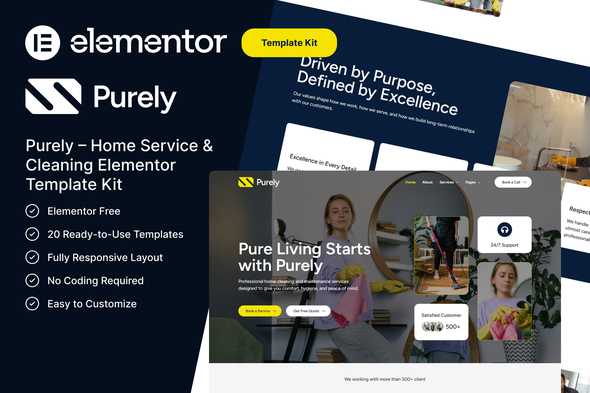
Purely – Home Service & Cleaning Elementor Template Kit

Purely is a modern, professionally designed Elementor Template Kit created specifically for home service and cleaning businesses. It provides fully customizable layouts, responsive performance, and a no‑coding setup to showcase services, pricing, and professionalism.
Perfect For
- Cleaning Service Companies
- Home Maintenance Services
- Maid Service Businesses
- Housekeeping Agencies
- Office Cleaning Services
- Any Home Service Website
Why Choose Purely?
Purely is designed not just to look good, but to convert visitors into customers. With clear call-to-actions, structured content, and professional design elements, this template kit helps you showcase your services effectively and build trust with your audience.
- Designed to convert visitors into customers
- Clear call-to-actions and structured content
- Professional design elements to showcase services and build trust
Features
- Using Elementor Free (Elementor Pro is not required)
- Modern & Clean Design
- 15 Ready to Use Pages
- 20 Ready to Use Pages
- Fully Responsive Layout
- No Coding Required
- Easy to Customize
- Cross-Browser Compatible
- Fast Loading & Optimized Performance
Included Templates
- Global Theme Style
- Home
- About
- Contact
- Services
- Service Details
- Appointment
- Testimonial
- Pricing
- Career
- Team
- FAQ
- Blog
- Single Post
- Notice Page
- 404 Page
- Header
- Footer
- MetForm – Contact
- MetForm – Newsletter
- MetForm – Appointment
Required Plugins
- Elementor
- ElementsKit Lite
- MetForm
How to Use Template Kits
This is not a WordPress Theme. Template kits contain the design data for Elementor only and are installed using the envato Template Kit Import plugin for WordPress or directly through Elementor.
Detailed Guide: https://help.market.envato.com/hc/en-us/articles/36033428836889-How-to-Upload-Install-Elementor-Template-Kits-from-Themeforest-to-WordPress
For further support, go to Elementor > Get Help in WordPress menu.
How to Import Metform
- If you have Elementor Pro, skip install of Metform and form blocks.
- Import the metform block templates
- Import the page template where the form appears and right-click to enable the Navigator
- Locate and select the Metform widget and click Edit Form. Choose New, then Edit Form. The builder will appear
- Click ‘Add Template’ grey folder icon.
- Click ‘My Templates’ tab.
- Choose your imported metform template, then click ‘Insert’ (click No for page settings).
- Once the template is loaded, make any desired customizations and click ‘Update & Close’ The form will appear in the template
- Click Update
Setup Global Header and Footer
- Import the header and footer template
- Go to ElementsKit > Header Footer select Header and click Add New
- Give it a title, leave Entire Site selected and toggle Activation to On
- Click the template title and Edit Content
- Click the gray folder icon and select the header template to import and Update
- Repeat for Footer
- If you have Elementor Pro, headers and footers are customized under Templates > Theme Builder.
Images
Photos from Unsplash and Pexels are provided for demo purposes and may be replaced with your own.