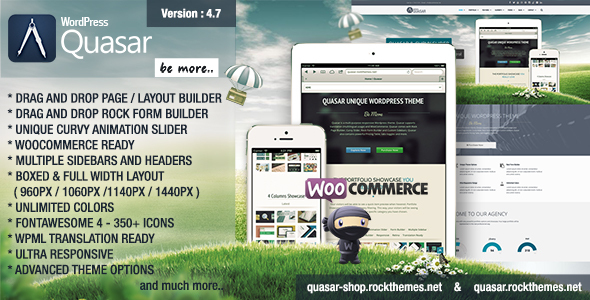
Quasar - WordPress Theme with Animation Builder
UPDATED Version 4.7 adds WordPress 6.0 readiness, WooCommerce 6.1 readiness, and Rock Form Builder 2.6, showcasing Quasar’s fast, responsive WordPress theme built with the Rock Page Builder and Curvy Slider. This summary highlights core features, capabilities, and the detailed version history.
Key Features
- Drag and Drop Page / Layout Builder
- Drag and Drop Form Builder
- Unique Curvy Slider – Animation Builder – Included
- Unlimited Multiple Sidebars for every Page
- Multiple Headers
- Boxed Fullwidth Layouts (960px / 1060px / 1140px / 1440px)
- Responsivity On / Off
- Unlimited Google Fonts
- Ultra Responsive Design – 3 Breakpoints
- Unlimited Colors
- Unlimited Pricing Tables
- Fully Integrated FontAwesome 4 Icons. Click and UseExternal Icon Support
- Retina Ready
- WPML (Translation and Multi Language) Ready
- Grid Portfolio
- List Portfolio
- Ajax Portfolio Showcase
- Change Image Dimensions Easily
- Parallax
- Colored Background
- Animate any grid easily
- Before After Slider presentation
- Lightning Fast Performance
- Fantastic Support
- Demo Data Included
- Slider Images Included
- Help Videos
- SEO Friendly
Included Components
- Curvy Slider (Powerful Animation / Slider Builder) Included
- Rock Page Builder (Ajax Drag and Drop Page Builder) Included
- Rock Form Builder (For Every Form Need) Included
Credits
- Special Thanks to Miguelfor his great photos
- Icons by FontAwesome 4 and Icomoon Free Set
- Additional assets from Pixeden, Pixabay, and various photographers listed in the credits
How to Update
- Connect to your FTP
- Go to "wp-content/themes/quasartheme/"
- Delete the "quasartheme/" directory and all of it's content
- Download the new version from Themeforest
- Unzip the installable zip file
- Upload the "quasar/" directory to "wp-content/themes/"
- Make sure you do not duplicate directories
- WRONG: wp-content/themes/quasar/quasar/ THEME FILES
- CORRECT: wp-content/themes/quasar/ THEME FILES
- Login to WordPress Admin Dashboard and go to "Themes"
- Select "Quasar" and activate it
- Install new plugins when prompted
- You now have the latest version
The information on this website is sourced from the
ThemeForest product page
.