Rentiva – Car Rental Business & Auto Dealer Elementor Template Kit
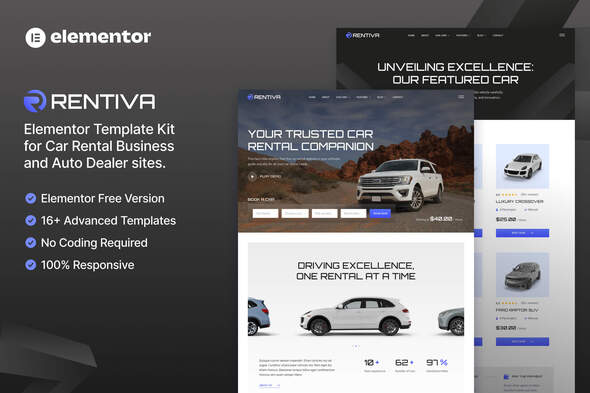
Rentiva is a cutting-edge Elementor Template Kit tailored for Car Rental Services, Auto Dealerships, and related businesses, delivering a sleek, modern, and professional design with a 100% responsive layout and retina-ready graphics. It enables effortless customization through Elementor, eliminating the need for coding skills.
Overview of Rentiva
Designed to showcase a fleet, services, and team with style, Rentiva provides a ready-to-use collection of templates that adapt across devices and browsers. It emphasizes visual sharpness, quick customization, and optimized performance for automotive-related websites.
Key Features
- Using Free Plugins (Elementor Pro is not required)
- Modern & Clean Design
- 16+ Ready to use templates
- Fully Responsive Layout
- Retina Ready
- Fully Customizable
- Cross Browser Compatibility: Chrome, Firefox, Safari, Opera
Templates Included
- Home
- About
- Our Cars
- Car Detail
- Our Team
- FAQ
- Blog
- Single Post
- MetForm – Booking
- MetForm – Contact
- JKit – Off Canvas
- Contact
- 404 Page
- Header
- Footer
- Global Theme Style
Required Plugins
- MetForm
- Elementor
- Jeg Elementor Kit
How to Setup Header in Jeg Elementor Kit Plugin
- If you have Elementor Pro, setup headers and footers in Theme Builder.
- Pages you create with Elementor must have the Page Layout set to Elementor Full width for the global header and footer to appear.
- Go to Jeg Elementor Kit menu item > Header Template
- Click Add New Header
- Add condition > All Site and click Create
- Click the pencil icon to Edit and Elementor will appear
- Click gray folder icon to access My Templates tab
- Insert the header template.
- Customize and Save.
How to Import MetForm Custom Form
- While editing a page where a form should appear, open the Elementor navigator to locate the MetForm widget.
- Click Edit Form in the builder panel.
- Select New, leave blank selected then click Edit Form button.
- Click ‘Add Template’ grey folder button.
- Click ‘My Templates’ tab.
- Choose your imported MetForm template, then click ‘Insert’.
- Once the template is loaded, click ‘Update’.
Images and Licensing
This Template Kit uses demo images from Envato Elements. You will need to license these images from Envato Elements to use them on your website, or you can substitute them with your own.
Envato Elements collection: https://elements.envato.com/collections/SXUF2HMYVL
The information on this website is sourced from the
ThemeForest product page
.