Superlens | Photography Theme for WordPress
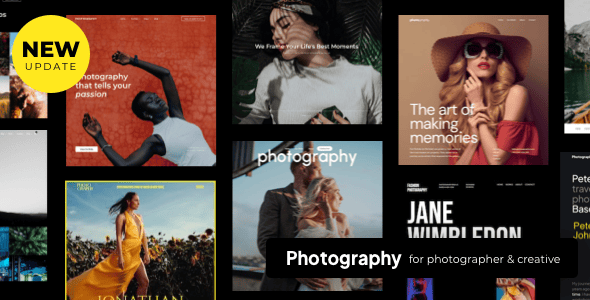
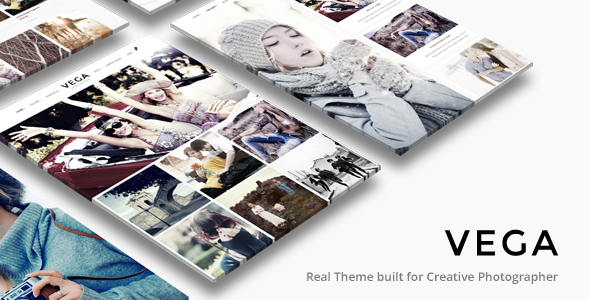
Superlens Photography is a WordPress theme built for professional photographers, combining a minimalist, image-centered design with powerful gallery and portfolio features. It emphasizes fast performance, flexible layouts, and easy customization via Elementor Pagebuilder.
Theme Core Features
- Designed for professional photographers with a minimalist, image-centered approach.
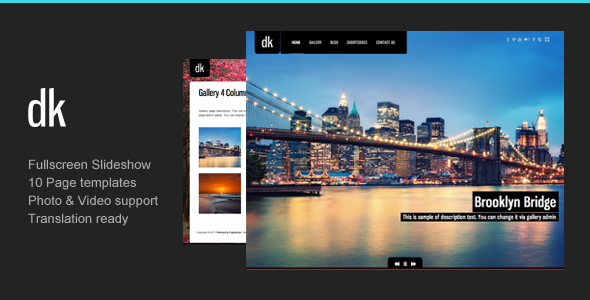
- Fullscreen slideshows, portfolios, proofing, events, blog and landing pages.
- Lazy load images to improve page load times and display images intelligently as the user scrolls.
- Gutenberg optimized which will also work with live pagebuilder on click.
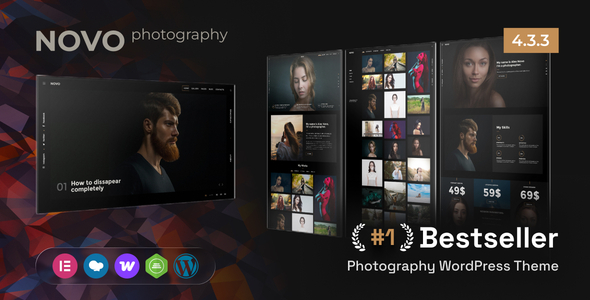
- Superlens is powered by Elementor Pagebuilder, which is a live pagebuilder that let’s you easily customize each block, typography, fonts, colors, backgrounds, etc.
- The theme uses large images allowing you to beautifully showcase your photographs.
- Built-in sliders and gallery designs with different approaches.
- For those starting a photography website on WordPress, an easy-to-build theme with a professional finish and powerful features.
- Superlens theme is supported and future proof; coded to high standards.
- Gutenberg optimization combined with live pagebuilder compatibility.
- View Superlens Help Guide
Portfolios
Superlens’s portfolio system provides grid-based management to display your work with detail, fast loading, and versatile linking and filtering options.
- The variety of grid based portfolio management will make it easy to display your work. Portfolio posts are specifically designed to display details of your work.
- As an example it can be used to display photography sets. A gallery of thumbnails each representing a specific photography occasion on click will take the visitors to the details of the occasion with photographs that can be enlarged in lightboxes or slideshows.
- Portfolio posts can be posted within categories just like blog posts and those categories can be used as filters to help visitors view specifics within the gallery.
- There are many combinations that can be used to display the portfolio galleries. You can even link the gallery thumbnails to custom links which can take the visitors off-site or anywhere within the site easily.
Portfolio features
- Each portfolio can be password protected.
- Album support
- The portfolio galleries can be linked through albums.
- 1,2,3,4 and 5 column support
- Left sidebar, right sidebar, fullwidth page and Edge to edge page support
- Filterable using portfolio categories
- Linking Method
- Custom Linked
- Direct Linked
- Lightbox Linked
- Utilizes lazy loading so that even large galleries are displayed very fast.
- SEO with Alt text
- Portrait grids, Landscape grids, Square grids, Masonry grids, Boxed grids, Spaced grids
- Classic grids with title, description and category.
- Do more by having the choice to ommit title, description or category name display.
- Change colors of overlays and hover icons.
- Change typography, font and colors of titles, description and categories easily using live previews.
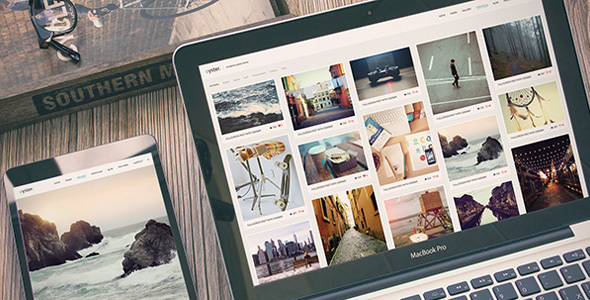
- Tweak and adjust for responsive layouts.
Image Gallery features
Image galleries in Superlens support fast, scalable display with flexible linking and filtering options.
- Drag and drop images to build a gallery fast. Easy to use with rapid building in mind.
- Tag Supported. Tag each image to generate filters from.
- Title and description support
- 1,2,3,4 and 5 column support
- Left sidebar, right sidebar, fullwidth page and Edge to edge page support.
- Filterable using tag categories
- Linking Method
- Custom Linked
- Purchase Linked
- Download Galleries
- Lightbox Linked
- Utilizes lazy loading so that even large galleries are displayed very fast.
- SEO with Alt text
- Portrait grids, Landscape grids, Square grids, Masonry grids, Boxed grids, Spaced grids
- Classic grids with title, description and category.
- Do more by having the choice to omit title and description
- Change colors of overlays and hover icons.
- Change typography, font and colors of titles, description and categories easily using live previews.
- Tweak and adjust for responsive layouts
Proofing Galleries with Client Management
Proofing galleries enable client access and workflow with password protection and client-specific galleries.
- Drag and drop images to build a gallery fast. Easy to use with rapid building in mind.
- Client management
- Client Gallery
- Assign multiple proofing galleries to a client
- Set one password to a client and password protect all the proofing galleries under the client.
- Password protect individually or bulk protect by assigning a password assigned client.
- View selected proofing images based on image, filename or unique ID
- Easy to copy paste selected proofing images so that it can be used to bulk search with Lightroom or other search facilities.
- Display client info and style them anywhere in the proofing page using live builder.
- Title and description support
- 1,2,3 and 4 column support
- Left sidebar, right sidebar, fullwidth page and Edge to edge page support.
- Utilizes lazy loading so that even large galleries are displayed very fast.
- SEO with Alt text
- Portrait grids, Landscape grids, Square grids, Masonry grids, Boxed grids, Spaced grids
- Classic grids with title, description and category.
- Do more by having the choice to omit title and description
- Change colors of overlays and hover icons.
- Change typography, font and colors of titles, description and categories easily using live previews.
- Tweak and adjust for responsive layouts
Events Galleries
Events galleries support post-level event data and password protection along with flexible layout options.
- Create events posts with event status
- Store events information on events post
- Display events info and style them anywhere in the events post using live builder.
- Password protect.
- View selected proofing images based on image, filename or unique ID
- Easy to copy paste selected proofing images so that it can be used to bulk search with Lightroom or other search facilities.
- Title and description support
- 1,2,3 and 4 column support
- Left sidebar, right sidebar, fullwidth page and Edge to edge page support.
- Utilizes lazy loading so that even large galleries are displayed very fast.
- SEO with Alt text
- Portrait grids, Landscape grids, Square grids, Masonry grids, Boxed grids, Spaced grids
- Classic grids with title, description and category.
- Do more by having the choice to ommit title and description
- Change colors of overlays and hover icons.
- Change typography, font and colors of titles, description and categories easily using live previews.
- Tweak and adjust for responsive layouts
Blog Lists and Grids
Blog lists and grids support multiple post formats and flexible display options.
- Create blog posts with postformat types gallery, standard, aside, audio, quote, image and video
- Password protect.
- Gutenberg optimized or build with live pagebuidler without affecting SEO.
- Left sidebar, right sidebar, fullwidth page and Edge to edge page support.
- Utilizes lazy loading so that even large galleries are displayed very fast.
- Change typography, font and colors as you build using live pagebuilder.
- Tweak and adjust for responsive layouts
WooCommerce
Superlens is compatible with WooCommerce to sell digital or physical products directly from the site.
- Superlens is WooCommerce compatible.
- Sell digital or non digital products or easily using the most powerful e-commerce system.
- Images in the theme carry a purchase field which can be linked to the e-commerce product easily.
- View any of these images anywhere in the website through the lightbox will display the purchase link.
Lightbox Features
- Responsive
- CSS-only approach for resizing images and videos. So it will be extremely flexible and faster.
- Touch and Drag
- Lightbox supports touch and swipe navigation on touchscreen devices, as well as mouse drag for desktops. This allows users to navigate between slides by either swipe or mouse drag.
- Zoom & Fullscreen
- You can double-click on the image to see its actual size. Zoom-in and zoom-out controls can be used for changing the zoom of the image.
- Smart preloading
- Loads images as you view them to improve performance. Slides are loaded as you navigate to it.
- Slideshow elements
- Carousel
- 3D slideshow
- 2D slideshow
- Column based carousels
- Lightbox enabled
- Before and After Images
- Easy to setup Before and after images
Elementor Drag & Drop Live Editor
Elementor provides a fast, intuitive editing experience directly within WordPress.
- Elementor has the fastest, most intuitive editor in WordPress. Simply drag, drop and customize.
- No Coding
- Reach high-end designs, without any coding. The resulting page code is compact and optimized for every device.
- Navigator
- Get an overview map of your entire page and reorder different elements with a simple drag and drop.
- Finder
- A search bar that offers easy navigation between different pages & dashboard settings.
- Redo Undo
- Quickly undo any mistakes with a simple CTRL / CMD Z.
- Auto Save
- No more need to click save. Your work is continuously saved and backed-up automatically.
- Revision History
- With Revision History, your entire page creation process is saved and can be easily re-traced.
- Draft Mode
- Published a page and want to continue working on it? No problem, simply save it as a draft.
- Copy Paste
- Quickly copy any element and paste it to a different place on the page, or to an entirely different page on your site.
- Copy Style ( Very useful )
- Copy the entire styling from a widget, column or section and paste it to another element with a click.
- In-line Editing
- Use the in-line editing feature to type directly on-screen, and make blog post and content writing an easy and intuitive process.
- Background Gradients
- With Elementor, it’s easy to add background gradient colors to any WordPress page or post.
- Background Videos
- Make your background come alive by adding interesting background videos to your sections.
- Background Overlay
- Add another layer of color, gradient or image above your background.
- Enhanced Background Images
- Customize responsive background images per device, and set custom position and size.
- Shape Divider
- Add interesting shapes that separate the sections of your page in many ways.
- Box Shadow
- Set custom made box shadows visually, without having to deal with CSS.
- One-Page Websites
- Create a one page website that includes click to scroll navigation, as well as all the needed sections of a website.
- Landing Pages
- Creating and managing landing pages has never been this easy, all within your current WordPress website.
- Typography with Pagebuilder
- Easy to customize
- Play with the font family, size, weight, transform, style, decoration, line-Height and letter spacing.
- Google Fonts
- Choose from hundreds of Google fonts available.
- Text Editor Columns
- Divide your Text Editor widget into responsive columns, and set the gap between the columns for better layout.
- Layouts with pagebuilder
- Section Width
- Go beyond the oversimplified and generic page designs, by having more control over the various sections.
- Section Height
- Go beyond the oversimplified and generic page designs, by having more control over the various sections.
- Full Width
- Easily create full width pages no matter which theme you are using, with the strech section feature.
- Column Width
- Enter a specific column width, or visually scale the width by dragging the edge of the column.
- Column Gap
- Change the gaps between columns in order to let your design breathe.
- Margin & Padding
- Set the padding & margin for sections, columns and widgets.
- Nested Columns
- Create advanced layouts by nesting columns inside a given column. This creates a sort of inner section crucial for certain designs.
- Mobile Editing with Elementor
- 100% Responsive
- Use Elementor’s extensive mobile editing tools to create a website that is truly 100% responsive.
- Mobile Font Size
- With this feature, you can change the font size per device.
- Responsive Column Width
- Choose a different column layout for mobile by changing the column width.
- Padded margins per device
- Padding and Margin
- Reverse Columns
- This feature reverses the ordering of columns, so when you go to mobile the last column will appear on top.
Changelog
- Version 1.1.6 — Kirki plugin related changes. Files 'includes/customize/register.php' Files 'style.css'
- Version 1.1.5 — Added theme customizer default call instead of using Kirki
- Files 'includes/admin/tgm/tgm-init.php'
- Files 'includes/functions/big-arrays.php'
- Files 'includes/functions/theme-functions.php'
- Files 'style.css'
- Version 1.1.4 — Opacity control for Boxed styles in Thumbnails Grids
- Files 'includes/admin/tgm/tgm-init.php'
- Files 'style.css'
- Version 1.1.3 — Correct Proofing sort
- Files 'includes/admin/tgm/tgm-init.php'
- Files 'style.css'
- Files 'includes/plugins/[all files]
- Version 1.1.2 — Added Fullscreen swiper slide font selection and transition control
- Files 'functions.php'
- Files 'includes/admin/tgm/tgm-init.php'
- Files 'includes/customize/css/customize-controls.css'
- Files 'includes/customize/register.php'
- Files 'style.css'
- Files 'template-parts/fullscreen/fullscreen-swiperslides.php'
- Files 'includes/plugins/[all files]
- Version 1.1.1 — Localization corrections and additions
- Files 'comments.php'
- Files 'css/styles-content.css'
- Files 'includes/customize/register.php'
- Files 'languages/superlens.pot'
- Files 'style.css'
- Files 'template-parts/author-bio.php'
- Files 'template-parts/post-navigate.php'
- Files 'template-parts/postformats/post-data.php'
- Version 1.1.0 — Corrected swiper slides
- Files 'includes/admin/tgm/tgm-init.php'
- Files 'style.css'
- Version 1.0.9 — Updated revolution slider
- Files 'includes/admin/tgm/tgm-init.php'
- Files 'style.css'
- Files 'includes/plugins/[all files]
- Version 1.0.8 — Elementor widgets update
- Files 'includes/admin/tgm/tgm-init.php'
- Files 'style.css'
- Files 'includes/plugins/[all files]
- Version 1.0.6 — Corrected Fullscreen responsive set
- Added Mobile menu search enable/disable
- Added Fullscreen footer enable/disable
- Files 'footer.php'
- Files 'includes/customize/register.php'
- Files 'includes/functions/theme-functions.php'
- Files 'style.css'
- Files 'template-parts/menu/mobile-menu.php'
- Version 1.0.5 — Corrected Proofing Archive Grid
- Files 'includes/admin/tgm/tgm-init.php'
- Files 'style.css'
- Version 1.0.4 — Added more imagesloaded functions
- Files 'includes/admin/tgm/tgm-init.php'
- Files 'style.css'
- Version 1.0.3 — Added infobox description limiter
- Corrected slideshow title overlaying on navigation for iPad
- Files 'css/responsive.css'
- Files 'functions.php'
- Files 'includes/admin/tgm/tgm-init.php'
- Files 'includes/customize/register.php'
- Files 'style.css'
- Version 1.0.2 — Fullscreen toggle home fixed
- Files 'includes/functions/theme-functions.php'
- Files 'style.css'
- Version 1.0.1 — WordPress 5.8 related changes
- Files 'functions.php'
- Files 'style.css'
- Version 1.0 — Initial Release
The information on this website is sourced from the
ThemeForest product page
.