TechWave - AI HTML Dashboard for Image Generation & Chat Bot
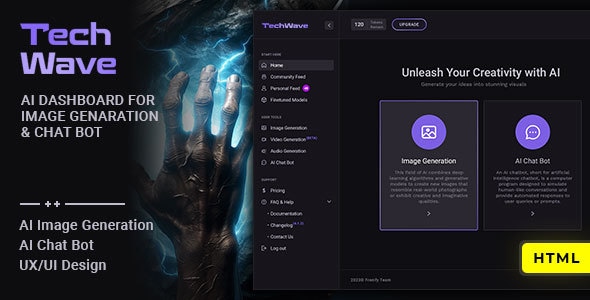
TechWave is a dynamic AI HTML admin template designed for image generation and chat bot integration, offering a versatile platform to embed AI features into existing systems. It includes UI features like light/dark mode, image lightbox, and a responsive, developer-friendly structure.
What TechWave provides
TechWave – AI HTML Admin Template for Image Generation & Chat Bot. React version is available! Laravel version is available!
Key features
- TechWave is a dynamic HTML dashboard template that leverages artificial intelligence (AI) to enhance image generation and chat bot functionalities.
- Designed to empower users to integrate AI chat bots or AI image generation platforms into their existing systems.
- Like and Follow system to engage with content and follow creators or topics within the platform.
- Image Lightbox for viewing images in a larger, immersive format.
- Light/Dark Mode with a remembered preference across visits.
- Search Bar to quickly find content or navigate efficiently.
- Custom Uploader Image to change profile or background images.
- Report Image feature to maintain a safe environment.
- And more…
Full features
- Fully Responsive HTML5
- Online Documentation
- CSS3 Animations
- SEO optimized
- Mobile Navigations
- Fully Responsive to all devices
- Developer Friendly Coding
- Very Well Documented
- Free Updates
- Editing Template
Editing template
In order to edit the file, you need to have Code Writer program installed on your system. Just open files in code writer and edit them.
Credits
- Images – free images: https://pixabay.com/. Images are not included.
- Fonts: “Heebo” and “Work Sans” free google fonts
- Free Font Based Icons by Fontello.com
Included Pages
- Chat Page – ai-chat-bot.html
- Changelog Page – changelog.html
- Community Feed Page – community-feed.html
- Contact Page – contact.html
- Documentation Page – documentation.html
- FAQ Page – faq.html
- Image Generation Page – image-generation.html
- Home Page – index.html
- Home #2 Page – index-2.html
- Home Light Page – index-light.html
- Models Page – models.html
- Notifications Page – notifications.html
- Single Notification Page – notification-single.html
- Personal Feed Page – personal-feed.html
- Pricing Page – pricing.html
- Privacy Policy Page – privacy.html
- Sign In Page – sign-in.html
- Sign Up Page – sign-up.html
- Terms & Conditions Page – terms.html
- User Billing Page – user-billing.html
- User Profile Page – user-profile.html
- User Settings Page – user-settings.html
Change Log
- Version 1.0 – June 21, 2023
- 1. INITIAL RELEASE
The information on this website is sourced from the
ThemeForest product page
.