TheEvent – Event Management and Conference WordPress Theme
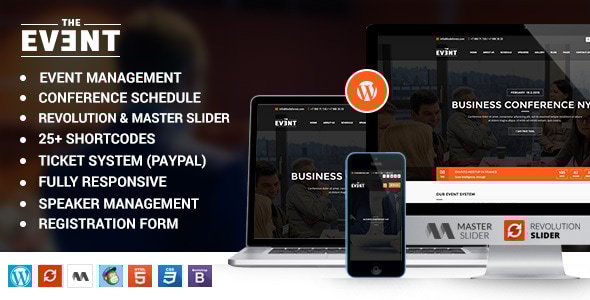
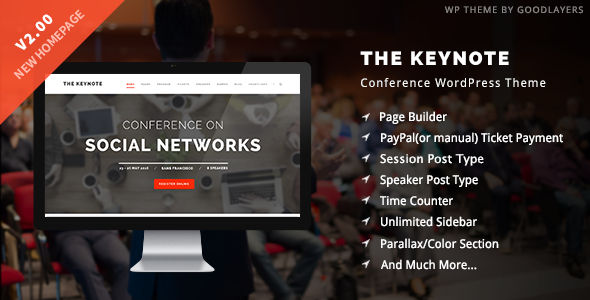
TheEvent is a versatile WordPress theme designed for conferences, events, and meetings, featuring built-in event management, speakers, schedules, ticketing, and a drag-and-drop page builder for quick customization.
Key Features
Core event management features
- Speakers Post Type
- Session(Event) Post Type
- Time Counter
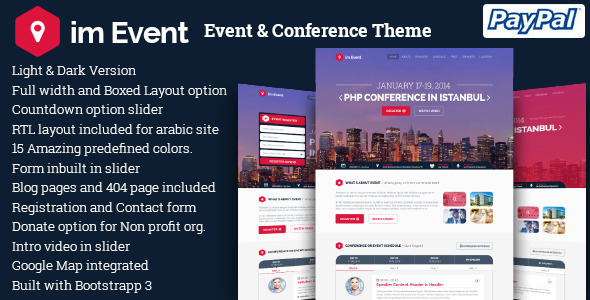
- Paypal Integrated
- PayPal payment for ticket selling, or user can choose to send email via contact form for manual purchasing
Booking, tickets & payments
- PayPal Integrated
- Ticket selling with PayPal or manual purchasing via email/FORM
Page templates, options & layout
- Custom Page Templates & Page Options Included
- Customize each and every page easily
- Possibility to Use Slider on every page
- Left / Right Sidebar page
- Full width page
- Built-In 404 page
Design, typography & backgrounds
- Advanced Typography Options
- Use Google Fonts or Standard fonts
- All font options controlled in the theme options panel
- Set different font sizes for all fonts (H1-H6, body, footer, header, dropdown etc)
- Set different colors for all fonts
- Set font-size, line-height, font-weight for each font type
- Advanced Background Options with color or uploadable background images
- Parallax background and full width sections with background images
- Page title bar background or custom bar title background
Blog & content management
- All layouts can have left or right sidebar or be full width
- 6 post types ( video, audio, gallery, image, standard )
- Multiple blog pages with custom categories per page using blog module
- Select a slider to show on blog page
- Thumbnails image size control
- Easily specify the number of items per page
- Post sharing with social icons
- Threaded Comments
- Options to add/remove data, excerpt, related post, etc.
E-commerce, tickets & localization
- Paypal Integrated
- Translation Ready with WPML support
- Translation panel to translate strings easily
Performance, responsiveness & builders
- Built with new web technologies and optimized for speed
- Full Responsive design with mobile-friendly sliders
- Xpress Page Builder for easy customization
- Advanced blog options and global typography controls
Extras & developer tools
- Photoshop Files included
- Kodeforest Importer to replicate demo data
- Awesome Shortcodes for content empowerment
- Scalable Container with pixel-based width control
Design, templates & builder
- Intuitive theme control panel with predefined parameter groups
- Xpress page builder integration for easy customization
- Responsive design that adapts to all devices
Notes & Demos
Images used in the demo are not included in the download package because they are purchased from shutter stock and we do not have their reselling distribution rights. They are used for demo purposes only.
The Events Calendar PRO addon does not have a license that allows theme authors to include it in the theme archive, so you will need to purchase it separately.
Documentation, Support & Compatibility
Our dedicated support team will help you out.
Feedback & Community
Have questions or suggestions? Contact us via profile contact form. We listen to customers and strive to implement requested features in upcoming updates. Your five-star reviews motivate ongoing improvements.
Change Log
Change Log v2.2
- 1. Notice Error issue fixed.
- 2. New Importer added.
- 3. Navigation Color issue fixed.
- 4. Google Map API key field added in theme options.
- 5. Map issue fixed.
- 6. XSS Security updated.
- 7. .Po File updated.
- 8. Translation Ready
- 9. Documentation Updated.
- 10. Several Styling issues fixed.
- 11. Responsive Issue fixed.
- 12. Plugins .po file updated.
- 13. Shortcode error issue fixed.
- 14. Event Array merge issue fixed.
- 18. Widgets styling improved.
- 19. Calender View events issue fixed.
- 20. Speaker on events page can be removed or edited now.
Change Log v2.0
- 1. Documentation Improved & Updated.
- 2. XSS Security Updated.
- 3. Kode Imported dummy data import issue fixed.
- 4. Minor Styling issues fixed.
- 5. Child theme issue fixed.
- 6. Translation Panel Added (New)
- 7. Widgets styling improved.
- 8. Sub Header Upload Images issue from theme options fixed.
- 9. Responsive Issues fixed.
- 10. Header Responsive issues fixed at small dimension.
- 11. Conference Schedule Section Tab style issue fixed.
- 12. Conference Schedule List Style error issue fixed.
- 13. New Version Dummy data added in Kode Importer plugin.
- 14. Number of titles control issue fixed in conference element.
- 18. Speaker Social icons will not appear if left blank.
- 19. Blog Social icons will not appear if left blank.
- 20. Upcoming Event Number of Characters increased.
Change Log v1.2
- 1. Documentation Improved
- 2. XSS Security Updated.
- 3. Kode Imported dummy data import issue fixed.
- 4. Minor Styling issues fixed.
- 5. Child theme issue fixed.
- 6. Color Picker issue fixed.
- 7. Widgets styling improved.
Change Log v1.1
- 4. XSS Security Updated.
- 5. New layout default added.
- 6. New layout Onepage added.
- 7. New layout Planup added.
- 8. New layout Boxed added.
- 9. MailChimp issue fixed.
- 10. Responsive minor issues fixed.
- 11. Minor Styling issues fixed.
- 12. Theme Option GUI improved.
- 13. Kode Importer update.
- 14. Page Builder GUI improved and made more flexible, easier to use.
- 15. Fancy Heading Element added in Xpress page builder.
- 16. Event Manager Pro integration added.
The information on this website is sourced from the
ThemeForest product page
.