TicketBox – Event Tickets WordPress Theme
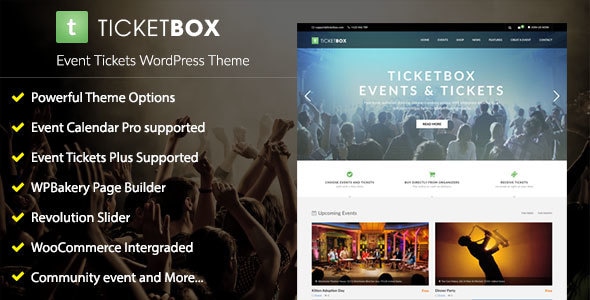
TicketBox is an elegantly designed WordPress theme built to create a website for Concerts, Conferences, Events, Meetups, Sports and Exhibitions, with easy ticket selling via Event Tickets Plus or WooCommerce and robust event management features.
Features
- Fully responsive design
- Retina Ready
- 2+ Header Layout
- 2+ Footer Layout
- The Events Calendar plugin compatible
- Download plugin (Free)
- Event Calendar – Demo
- Event List – Demo
- Event Grid (2 Columns) – Demo
- Event Grid (3 Columns) – Demo
- Single Event Page (Layout 1) – Demo
- Single Event Page (Layout 2) – Demo
- The Events Calendar Pro compatible.
- Community Events compatible. Let your users add their own events to your calendar!
- Ticket selling
- Sell your event ticket using WooCommerce integrated
- Demo
- Event Tickets Plus compatible. Sell multi-tickets per Event using Event Tickets Plus - Demo
- Collect RSVPs and manage event registration with Event Tickets plugin
- Powerful Theme Options
- Mega Menu
- One Click Demo Import
- WPBakery Page Builder – Save $34
- Slider Revolution – Save $25
- WooCommerce Ready
- Font Awesome Integrated
- Popup Ajax Register/Login
- Quick Ajax Search
- Instagram Grid Widget
- Facebook Fanpage Widget
- Recent Tweets Widget
- MailChimp Subscribe Widget
- Customize any color
- Sticky navbar (optional)
- Sticky sidebar (optional)
- Translation Ready – WPML Plugin Support
- Google Fonts
- Support RTL
- HTML5 and CSS3
- Preloading Effect
- Child Theme Ready
- And More…
Demo content, compatibility and integrations
- Demo
- Event Tickets Plus compatible. Sell multi-tickets per Event using Event Tickets Plus - Demo
- The Events Calendar Pro compatible.
- Community Events compatible. Let your users add their own events to your calendar!
- Event Tickets Plus compatible. Sell multi-tickets per Event using Event Tickets Plus
Licensing, plugins and why
NOTE: The theme will help you to Sell conference ticket online by using Event Tickets Plus or you can also sell your event ticket using WooCommerce:
- Our theme supports you to Sell conference ticket online by using WooCommerce (Sell your event ticket using WooCommerce integrated). You do not need to buy any plugins, just install our theme, WooCommerce and the premium plugins we included in our theme: WPBakery Page Builder for WordPress, Slider Revolution Responsive WordPress Plugin.
- You can buy the premium plugins by Tribe or not (Option). It depends on your purpose.
- The Events Calendar Pro (option): Powerful features. Easy to use. Beautiful design. Impeccable support. That’s what you get with Events Calendar PRO.
- Community Events (option). Let your users add their own events to your calendar!
- Event Tickets Plus (option). Sell multi-tickets per Event using Event Tickets Plus
- Why is the license of the premium plugin by Tribe not included in our theme? Please refer here: Who should buy the license, the client or the developer?
Customer Showcases
Updates
- 13 Jun 24 Ver 1.3.4.6 - Updated: Slider Revolution 6.7.13
- Version 1.0.0: - Initial release.
The information on this website is sourced from the
ThemeForest product page
.