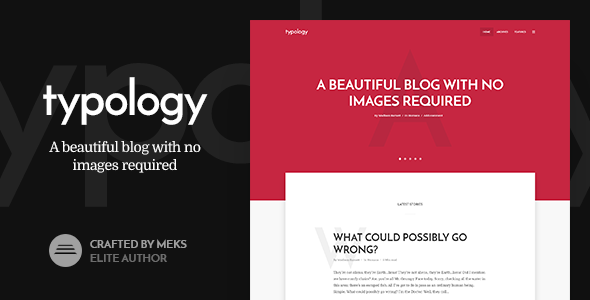
Typology - Minimalist Blog & Text Based Theme for WordPress
Typology is a modern, text-based WordPress minimal blog theme designed for writers who want a distraction-free, typography-focused platform that shines with or without images.
What Typology is and who it suits
- Writer blog, book author, novelist or poetry (poem) website (for those who like distraction-free and typographic design with a focus on content and storytelling)
- Any kind of tech blog (from coding blog to programming blog)
- Personal blog for those who personally prefer minimalist design
- Simple – clean – developer blog
- Book author who wants to have their own minimal blog
- Author website
Typology is positioned as one of the best blogging themes for text-heavy blogs, with a primary focus on typography and content. A typographic WordPress theme showcase invites users to see Typology in action. With its simplicity, Typology is a well-known, simple theme for bloggers. With a few clicks, your blog can be online—functional features of this minimalist theme help you create a successful blog. For questions or learning more, a knowledge base provides articles to browse.
Key design and purpose highlights
- Minimalist typography-first design meant to look good with or without images
- Distraction-free writing experience that emphasizes content and storytelling
- Elegantly simple yet powerful for text-based content
Typology features list
- Choose your style – Whether you are a fan of modern material design or prefer the flat style we’ve got you covered
- Customize your home page – The home page features several sections to display different content
- Choose from different textual post layouts – Because one post layout is simply not enough
- Take control of your typography – With its typographic approach to design, Typology provides a wide range of fonts and options to fine-tune font sizes and letter spacing of your texts and headings
- Apply your brand – Typology provides options for unlimited fonts and color combinations, as well as dedicated sections to upload your logo and icons
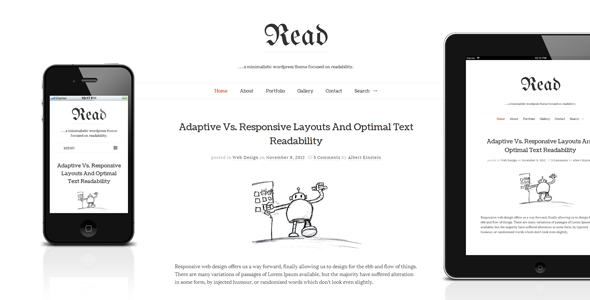
- Responsive design – Content scales seamlessly on desktops, laptops, tablets and mobile devices
- Advanced theme options panel – Setup your website in 5 minutes with an easy-to-use theme options panel
- Pagination Types – Classic Older Posts/Newer Posts, Numeric Pagination, Load More buttons or Infinite Scroll
- Custom Widgets – Beyond standard WordPress widgets, Typology includes several custom widgets to extend functionality
- Minimalist Color Palete – A well-balanced color palette built on one color, offering a variety of combinations with a minimalist approach
- Shortcodes – 12 flexible shortcodes to add complex elements: columns, separators, highlights, dropcaps, buttons, pull quotes, progress bars, social icons, tabs, toggles and accordions
- WooCommerce support – Add a fully functioning shop with WooCommerce
- RTL support – Full Right-To-Left reading support for global reach
- Built-in translation – Easily modify or translate text via the theme options panel
- One-click demo content import – Demo content included to get a site similar to the demo up quickly
- One-click updates – Update via Envato API with a single click
- Setup guide – Step-by-step documentation to set up Typology and its options
- Get help from WordPress experts – Support for questions, issues or feature ideas with a typical 24-hour response
Additional capabilities and ecosystem
- Typology is compatible with Typology showcase and user actions – See how others use the theme
- Knowledge Base – Large selection of articles to browse for learning and troubleshooting
- Documentation and setup – Comprehensive setup guide and resources
Usage, compatibility and updates
- Thoughtful WordPress compatibility with ongoing updates and improvements
- Support for the latest WordPress versions and PHP versions as part of ongoing maintenance
- Regular updates to ensure compatibility with Gutenberg, Block Editor changes, and new WordPress features
Resources and support
- Knowledge Base – Useful articles for Typology users
- Setup guide – Step-by-step instructions
- WordPress experts – Access to expert help and ideas
Tags and keywords
Tags: artist, writer, education, literature, poetry, journal, wedding, author, simple, minimal, red, minimalist, minimalist blog, minimal blog, programming coding, typography, minimal, text based, typographic, typography wordpress, simple minimal, gutenberg ready, blog developer, book author, just text, minimilist, programming blog, writing theme
Change Log
- 1.7.6
- Improved: Tested compatibility with WordPress 6.3
- Improved: Tested compatibility with PHP8
- Fixed: Pagination on Home Page not working properly when “Enable Cover section on first page only” option is set (Theme Options -> Home Page)
- Fixed: Several minor styling issues
- 1.7.5
- Fixed: Image popup option not working (Theme Options -> Misc.)
- 1.7.4
- Improved: Tested compatibility with WordPress 6.0 (yes, it’s safe update your theme)
- Fixed: Gallery and image popup options not working in WP 5.9+
- 1.7.3
- Added: Single post option to pull Previous/Next posts from the same category
- Improved: Theme Options UI and UX changes
- Fixed: Firefox and Redux (Theme Options) save problem
- Fixed: Several minor styling issues
- 1.7.2
- Improved: WordPress 5.8 compatibility tweaks (yes,you can update your theme)
- Added: noopener attribute to certain links
- Fixed: Gutenberg editor font size problem
- Fixed: Gutenberg gallery popup problem
- Fixed: Several minor styling issues
- 1.7.1
- Fixed: WP 5.7 Gutenberg editor font size problem
- 1.7
- Improved: WordPress 5.5 Compatibility tweaks
- Added: Support for WP-Post Views Plugin
- 1.6.3
- Added: Blank page template (without the title, header and footer)
- Added: Official support for WP Forms WordPress plugin
- Added: Options to choose multiple stylings for social sharing in the plugin settings in dashboard (Settings -> Meks Easy Social Share)
- Fixed: Changing content width on single post and Layout A not properly applied to its featured image dimensions
- Fixed: Several minor styling issues
- 1.6.2
- Great news! Typology theme has been awarded the “WP requirements compliance badge” by Envato/ThemeForest, which is a certificate proving that it now meets the highest quality standards in the WordPress ecosystem.
- Improved: A slight code refactoring to meet the highest standards per Envato requirements
- Fixed: Several minor styling issues
- 1.6.1
- Fixed: Several minor styling issues
- 1.6
- Mandatory changes to accommodate the latest Envato/ThemeForest requirements:
- Theme Options panel is removed from the theme. To make it appear again, you need to install and activate Redux Framework Plugin via Appearance -> Typology plugins
- All theme associated widgets cannot be a part of the theme anymore and are now removed. To get your widgets back, please install and activate Typology Buddy plugin in Appearance -> Typology plugins
- Social sharing functionality cannot be a part of the theme anymore. To enable social sharing, please install and activate Meks Easy Social Share plugin in Appearance -> Typology plugins
- Additional JS field is not allowed in Theme options anymore thus it is removed from the theme. As an alternative, you can use Insert Headers and Footers WordPress Plugin
- Additional CSS field is not allowed in Theme options anymore and is now patched into the WordPress native field in Appearance -> Customize -> Additional CSS
- Other:
- Added: Styling support for the latest WordPress blocks (introduced in WordPress 5.2)
- Added: Admin panel styling for WP 5.0+ editor and all blocks
- Added: Support for Yoast SEO “primary category” feature (Theme Options -> Misc.)
- Modified: Options to choose social networks for sharing are now located in the plugin settings in dashboard (Settings -> Meks Easy Social Share)
- Improved: Authors page template now list only users which has written articles
- 1.5.4
- Added: Authors page template to list all you blog users/authors
- Fixed: Several JS conflicts with specific plugins
- Fixed: Several minor styling issues
- 1.5.3
- Added: Styling for Blocks (coming with the new WordPress editor in version 5.0)
- Improved: Fully tested and ready for WordPress 5.0
- Improved: Envato Market plugin is now recommended for theme updates
- Improved: Google Fonts library is updated
- Fixed: Google Adsense not being displayed in some cases when used inside “Between posts” ad slot
- Fixed: Several minor styling issues
- 1.5.2
- Added: Initial support for the upcoming new WordPress content editor (Gutenberg)
- Added: Support for Co Authors Plus WordPress Plugin
- Added: Option to disable ads on specific pages, i.e. contact, 404, etc… (Theme Options -> Ads)
- Improved: Styling for GDPR cookie consent checkbox field in comment form
- Fixed: Minor styling issues in various browsers
- 1.5
- Added: Display/layout options per each post and page. Now you can override the global post/page options for each post or page separately.
- Added: Category, tag & author template layout options. Now you can have different layouts for different archives instead of the global layout for all archives (Theme Options -> Archive Templates)
- Added: Ads integration – now you have several ad slots to display your ads across the website (Theme Options -> Ads)
- Added: Option to display a scroll-down arrow when cover area covers the entire screen (Theme Options -> Misc.)
- Added: Footer widgetized area layouts/columns. Now you can choose between several predefined layouts for your footer widgets (Theme Options -> Footer)
- Added: Letter spacing options. Now you can also fine-tune letter spacing for each font you choose (Theme Options -> Typography)
- Fixed: Font size options rare bug on specific server configurations
- Fixed: Minor styling issues in various browsers
- 1.4
- Added: Option to add second color to create gradient cover background (Theme Options -> Styling & Colors)
- Added: Instagram Widget (by using Meks Easy Instagram widget WordPress plugin)
- Added: Option to display post date in “some time ago format (by using “Meks Time Ago WordPress plugin)
- Added: Option to enable/disable archive (category, tag, etc…) description in both cover and no-cover archive layouts (Theme Options -> Archive Templates)
- Added: Option to disable cover and intro area on paginated pages of Home Page (Theme Options -> Home Page)
- Added: Option to specify “number of words per minute” in order to fine-tune calculation of posts “reading time” (Theme Options -> Misc.)
- Added: Option to prevent the theme’s front-end styling to apply to the admin post editor (Theme Options -> Misc.)
- Added: If Video Background is used, an option to upload an image as a callback for mobile devices that don’t support video background (Theme Options -> Styling & Colors)
- Fixed: Minor styling issues in various browsers
- 1.3
- Added: Option to auto play (auto-rotate) slider on home page (Theme Options -> Home Page)
- Added: Options to display search and social menu in header (Theme Options -> Header)
- Added: Options to change text paragraph width (Theme Options -> Typography)
- Added: Option to display featured image caption for single posts (Theme Options -> Single Post)
- Added: Styling for new default WordPress widgets (Audio, Video, Image)
- Fixed: Minor styling issues in various browsers, responsive and RTL mode
- 1.2
- Added: Support for WooCommerce WordPress plugin
- Added: Option to upload cover background video (Theme Options -> Styling & Colors)
- Added: Option to display author image/avatar on author archive page (Theme Options -> Archive Templates)
- Added: Option to specify custom logo URL if you want to point out logo to different location instead of your home page (Theme Options -> Branding)
- Added: Page/post admin editor styles. Now when writing posts in the back-end you get very similar look as on the website front-end.
- Improved: Cover behavior when it has a lot of content
- Fixed: Missing option to translate “To Top” text (Theme Options -> Translation)
- Fixed: Minor styling issues in various browsers, responsive and RTL mode
- 1.1
- Improved: Dropcaps now works for specific languages which use UTF8 characters (ex: Cyrillic fonts)
- Fixed: Lots of minor styling issues in various browsers, responsive and RTL mode
The information on this website is sourced from the
ThemeForest product page
.