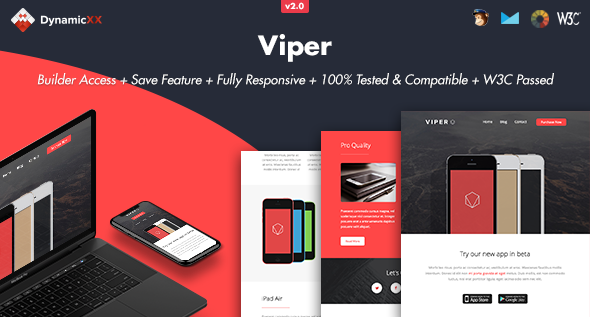
Viper - Responsive Email + Online Template Builder
Overview: A detailed summary of the Online Template Builder releases, features, compatibility, and hosting notes, highlighting drag-and-drop editing, template exports, and cross-client support across versions.
Version 2.0 — August 01, 2019
- BUILDER VERSION 2.0
- New Email Builder
- Save templates multiple times in your account
- Export HTML, MailChimp or Campaigns monitor files
- Drag&drop modules
- Remove / Duplicate modules
- Change background / text colors
- Instant Text Editor
- Replace (background) Images
- Open code editor
- Send tests
- Preview mode. Desktop, tablet or mobile view
- Redo or Undo Adjustments
- Premade modules (more coming soon)
Version 1.1.1 — Jun 28 2016
- New save / login feature. Check download folder called “BUILDER” for details.
Version 1.1 — Nov 25 2015
- Updated Buttons for Lotus Notus 8.5
- Added background images for Outlook Webmail
- Litmus Screenshots of Viper
- Online Template Builder Features
- Save Option
- Upload Option
- Drag & Drop, Duplicate or Hide Modules
- Change Colours
- Instant Edit Text
- Upload (background) Images by desktop or upload by URL Link
- Redo or Undo Adjustments
- Preview Mode
- Export file to Desktop
Online Template Builder Features
- Save Option
- Upload Option
- Drag & Drop, Duplicate or Hide Modules
- Change Colours
- Instant Edit Text
- Upload (background) Images by desktop or upload by URL Link
- Redo or Undo Adjustments
- Preview Mode
- Export file to Desktop
Information about the Template
- Litmus Tested
- MailChimp Compatible
- Campaign Monitor Compatible
- HTML files Works with Constant Contact
- HTML files Works with iContact
- HTML files Works with Aweber
- W3C Passed
- Fully Responsive
- Full Width Design
- Compatible Email Clients and Devices
- Apple Mail
- Android
- AOL
- Outlook.com
- Yahoo Mail
- Thunderbird
- Microsoft Outlook 2003/2007/2010
- Outlook Express
- Windows Mail
- Lotus Notes 8/8.5
- OperaMail
- iPad
- iPhone (4/5/6/6+)
- Live Mail
- Notes
The Online Template Builder is hosted on our server and is not included in the purchase of our products.
- Gmail App for Android is not supported
- Outlook does not accept background images, it will replace with a solid background colour
- Outlook does not accept custom fonts, it will replace with standard web font
- The images we used for the live previews are not included in the download package
Some links to the images we used
The information on this website is sourced from the
ThemeForest product page
.