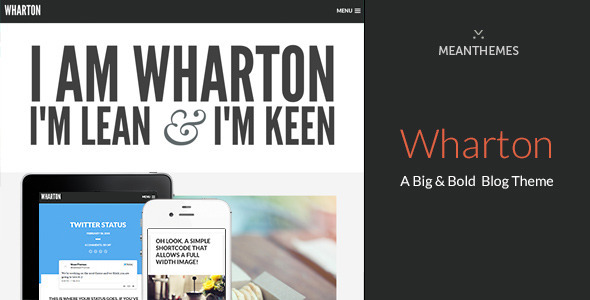
Wharton: A Big & Bold WordPress Blog Theme
Wharton is a lightweight and simple yet big and bold WordPress theme designed for photoblog-style sharing, with per-post header controls, fullscreen header images, and a rich set of typography and color options. It supports all post formats and includes a mobile-friendly navigation overlay and extensive customization through the WordPress Customizer.
About Wharton
- Wharton is lightweight and simple yet big and bold.
- Wharton can be used as photoblog-style WordPress theme for sharing your thoughts, videos, articles, quotes, audio – you can even embed Twitter statuses and Facebook statuses.
- Of course, you could use Wharton as a minimal portfolio to show off your latest work.
Special Features
- Upload a full width header image per post/page — That’s right, full width, full full width not just full width of a wrapper – we’re talking a fullscreen width glory.
- Control header background color on a page/post basis — Want to tweak your lovely image by giving it a stronger background? Maybe black works better or pink? You can do this right from the post editor using a color picker, neat hey!
- Control opacity of your header image — Want a bold bright image, no problem give it 100% opacity, what something more subtle, no problem either give it a 5% opacity.
- Repeat your header background image — Not interested in a full width massive image, want to save some bandwidth? Just choose from Cover, Repeat, No repeat, Repeat-X and Repeat-Y.
- Position your header background image — If you want even more control over your header image, you can control its positioning including Center Center, Top Center, Top Left, Top Right, Bottom Center – in fact everything you can think of!
- Wide insert image — Want impact per post or page, just use our special insert shortcode to break and rejoin the layout.
- Homepage and 404 Page Slab Text Typography — Want some impact, no problem you can update the typography from the theme options using the WordPress Customizer.
- Check out the 404 page too.
- Sexy Navigation — We’ve got a beautiful mobile friendly full screen menu overlay, just click on the menu icon in the top right, you can even show your 10 Most recent posts. Recent Posts can be increased on turned off right from the theme options. Please note this navigation is one single level, if you are after nested dropdowns use our standard desktop menu option.
- All post formats supported — Aside, audio, video, gallery, image, status, chat, link, quote, standard – we support them all in this theme.
- Unlimited Color Options — You can control colours for the entire theme using the beautifully simple WordPress Theme Customizer.
- We Love Support — We want to make sure you are happy with your purchase, if you have a question about how to do something or think you have found a bug, head over to our support system and we’ll get back in touch. http://www.meanthemes.com/support/
Full feature list
Version 1.3.1
- Fix for multi-level dropdown menu
- Removal of Google Analytics settings as they are now in the MeanThemes Tools plugin (please update MeanThemes Tools to 3.1.0+ - you will be prompted to update once the Theme Update completes).
Version 1.3.0
- WordPress 5.1 update.
- Add align wide/full support for Gutenberg editor.
- Updated TGM Plugin Activation
- Updated footer copyright year to display current year automatically.
- Small tweaks.
Version 1.2.9
- Fix For duplicate function causing compatibility in WordPress 4.6.
Version 1.2.8
- Tweak - Updated theme demo URL.
- New - Added in Russian Translation files (Thanks Kirill!).
- Updated documentation. Updated Demo XML.
Version 1.2.7
- Tweak - New Google+ icon added to sharer/social widget.
Version 1.2.6
- Fix comments knocking out alignment for pages.
Version 1.2.5
- Fix comments width bug for pages.
- Fix caption showing for full width featured background image when it shouldn't be.
- WP 4.3 updates.
Version 1.2.4
- Framework updates to share our other themes.
Version 1.2.3
- Updated search results for pages. Updated language files for missing "Continue Reading" translation.
Version 1.2.2
Version 1.2.1
- Fix for in post image galleries not responding to WordPress set widths.
Version 1.2.0
- Fix for oEmbeds in post editor not displaying properly (you may need to refresh once for the new editor CSS to kick in).
- Updated documentation.
Version 1.1.9
- Fixed theme options bug not allowing "Main Link" to override footer widgets and sidebar widgets colors.
- Updated translation.
- Updated MeanMenu Mobile menu plugin.
Version 1.1.8
- Added new theme options to control footer background color and it's text and link colors.
- Updated translation.
Version 1.1.7
- Added new option to show comment count on on home/archive pages.
- Updated MeanMenu jQuery mobile menu plugin.
- Updated featured image to use the_post_thumbnail() function for increased compatibility with plugins like Pinterest Pro.
- Updated translation and documentation.
Version 1.1.6
- Minor CSS Tweak for Twitter Status in sidebar layout.
Version 1.1.5
- Update for theme options for Center Header option to work on all menu layouts (previously it only worked with the desktop menu layout).
- Tweak CSS for Disqus support.
- Fixed [insert] shortcode on home/index/archive pages when using sidebar
- Added post option to disable featured image from showing on home/index/archive.
- Tightened up CSS output for bold layout on single post.
- Minor single post / page spacing tweaks for mobile.
- Updated language files.
- Updated documentation.
Version 1.1.4
- Update for menu "icon" size in responsive CSS.
Version 1.1.3
- Added option to set footer widget link color and hover color separately.
- Updated CSS for better comments display in mobile view.
Version 1.1.2
- Added option to enable page comments.
- Fixed plain text link colour not overriding through customizer.
- Updated documentation.
- Updated language files.
Version 1.1.1
- Added comments "before" to translation files.
- Added custom meta for post formats to RSS feed.
- Added nonce field check to custom meta for post formats.
- Updated language files.
Version 1.1.0
- Fix menu re-expanding after deactivation.
Version 1.0.9
- Fix for standard desktop menu not centering vertically.
- Fix for Android Chrome browser rendering content incorrectly.
Version 1.0.8
- Added override option to Custom Meta on Link Post Format to open link in the same window.
- Added comment for translations to .po/.mo file.
- Updated documentation.
Version 1.0.7
- Fix for pagination on new alternative homepage.
- Added progress bar styling to Audio Player.
- Updated documentation.
Version 1.0.6
- Updated FitVids plugin.
- Updated header.php to use Facebook open graph tags for featured images.
- Added structured data support for author. Updated language files.
- Updated documentation.
Version 1.0.5
- NEW FEATURE! Added in center header option (when used in conjunction with desktop menu).
- NEW FEATURE! Added new Homepage Alternative template with a content editor powered header - you can upload a full width background image and add as much content as you like.
- Fixed post background colour CSS not overriding main CSS.
- Updated language files.
- Updated documentation.
Version 1.0.4
- NEW FEATURE! Added in Subtle Layout option with no big lead image on posts/pages.
- NEW FEATURE! Added in standard desktop menu/mobile menu option.
- Split theme options general settings into general settings and menu settings for ease of use.
- Updated Color Pickers on posts to be the new WP Iris Color pickers instead of Farbtastic.
- Added IE8 compatibility.
- Fixed site overlay loading on page load before hiding again.
- Updated language files.
- Updated documentation.
Version 1.0.3
- CSS and JS Tweak to insert shortcode to play nice with captions.
Version 1.0.2
- Updated insert shortcode to be Readability and Pocket friendly.
- Updated documentation.
Version 1.0.1
- Alternative Sidebar layout added.
- Fix for pagination lines overhanging in webkit browsers.
- Page Widget Area added.
- Social footer widget area added.
- CSS tweak for Source Quote.
- Latest Tweets plugin by Tim Whitlock support added.
- Updated documentation.
Version 1.0.0
Click here to view the Wharton WP Changelog
The information on this website is sourced from the
ThemeForest product page
.