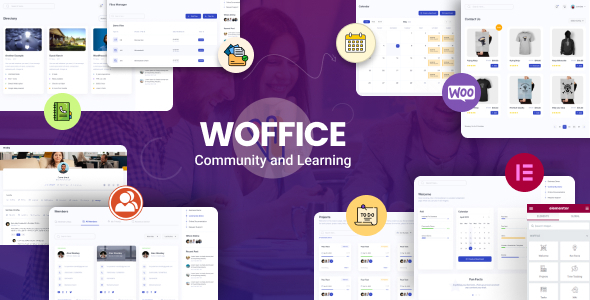
Woffice - Intranet, Extranet & Project Management WordPress Theme
Woffice is an AI-rich intranet and extranet WordPress theme optimized for high performance and community building. It is designed for learning, connecting, and collaborating.
Core Features
- Responsive, retina-ready
- Modern web-app layout
- Multisite + RTL support
- Multilingual (WPML + 150+ translations)
Community & Collaboration
- Members directory + profiles
- Private messaging & chat
- Groups & activity streams
- Custom roles & permissions
- File manager, calendars, birthdays
- Slack integration & polls
Learning
- LearnPress (included) – courses, sales, management
- LearnDash (compatible) – lessons, quizzes, certificates
Wiki / Knowledge Base
- Frontend editing
- Categories & subcategories
- Search, comments, revisions, likes
Calendar & Events
- EventON & WP Pro Calendar (included)
- Month & personal calendars
- Facebook import
- Frontend event submission + social sharing
Projects & Tasks
- Project dashboard
- Task assignment + email alerts
- Drag & drop todos
- Progress bars & Gantt charts
- BuddyPress sync
Customization & Design
- 60+ theme options
- Built-in extensions (SEO, backup, directory, etc.)
- Unlimited colors & fonts
- Revolution Slider (included)
- Megamenu + horizontal menu
- User-customizable workspace
Blog & Content
- Frontend post creation
- Masonry layout
- Instant search
- Trello integration
Ecommerce
- WooCommerce support
- Custom cart & shortcodes
Access & Security
- Custom login/register
- Private site/pages
- Google & Facebook login
- Recaptcha v2
- User approval & role selection
Forums & Communication
- bbPress forums
- BigBlueButton video calls
Forms, Graphs & Widgets
- Contact Form 7 + Gravity Forms
- Visualizer charts (8 types)
- Page builder
- Widgetized dashboard & footer
- 10+ custom widgets
All Compatible Plugins for Woffice
- Forums: bbPress
- Courses: LearnDash (Premium, not included)
- Online Shop: WooCommerce
- Live Chat: Wise Chat
- Social Login: Nextend
- Charts & Graphs: Visualizer
- User Approval: New User Approve
- Memberships: Paid Memberships Pro
- Sliders: Slider Revolution (Premium, not included)
- Media Albums: rtMedia
- Badges: BadgeOS & Credly
- Forms: Gravity Forms (Premium, not included)
- Caching: WP Super Cache
- Events Calendar: EventON (Premium, one add-on included)
Please Note: This purchase includes the core WordPress theme. Add-ons are available for separate purchase to extend functionality.
Useful FAQs
Can I change the colors, fonts and images?
Yes you definitely can. Woffice has been developed from day 0 thinking about user experience and user customization. It has a powerful settings panel which allows to create your custom branded site, changing logo, images, colors, fonts and all of this never touching the code!
Does the Woffice WordPress project management theme include task management features?
Yes. Woffice lets you build a lightweight version of popular project management platforms like Asana, ClickUp, or Slack, though it isn’t meant to fully replace them. It offers interactive task management features, including multiple views such as Kanban, calendar, and list, along with front-end task creation and real-time status updates. You’ll also find collaborative task editing, an in-dashboard notification system, mobile-friendly task interfaces, and more.
Is it permissible, both technically and ethically, to build multiple websites with the same regular theme license?
For each public domain, only one license is allowed; to use the theme on other public domains, a separate regular license must be purchased.
Can this theme be used without the page builder?
It is possible to use the theme without a page builder; content can be added with regular WordPress features. However, we suggest using Elementor Page Builder for a better experience.
Does this purchase include add-ons?
No, this purchase is for the core WordPress theme. Add-ons are available to purchase separatelyhere. These add-ons provide advanced options and integrations that go beyond the core features.
What will my site look like after importing the demo?
It depends on the version you buy and then the demo you import. More information can be found on thedemo pageanddocumentation.
The information on this website is sourced from the
ThemeForest product page
.