Zarja - Feminine WordPress Blog Theme

Zarja is a modern WordPress blog theme with a feminine touch. This update highlights the Instagram Feed plugin replacement, responsive design improvements, PHP 7.x support, and backup/restore instructions to safeguard theme options.
Update highlights
- Instagram Feed plugin replaced Alpine IG plugin for a smoother experience
- Improved responsive design
- Support PHP 7.x
- Works smoothly with the latest WP version
- Fixed saving theme options (quicker saving)
- Minor CSS fixes
Important note
Before updating theme go to theme options under backup tab and copy transfer file content. After you update the theme go to theme options under tab backup and replace transfer field with your backup. After that click import and save theme options.
If you don’t do this you will lose all theme options data!!!
This is because ThemeForest reviewers didn’t approve theme update if we don’t change theme options DB name. So we are sorry for inconveniencece.
Zarja overview
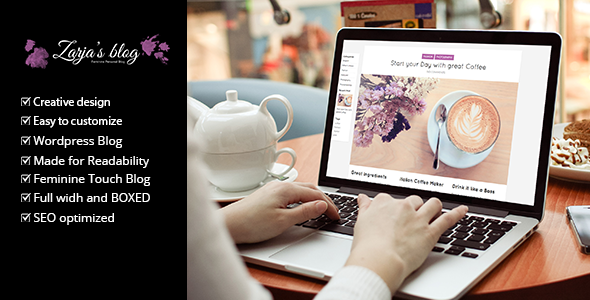
Zarja is a modern WordPress Blog with an emphasis on feminine touch. Light and clear colors with the lovely design will proudly present your writing and your photographs.
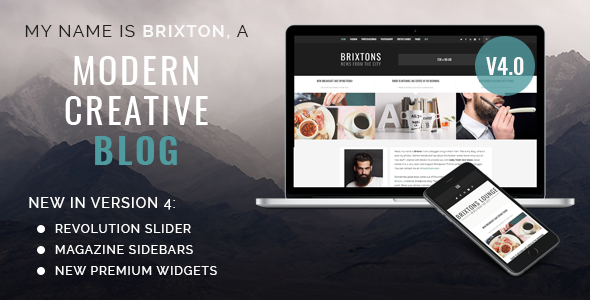
MANLY VERSION OF ZARJA IS BRIXTON
Our best selling WordPress blog theme, Brixton, is a manly version of Zarja
Zarja WordPress Blog Theme Main Blocks
Zarja is a very flexible WordPress blog Theme. The variations in the three demos are just some examples of how you can set up your home page. It can contain all of the blocks or none, you just check which ones you need in theme’s options.
MAIN BLOCKS FOR THE HOME PAGE
- Upper header (with social icons and search)
- Revolution Slider (save $18)
- Three clean and crisp posts block
- Unique about us block
- Upper header (with social icons and search)
- Logo and menu
- Instagram block
All the blocks listed above are a part of the home page. After you have set them up (you can just set the ones you need) in theme’s options you can check/uncheck which ones will be seen on the front page.
Fully responsive
Zarja will look beautiful on your mobile devices. We gave special attention to typography and the readability turned out to be amazing on mobiles and tablets.
Beautiful details
We love clean and minimal blog Themes, but I think we all agree that details are important. We always put special care into details of our blog Themes and Zarja is no exception. From beautifully designed posts to a special and unique grid for posts presentation. We think you will enjoy every detail of Zarja on your personal website.
Unlimited colors
The purple color is representing Zarja perfectly, but most of you have your own colors in mind. Don’t worry changing the Theme’s color can be done with one move. With convenient color picker you choose your color (or you can just paste the color’s code) and save the settings. It’s that easy.
Zarja WordPress Theme Features
- 5 Different home page variations
- Google Web Fonts
- Full width and boxed version
- SEO optimized
- Instagram Feed
- Made for readability
- Creative Design
- Video, Gallery, Audio, Standard and Link Posts Templates
- Clean and Crisp Design
- CSS3 Features and Animations
- Detailed written help file
- Use your custom logo and favicon icon.
- 7 Post Templates
- (Standard, video, link, gallery, audio, quote)
The upper block with three posts can be anything you want and is added via theme’s admin panel and is not limited to latest posts.
CREDITS
Along the project, we have been using the following assets.
- Jquery – http://jquery.com/
- jQuery FitVids – http://fitvidsjs.com/
Check our other WordPress Themes
- Opus – Multipurpose Business WordPress Theme
- EcoRecycling – a Multipurpose WordPress Theme
- Munditia – Responsive Ecommerce WordPress Theme
- Munmarket – A One and Multi Page Ecommerce Theme
- Mundus – One Page Responsive WordPress Theme
- Gothicus – Responsive Ecommerce WordPress Theme