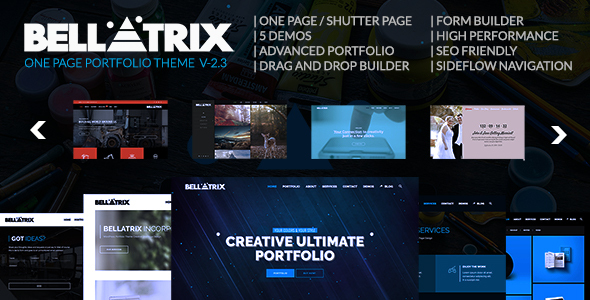
Bellatrix | WordPress Portfolio Theme - Shutter One Page
Bellatrix is a WordPress Portfolio Theme featuring the Shutter Page concept, one-page and multi-page designs, and a drag-and-drop Rock Page Builder that speeds up site creation and showcases elegant portfolios.
Core features
One Page Theme and Shutter Page feature
Supports multi-page design
Rock Page Builder for drag and drop page building
You can build your site up to 5X faster with Rock Page Builder
Shutter Page design provides 5x higher performance than regular one page design
Overview of Bellatrix
It’s very easy to use Bellatrix. You can build your portfolio and gallery with the theme.
Shutter Page is the new ERA on one page design and is integral to the user experience.
Advanced Portfolio
Single Item Navigation
Masonry Mode
Wall Mode
Ajax Category Filter (Loads items in the category)
Ajax Load More (Loads more item in the active category)
LightBox Effect
LightBox Video (HTML5 Video)
LightBox Video (Youtube Video)
LightBox Video (Vimeo Video)
LightBox Image
LightBox Gallery
Grid Layout
Hover Overlay Color
Hover Overlay Opacity
Like System
1- 12 Columns Columns
1 – 12 Columns Blocks
Advanced Portfolio Single
Rock Page Builder’s advanced Portfolio element, built on Shutter Page
Single Details without Loading
Item Image
Item Video with Placeholders
Supports HTML5 Video
Supports Youtube Video
Supports Vimeo Video
Item Share Social Icons
Supports Facebook
Supports Twitter
Item Like System
Full Screen Button For Lightbox
LightBox Video (HTML5 Video)
LightBox Video (Youtube Video)
LightBox Video (Vimeo Video)
LightBox Image
LightBox Gallery
Meta Details
Client Name Field
Project Website Link Field
Side Flow (Advanced Portfolio Single)
Beautiful navigation with SideFlow
Starts With Smooth Transition
Closes With Smooth Transition
Navigate to Next Item (Without Loading)
Navigate to Old Item (Without Loading)
Load More (When last item, enables loading more items)
Uses Hash navigation
Loads item via their Hash URL
Ultra Responsive Design
Three breakpoints in grid for responsive layouts
Fluid layout to fit different sizes beautifully
WPMU – WordPress Multi Site
You can use Azoom in your WordPress Multi Site
Azoom works under your WPMU beautifully
Rock Page Builder, Curvy Slider and Rock Form Builder also work under WordPress Multi Site
Left Menu
Enable left menu features in Theme Options with one click
Turn your website into a left menu website easily
Check out the Allefty Demo to see left menu live
Rock Page Builder: The Columns
Drag and Drop Columns
Grid Backgrounds
Supports Background Image
Supports Background Image Overlay Color
Supports Color Opacity
Supports Background Color
1 to 12 Columns Support
Use Empty Columns
Columns Padding
Supports Padding Top
Supports Padding Right
Supports Padding Bottom
Supports Padding Left
Align Content in Column Vertically
Supports Top
Supports Middle
Move any Column anywhere easily
Animate the Column you want
Set delay to Column animation
Move Column anywhere with new Quick Move feature
Special Grid
You can use as much Special Grid as you want
Set different colors, backgrounds, videos for different areas, set ID’s for them and use it in deeplinking side navigation
One Page Parallax, Multi Page sites just as easy as clicking
Insert Before Sidebars
Insert After Sidebars
Background Image
Fixed Parallax
Advanced Parallax
Background Element Matrix
Background Video
Background Color
Fixed Parallax Color Overlay
Advanced Parallax Color Overlay
Background Video Color Overlay
Youtube Background Video
HTML5 Background Video
Vimeo Background Video
Light Font Colors for the grids
Hash navigation
Set ID for the grid
Full Screen Grid
Full Width Grid
Enable/Disable auto padding
Templates
You can use predefined templates or build your own templates with Rock Page Builder
Save Your Rock Page Builder Templates
Load Your Rock Page Builder Templates
Add New Rock Page Builder Templates
Delete Rock Page Builder Templates
Shortcodes
Elements in the Rock Page Builder can turn into shortcodes easily
Use the “Send Content To Text Editor” button to get the shortcode version
Copy and paste the shortcode to other areas such as footers or widgets
Demo Images & Credits
Images and media files used in demo are not included in the theme package
Media files credits can be found below
Special Thanks & Credits
Special thanks to Vadim and amazing graphic work he’s made and let us use those beautiful files in our demo. His awesome portfolio is here ; https://madebyvadim.robot.co/
CREDITS:
pixeden.com/
pixabay.com/
flaticon.com/
Icon made by Freepik from www.flaticon.com
Icons made by Google from www.flaticon.com
is licensed by CC 3.0 BY freepik.com/free-vector/grunge-blue-background_830885.htm
Version Log
Version 2.3 – Feb 10th 2022
WordPress 5.9 Ready
Version 2.2 – March 23rd 2021
WordPress 5.7 Ready
Version 2.1 – Jan 16th 2020
WordPress 5.3 Ready
MAJOR UPDATE!
Version 2.0 – May 29th 2019
Bellatrix Version 2.0 is a major update. Updating to this version is mandatory.
Version 1.5 – Feb 23rd 2019
WordPress 5.1 Ready
Twitter Widget Update
Advanced Details Translation Fix
Special Grid BG Video Autoplay Fix
RPB Shortcodes Plugin Version 1.3
Version 1.4 – June 15th 2018
Important! This version update contains major changes
LeafLet Map element added (Open Street Map) as an alternative to Google Map