Monkeymo - NFT Portfolio Elementor Template Kit
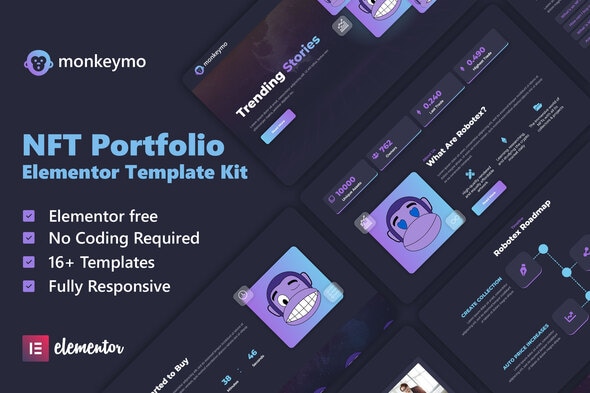
Monkeymo is a modern Elementor template kit with a dark UI style, designed for NFT portfolios and related services, featuring 16+ templates, retina-ready visuals, and easy customization. It is optimized for Elementor-powered sites and compatible with most themes that support Elementor.
Product overview and design philosophy
- Dark UI design delivers a modern, visually striking aesthetic suited to NFT portfolios.
- 100% responsive layout ensures optimal display on desktop, tablet, and mobile devices.
- Retina ready visuals maintain sharp, crisp imagery across high-density screens.
- Fully customizable template components allow quick branding and content updates without coding.
- Cross browser compatibility includes Chrome, Firefox, Safari, and Opera.
- 16+ Templates with Global Theme Style provide a cohesive look and feel across pages and sections.
- Not a WordPress theme — Template Kits contain page content for Elementor page builder. This kit has been optimized for use with the free Hello Elementor theme but may be used with most themes that support Elementor.
Templates included
This template kit includes a comprehensive set of pre-built pages and blocks to cover common NFT portfolio website needs.
- Homepage
- About Us
- Roadmap
- Our Team
- NFT
- Coming Soon
- NFT Sale
- Blog
- Single Postl
- Contact
- FAQ
- 404 Error Page
- Header
- Footer
- Subscribe Form
- Contact form
- Global Theme Style
Required plugins and kit compatibility
Required plugins installed with kit
- Elementor -
- Happy Elementor Addons
- Jeg Elementor Kit
- Elementor Header & Footer Builder
- MetForm
Theme compatibility and installation notes
This is not a WordPress theme. Template Kits contain page content for Elementor page builder. This kit has been optimized for use with the free Hello Elementor theme but may be used with most themes that support Elementor.
How to install the template kit
- Install and Activate the “Template Kit Import” plugin from Plugins > Add New in WordPress
- Do not unzip
- Go to Elements > Installed Kits and click the Upload Template Kit button.
- Before importing a template, ensure the Install Requirements button is clicked to activate required plugins
- For best results, do not import more than one template at a time.
- For further support, go to Elementor > Get Help in WordPress menu.
Global header and footer setup
Setup Global Header and Footer in Header Footer & Blocks plugin
- Import the header and footer template
- Go to Appearance > Header Footer and click Add New button
- Give it a title and select Header, Display on Entire Site and click Publish
- Click Edit with Elementor
- Click the gray folder icon to access My Templates tab and select the header template to import and Update.
- Repeat for Footer
Importing MetForms
How to Import Metforms
- Import the metform block templates
- Import the page template where the form appears and right-click to enable the Navigator
- Locate and select the Metform widget and click Edit Form. Choose New, then Edit Form. The builder will appear
- Click ‘Add Template’ grey folder icon.
- Click ‘My Templates’ tab.
- Choose your imported metform template, then click ‘Insert’ (click No for page settings).
- Once the template is loaded, make any desired customizations and click ‘Update & Close’ The form will appear in the template
- Click Update
Usage notes and licensing for demo images
This Template Kit uses demo images from Envato Elements. You will need to license these images from Envato Elements to use them on your website, or you can substitute them with your own.
The information on this website is sourced from the
ThemeForest product page
.